Feature
Build Lead Forms Without Writing Code
Design a form, brand it, add the fields you need and embed it on any page with one script tag.
How It Works
Form Builder in AliveCRM
Build form
Embed on page
Visitor submits
Lead in CRM
Build
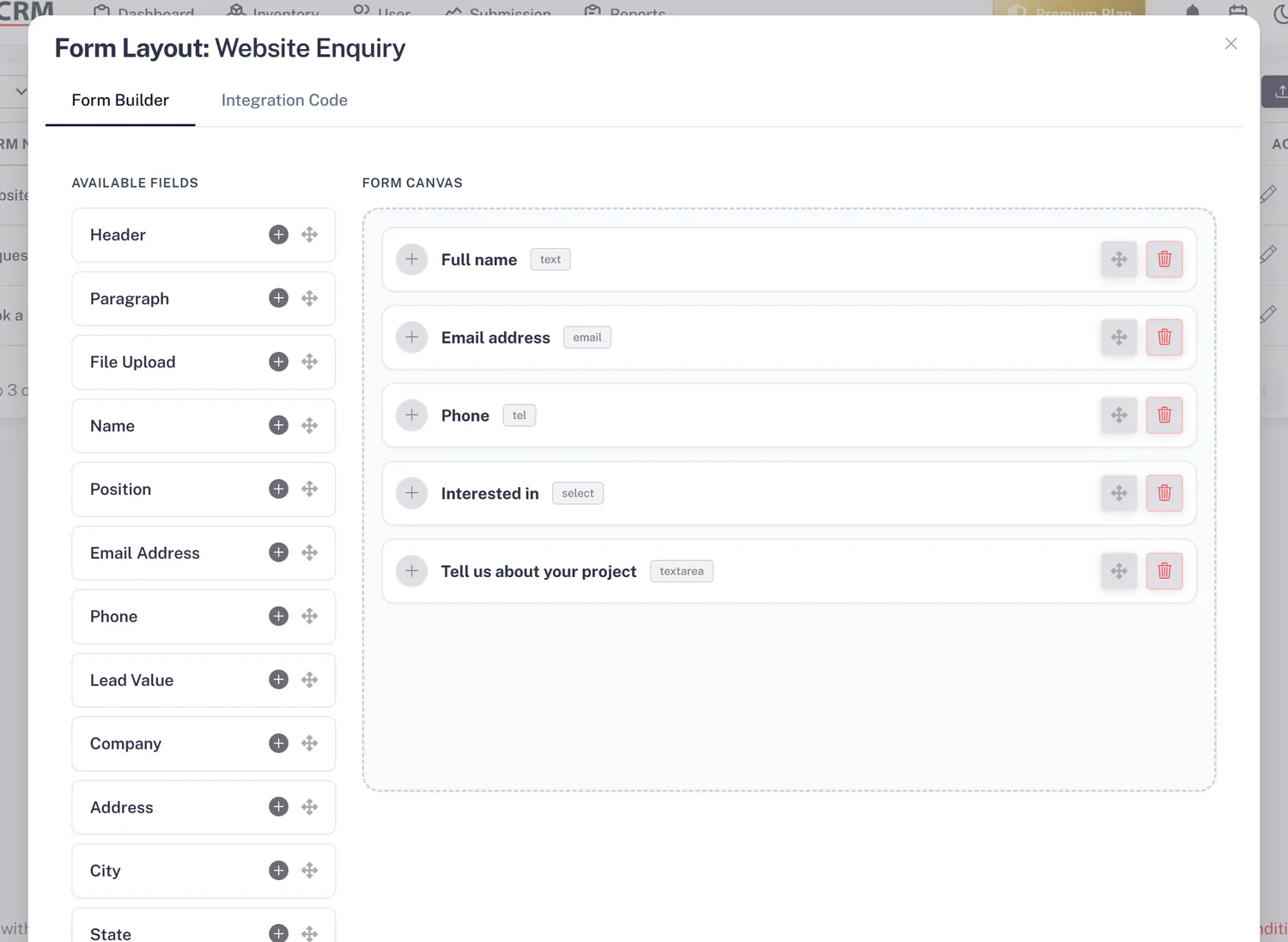
Drag-and-Drop Builder
Add fields, arrange them and publish. Change the form any time without touching your website.
- Point-and-click field editor
- Text, choice, number and date fields
- No HTML, no developer
Brand
Brand It to Match Your Site
Style the form so it looks like part of your website, not a bolted-on widget.
- Colours and labels you control
- Consistent with your pages
- Looks native everywhere
RS
Qualified
Rahul Sharma
Example Technologies
SourceWebsite Form
StatusIn Progress
OwnerSales Team
Next Follow-upTomorrow, 11:30 AM
Lead Captured
Assigned to Sales Team
Called, was interested
Follow-up Scheduled
Embed
Embed Anywhere With One Script Tag
Paste a single script tag into any site, blog or landing-page builder. Update the form later without re-embedding.
- Works on any CMS or builder
- One tag per form
- Multiple forms across your site
RS
Qualified
Rahul Sharma
Example Technologies
SourceWebsite Form
StatusIn Progress
OwnerSales Team
Next Follow-upTomorrow, 11:30 AM
Lead Captured
Assigned to Sales Team
Called, was interested
Follow-up Scheduled
Connect
Submissions Become CRM Leads
Every submission arrives in AliveCRM as a lead with its source recorded, ready to assign and follow up.
- Instant lead creation
- Source and page tracked
- Assigned on arrival
RS
Qualified
Rahul Sharma
Example Technologies
SourceWebsite Form
StatusIn Progress
OwnerSales Team
Next Follow-upTomorrow, 11:30 AM
Lead Captured
Assigned to Sales Team
Called, was interested
Follow-up Scheduled
In Practice
What You Get
Drag-and-drop builder
On-brand forms
One script-tag embed
Straight into the CRM
Build Better Lead Forms
Create the form, embed it anywhere, and connect it straight to your CRM.