Feature
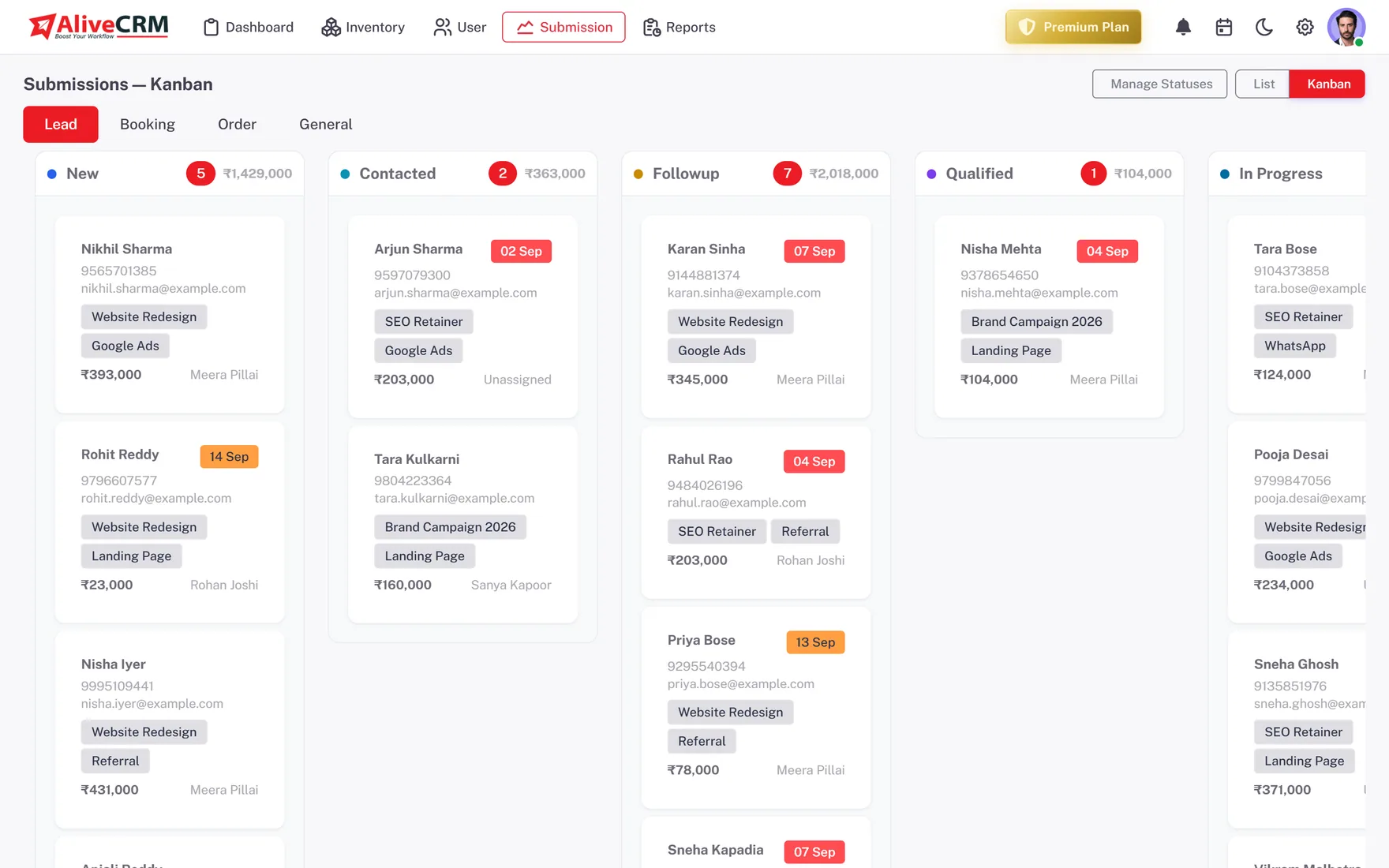
Track Every Lead From First Submission to Conversion
See status, owner, last activity and the next action due on every lead, with overdue and stuck leads surfaced.
How It Works
Lead Tracking in AliveCRM
New
Contacted
Qualified
Won
Stages
Configurable Status Stages
Set the stages your team actually uses and move each lead through them. See at a glance which are progressing.
- Statuses you define, per lead type
- Kanban and list views
- Status history on the lead
Owner
Owner and Last Activity on Every Lead
Know who owns each lead and when it was last touched, without asking for an update.
- Owner on every record
- Last activity timestamp
- Per-user lead lists
RS
Qualified
Rahul Sharma
Example Technologies
SourceWebsite Form
StatusIn Progress
OwnerSales Team
Next Follow-upTomorrow, 11:30 AM
Lead Captured
Assigned to Sales Team
Called, was interested
Follow-up Scheduled
Attention
Overdue and Stuck Leads Surfaced
AliveCRM flags leads with no activity and follow-ups past their due date, so nothing ages silently.
- Overdue follow-up view
- Aging leads (no activity in X days)
- Filter by owner or status
RS
Qualified
Rahul Sharma
Example Technologies
SourceWebsite Form
StatusIn Progress
OwnerSales Team
Next Follow-upTomorrow, 11:30 AM
Lead Captured
Assigned to Sales Team
Called, was interested
Follow-up Scheduled
History
Status History on the Lead
See exactly how a lead moved through your process and how long it spent at each stage.
- Every status change logged
- Time-in-stage
- Feeds the conversion funnel
RS
Qualified
Rahul Sharma
Example Technologies
SourceWebsite Form
StatusIn Progress
OwnerSales Team
Next Follow-upTomorrow, 11:30 AM
Lead Captured
Assigned to Sales Team
Called, was interested
Follow-up Scheduled
In Practice
What You Get
Every lead accounted for
Owner and last activity
Nothing aging silently
Full status history
Keep Every Lead Moving
Track status, owner and the next action on every lead in one place.