Feature
Website Forms Connected Straight to Your CRM
The forms on your contact page, product pages and landing pages all report into one CRM, with the page and source recorded on every lead.
How It Works
Website Forms in AliveCRM
On Your Site
A Form for Every Page That Needs One
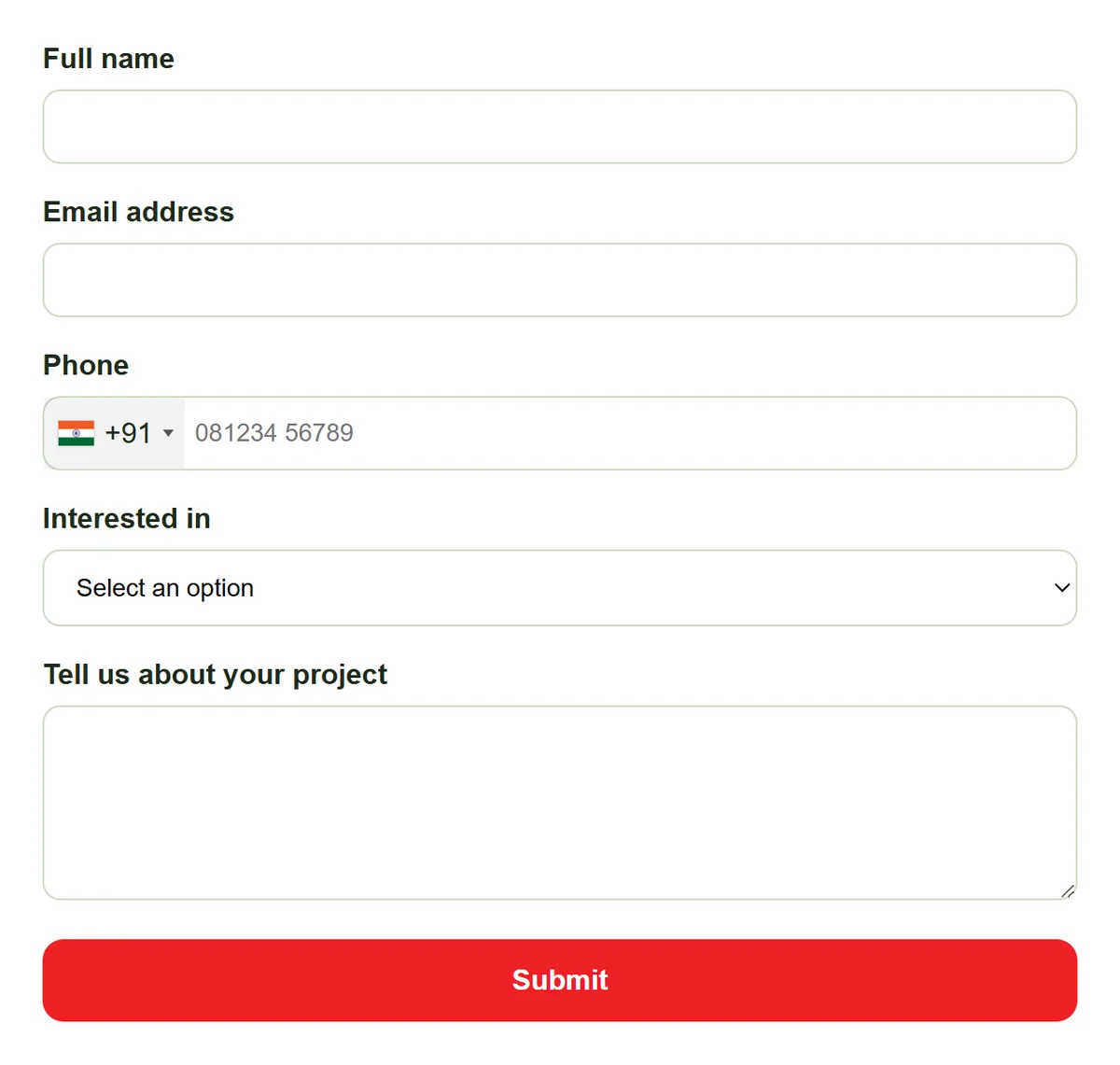
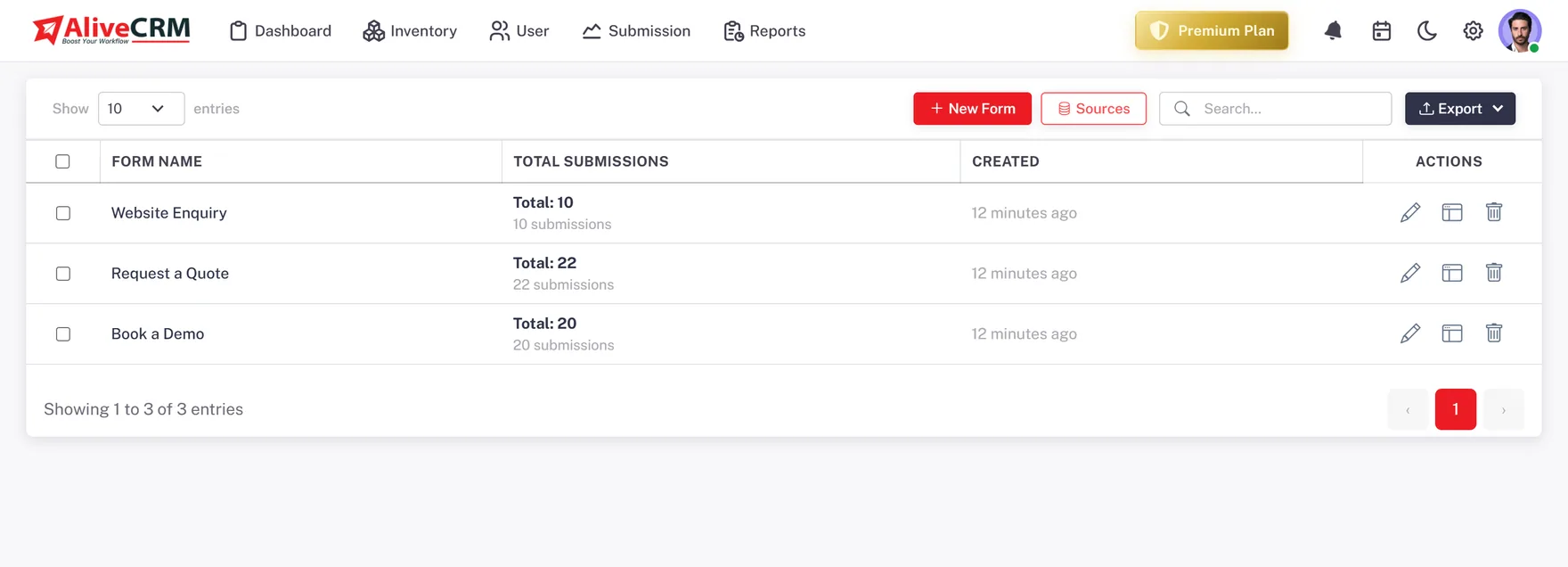
Most websites need more than one form: a general contact form, a quote request on a service page, an enquiry form on each product or project. Build each one in AliveCRM and give it its own name and source, so a lead tells you not just that someone got in touch but where and about what.
- Separate forms for contact, quote and product enquiries
- Each form carries its own source name
- Point a form at a specific product, service or project
- As many forms across your site as your plan allows
Embed
One Script Tag, Any Website
Each form gives you a single script tag. Paste it into a WordPress page, a landing-page builder, a static HTML site or a theme template, and the form renders inline. Change the fields later in AliveCRM and the live form updates without touching the site again.
- Works on any CMS, builder or hand-coded site
- One tag per form, nothing else to install
- Edit the form centrally, no re-embedding
- Forms also resolve by an integration code
Not an Inbox
Submissions Become Leads, Not Emails
A form that emails you is a to-do list you have to retype. An AliveCRM form creates a lead: contact details, the form and source, the product or project it was about, a status and an owner, ready to work in the pipeline.
- Structured lead record, not a plain-text email
- Source and form recorded automatically
- Assigned to an owner on arrival
- Nothing lost in a crowded inbox
Rahul Sharma
Example Technologies
Tracking
Conversion Tracking Built Into the Form
Add your Google Tag Manager container to a form and the markup loads with it, so a submission can fire a conversion event for your ads and analytics. The per-form report then shows submissions and conversion for every form on your site.
- Google Tag Manager fields on each form
- Fire a conversion event on submit
- Form performance report: submissions and conversion per form
Rahul Sharma
Example Technologies
The Detail
Why Your Website Forms Belong in the CRM
For most businesses the website is the biggest source of new enquiries, and yet the forms on it are often the least managed part of the sales process. They email a shared address, or they post to a plugin that stores entries in a list nobody looks at. The enquiry arrives, but the follow-up depends on someone noticing.
The problem with form-to-email
When a website form sends an email, the enquiry has no owner, no status and no source you can report on. Two people might reply, or nobody does. A week later you cannot tell how many leads the site produced, which page they came from, or how many turned into customers.
How AliveCRM handles it
Every form is defined in the CRM and embedded with one script tag. A submission is validated, rate-limited against spam, and turned into a lead with its source, its form, and the product, service or project it points to. The lead is assigned to an owner and appears in the pipeline the moment it is created.
What you can measure
Because each form has its own source, the source and form performance reports show which pages and which forms bring leads, and which of those leads convert. Paired with Google Tag Manager on the form, the same submission feeds your ad platform and your CRM at once.
In Practice
What You Get
A form per page or product
One script-tag embed anywhere
Submissions become owned leads
Conversion tracking per form
Put Your Website Forms to Work
Connect every form on your site to one CRM, with the page and source on each lead.
FAQ
Frequently Asked Questions
As many as your plan allows. Most sites run several: a contact form, a quote form, and an enquiry form on each key product, service or project page. Each has its own name and source.
No. Each form gives you one script tag. Paste it where you want the form to appear, in a page builder, a WordPress editor or a theme file. No package to install and no API to wire up.
Form submissions are rate-limited by IP and email address, so a bot cannot flood your pipeline with fake leads.
Yes. Add your Google Tag Manager container to the form and a submission can fire a conversion event, while the same submission still creates a lead in AliveCRM.
Form Builder is about designing a single form: its fields, layout and branding. Website Forms is about running the set of forms across your whole site so each one is embedded, sourced and reporting into the pipeline.