

CRMFeature

CRM Call Tracking That Logs Every Lead Call

Call a lead from AliveCRM, and the Android app records whether it connected, how long it lasted and when it happened. Incoming calls from known leads show who is calling.

The short answer

How does call tracking work in AliveCRM?

Call tracking in AliveCRM works through the Android app. When you call a lead, the app reads the phone's call log and records the direction, outcome and duration against that lead. It can also match incoming numbers to your leads for caller ID. Everything appears in the lead's Contact History.

On the web, the phone button on a lead opens your calling app and the tap is logged. The Android app goes further by confirming what actually happened on the call.

Why manual call notes are not enough

  • Reps forget to note calls on a busy day.
  • A missed call is recorded as if contact was made.
  • Nobody recognises a returning lead's number.
  • Managers cannot tell whether a lead was ever reached.
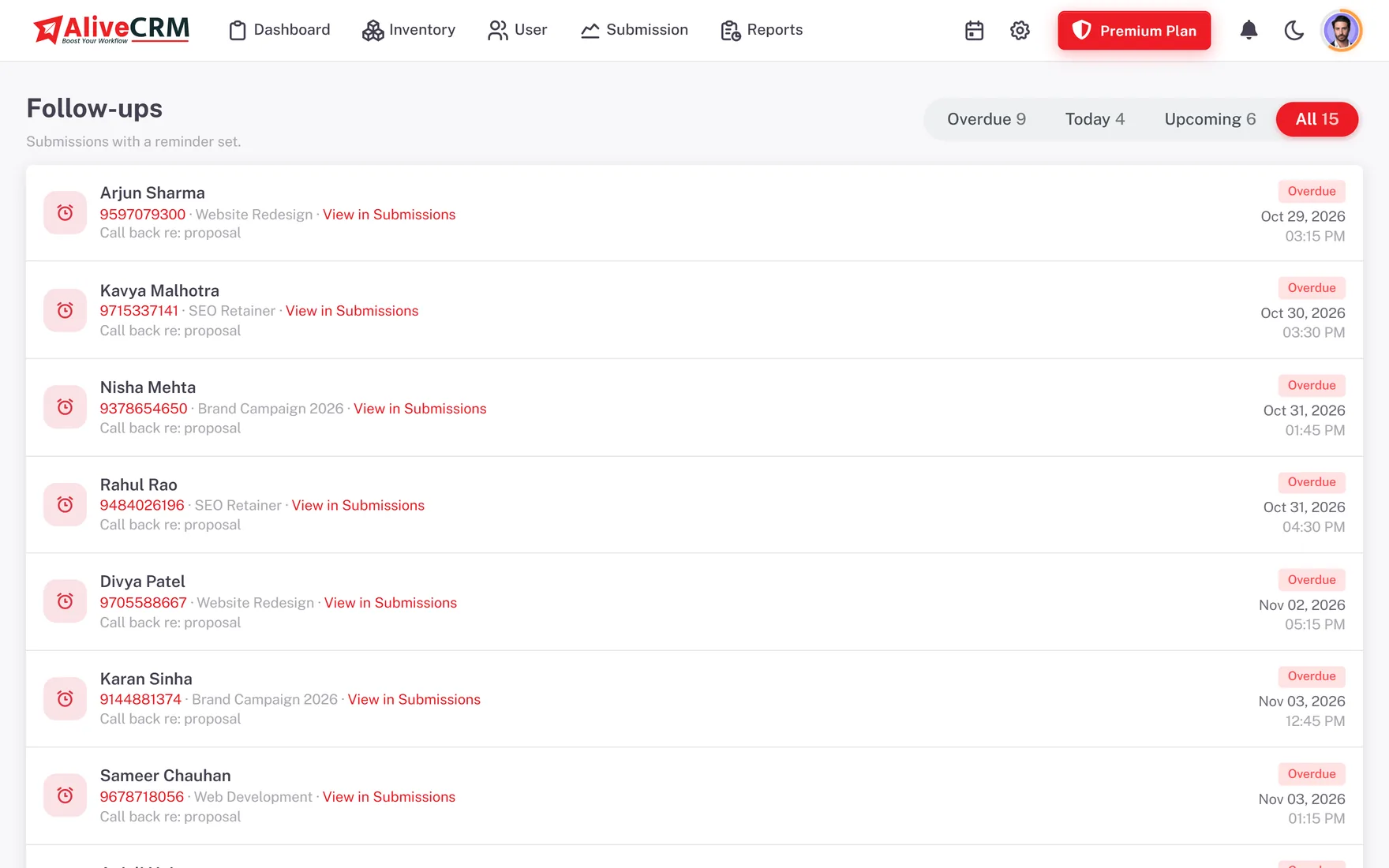
How It Works

From Tap to Logged Call

The app joins the tap and the real call into one entry.

  1. 01Tap to call
  2. 02Call happens
  3. 03Call log read
  4. 04Outcome saved
  5. 05Contact History
Logging

Calls Logged With Outcome and Duration

After a call, the Android app records the direction, start time, duration and outcome: connected, no answer, missed or declined. The tap you made and the entry in the phone's call log are merged into one row, so the history stays clean instead of showing every call twice.

  • Direction, start time and duration
  • Connected, no answer, missed or declined
  • Tap and call merged into one entry
See follow-up management
Calls Logged With Outcome and Duration
Honest Contact

Only Real Contact Counts

A missed or declined call is logged, but it does not count as contact. The lead's last contact time only moves when a conversation really happened, so a response timer or a follow-up review is never flattered by calls that went unanswered.

See lead status tracking
  • Missed calls do not reset last contact
  • Response timers stay accurate
  • Clear record of attempts
Caller ID

Know Which Lead Is Calling

With caller ID turned on, the Android app checks incoming numbers against your leads and shows the matching name, so you answer knowing who it is and what they asked about. Locked leads are left out of the lookup, and caller ID respects the permissions on your account.

See the mobile CRM app
  • Incoming numbers matched to leads
  • Name shown as the phone rings
  • Locked leads excluded
History

One Contact History per Lead

Calls from the app sit alongside phone and WhatsApp taps from the web in the lead's Contact History. Anyone with access to the lead can see who reached the customer, how, and when, before picking up the phone themselves.

See WhatsApp lead follow-up
  • Calls and taps in one timeline
  • Visible to anyone with access
  • Context before the next call
Who It Is For

Who Uses Call Tracking

Phone-first sales teams

When most deals start with a call, an automatic log saves time and stops a busy rep from losing track of who was reached.

Sales managers

See whether a lead was actually reached or only attempted, and coach based on real calls rather than memory.

Reps who work on the road

Calls made between meetings are logged without opening a laptop, and caller ID shows which lead is calling back.

Honest limits

What Call Tracking Does Not Do

Call tracking and caller ID need the AliveCRM Android app with call permissions granted; they depend on Android's rules and the phone maker's settings. They are not available on the web, and the iOS app, coming soon, will not offer call log access because iOS does not allow it. AliveCRM is not a dialer or VoIP system and does not record call audio.

FAQ

Frequently Asked Questions

Does AliveCRM record my calls?

No. AliveCRM does not record call audio. The Android app logs details about calls to and from your leads: the direction, the start time, how long the call lasted and whether it connected, went unanswered, was missed or was declined. Those details appear in each lead's Contact History.

Is call tracking available on iPhone?

No. Call tracking and caller ID rely on reading the phone's call log, which Android allows with permission and iOS does not. The AliveCRM iOS app is coming soon and will support leads, follow-ups and tap-to-call, but not automatic call logging or caller ID.

How does caller ID work?

When caller ID is turned on in the Android app, AliveCRM compares incoming numbers with the phone numbers on your leads and shows the matching lead name. Locked leads are not matched. This lets you answer a returning lead by name and with the context of their enquiry.

Do missed calls count as contacting a lead?

No. Missed and declined calls are logged so you can see the attempt, but they do not update the lead's last contact time. Only connected calls count as contact, which keeps response timers and follow-up reviews honest about who was actually reached.

Can I track calls from the web app?

On the web, the phone button on a lead opens your calling app and AliveCRM logs the tap in Contact History. It cannot see whether the call connected. Outcome and duration tracking needs the Android app, which reads the call log on the phone you use.

Log Every Lead Call Without Typing

Start a 7-day free trial and install the Android app from Google Play.

Book a demo

See forms, leads and follow-ups set up for your team on a live call. Leave your details and we will reach out to pick a time.