
CRMFeature

A Mobile CRM App for Sales Teams Away From the Desk

Check new leads, call a customer, move a deal and set the next reminder from your phone. The AliveCRM Android app is on Google Play, and an iOS app is coming soon.

The short answer

Does AliveCRM have a mobile app?

Yes. The AliveCRM Android app is available on Google Play and works with the same account, data and permissions as the web app. Reps can view and update leads, call or message customers, manage follow-ups, move leads on the pipeline and check reports. An iOS app is coming soon.

Leads do not wait for someone to get back to a laptop. The mobile app keeps the CRM in the pocket of the person who is about to meet, call or visit the customer.

What changes when the CRM is on the phone

  • New leads are seen in minutes, not at the end of the day.
  • Notes are written right after the meeting, while they are fresh.
  • Calls to leads are logged automatically on Android.
  • Status updates no longer wait for office time.
How It Works

A Day With the Mobile App

The same lead record, wherever the work happens.

  1. 01Push alert
  2. 02Open the lead
  3. 03Call or message
  4. 04Update status
  5. 05Set next reminder
Leads

Your Leads, Filtered and Searchable

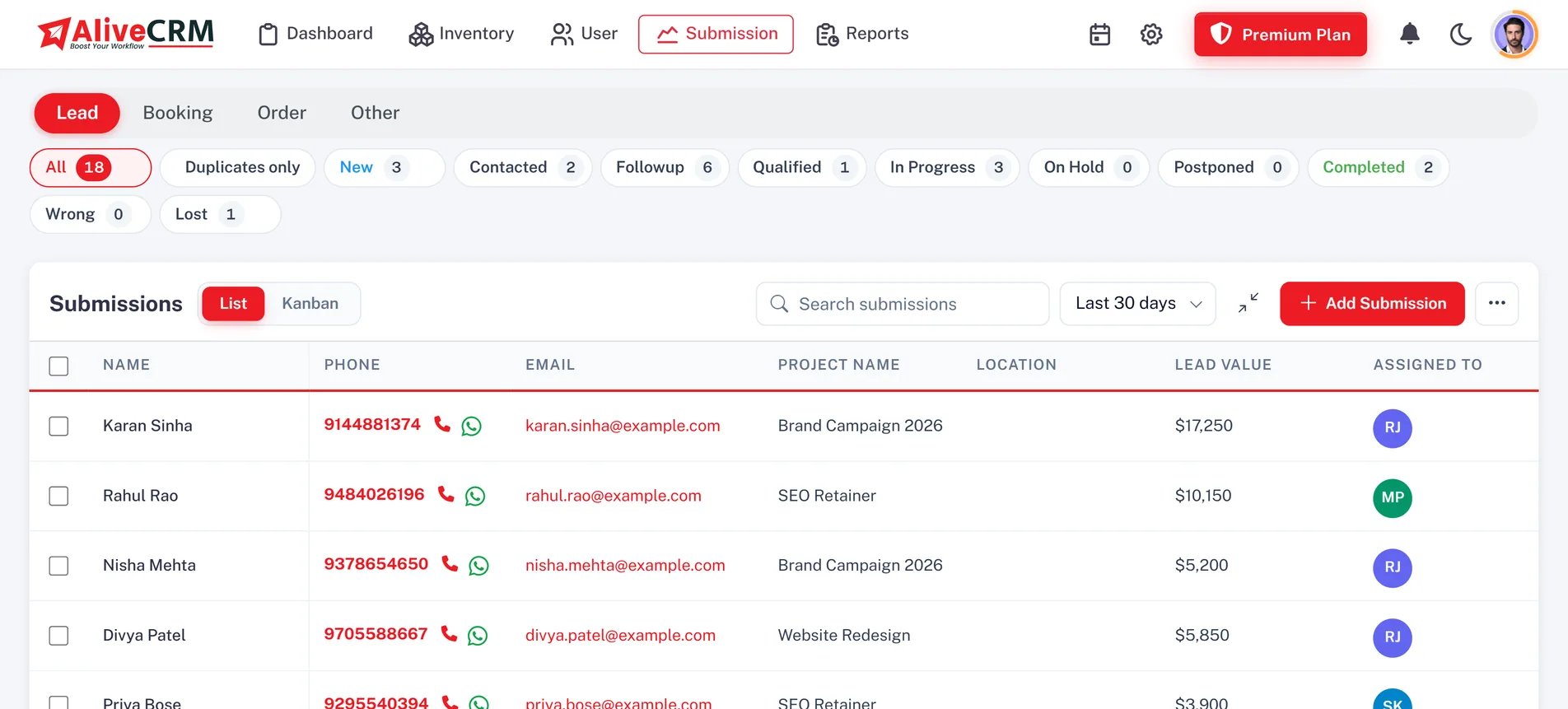
Open your lead list with search, sorting and filters by date, value or unassigned leads, then tap into any record for its details, notes, status history and contact history. Add notes, change the status or reassign a lead from the same screen, within the permissions your role allows.

  • Search, sort and filter
  • Notes, status and contact history
  • Same roles as the web app
See lead management features
Your Leads, Filtered and Searchable
Contact

Call, Message and Log in One Tap

Tap to call a lead or open a WhatsApp chat with them from the record. On Android, the app reads the call log to save the outcome and duration, and caller ID can show which lead is ringing. Message templates in the app fill in the lead's details so a quick message takes seconds.

See CRM call tracking
  • Tap to call and WhatsApp
  • Android call tracking and caller ID
  • Message templates with lead details
Follow-Ups

Reminders and Alerts on the Move

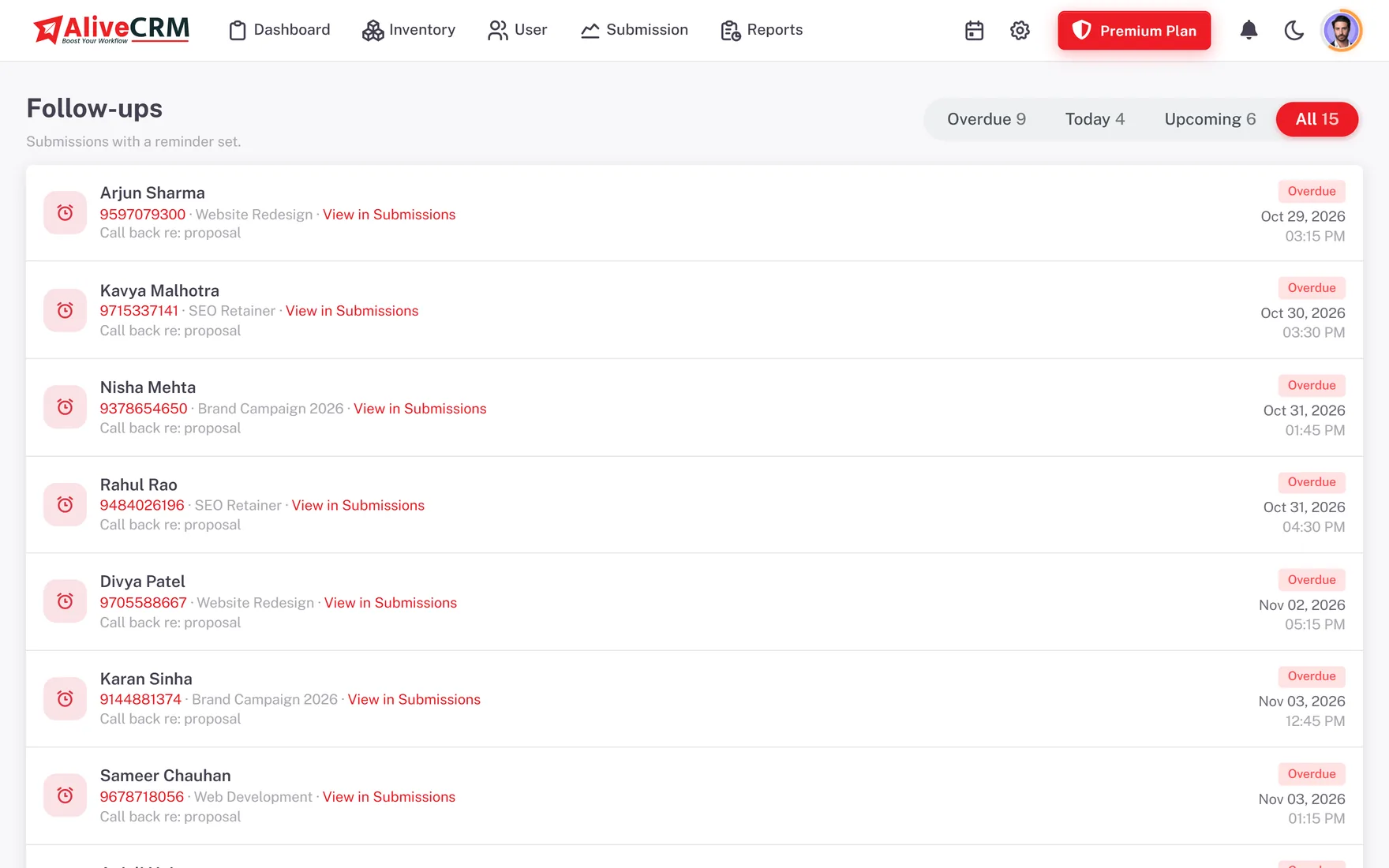
See overdue, today and upcoming follow-ups, set the next reminder before you leave a meeting and get push alerts when a lead is assigned or a reminder is due. Choose which alerts you get, and set quiet hours, from the app's notification settings.

  • Overdue, today and upcoming lists
  • Push alerts for leads and reminders
  • Per-event switches and quiet hours
See follow-up management
Reminders and Alerts on the Move
Business

Pipeline, Documents and Reports

Move leads through the Kanban pipeline, prepare quotations and invoices where your plan includes them, and check reports and team activity between appointments. Sign-in supports two-factor authentication, and the app works with the same company settings your admin manages on the web.

See the sales pipeline
  • Kanban pipeline on the phone
  • Quotations and invoices where included
  • Reports and two-factor sign-in
Who It Is For

Who the Mobile App Is Built For

Field sales reps

Check the lead before a visit, call from the record and update the status as soon as the meeting ends.

Site and property teams

Review enquiries and reminders while travelling between locations, without waiting to get back to the office.

Service businesses

Staff working at a customer location can see their assigned bookings and note what was agreed on the spot.

Owners and managers

Glance at reports and the pipeline from anywhere, and get a push alert when an important lead arrives.

Honest limits

What the Mobile App Does Not Do Yet

The iOS app is coming soon and is not in the App Store yet. When it arrives, call tracking and caller ID will stay Android only, because iOS does not allow apps to read the call log. Some admin setup, such as building forms and editing roles, is easiest on the web app. Features follow your plan, so gated features stay locked on mobile too.

FAQ

Frequently Asked Questions

Is the AliveCRM app available on Android and iPhone?

The Android app is available now on Google Play. The iOS app is coming soon. Both use the same AliveCRM account as the web app, so leads, users, roles and settings stay in sync. Until the iOS app is released, iPhone users can use AliveCRM in the phone's browser.

Does the mobile app show the same data as the web app?

Yes. The app connects to the same company account, so the leads, follow-ups, pipeline and reports match what you see on the web. Your role and permissions apply in the app too, which means a rep with "self only" access sees only their own leads on mobile.

Can I call and message leads from the app?

Yes. Tap to call or open a WhatsApp chat from any lead. On Android, the app can log each call's outcome and duration from the call log and show caller ID for known leads. Message templates fill in lead details so common messages are quick to send.

Will I get notifications on my phone?

Yes. The Android app sends push notifications for events such as new leads, assignments and due reminders. You can switch individual alert types on or off and set quiet hours from the app, so you hear about what matters without being disturbed outside working hours.

Do I need a separate subscription for the mobile app?

No. The mobile app is part of your AliveCRM account. Sign in with the same details you use on the web, and the features available follow your company's plan. Start with the 7-day free trial, then choose a plan on the pricing page.

Take Your Leads With You

Start a 7-day free trial on the web, then sign in on the Android app.

Book a demo

See forms, leads and follow-ups set up for your team on a live call. Leave your details and we will reach out to pick a time.