

 India
The Complete CRM Workflow for Indian Teams
Every stage happens on the same enquiry, so no detail is retyped.
- 01Register
- 02Company Profile
- 03Collect Enquiries
- 04Distribute
- 05Call Back
- 06GST Quote
- 07Review
Follow the full journey of an enquiry in AliveCRM, from the day you register to the day the customer pays your GST invoice.
Every stage happens on the same enquiry, so no detail is retyped.
Sign up with your name, company and email ID, and confirm the email from the link we send. Your account starts a 7-day trial straight away, with no card or payment asked for. When you first open the dashboard, a guided tour explains each menu and a checklist tracks your setup so you know what is left.
Fill in your company profile with logo, currency and time zone, and add your GSTIN and state so quotations calculate tax correctly. Then list the projects, services or products customers enquire about, set statuses that match your process, such as Site Visit Planned or Demo Given, and add sources like walk-in, referral or website.
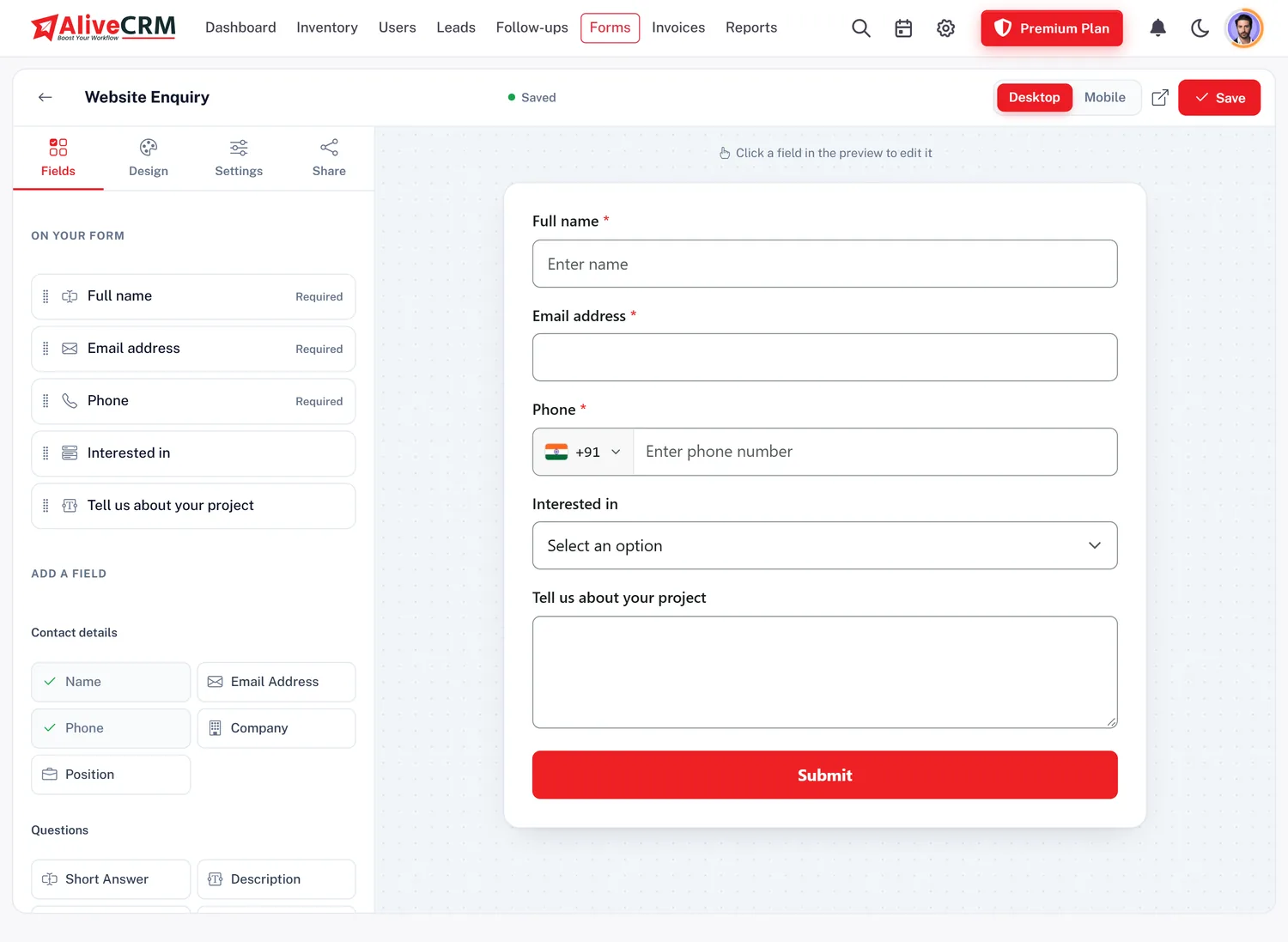
See Inventory ManagementCreate an enquiry form with drag-and-drop fields and your logo, then paste its single script on your website, a WordPress page or through Google Tag Manager. Every submission is saved as a lead with its source. Your existing Excel data comes in as a CSV import, and other systems can post leads to the form's webhook.
Add each employee as a user with their email ID. They set their own password and work under the role you choose, for example Sales Executive with access only to their own leads. Then pick how new website enquiries are distributed: round-robin across executives, the least busy person, or one fixed employee for a particular project.
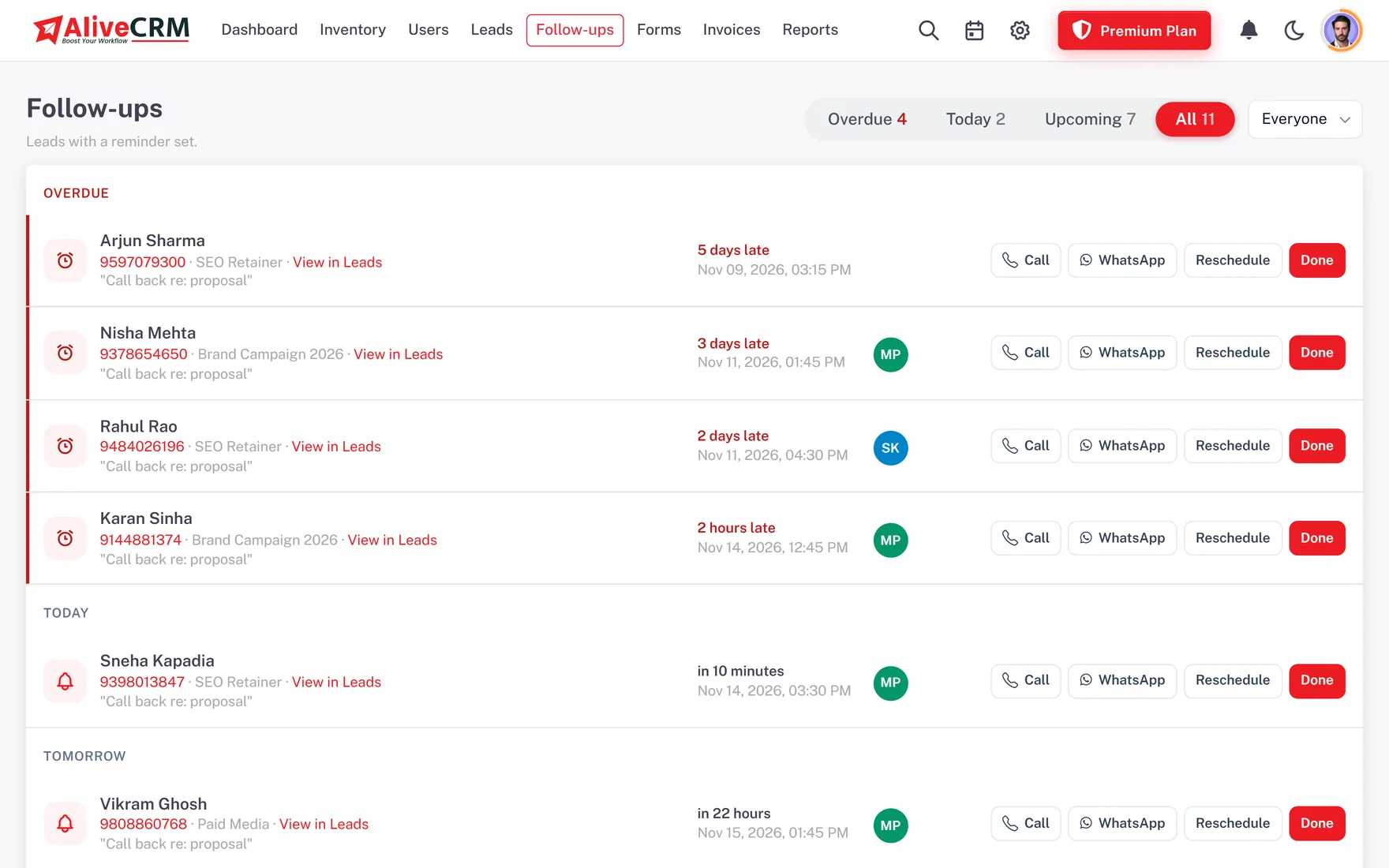
See Employee RolesExecutives tap to call or open WhatsApp with a template, then record what the customer said. A callback date and time goes on the lead, and the Follow-ups page shows Overdue, Today and Upcoming for the whole team. Alerts come in the app and on the phone, and SMS alerts to your own staff are available on plans that include SMS.
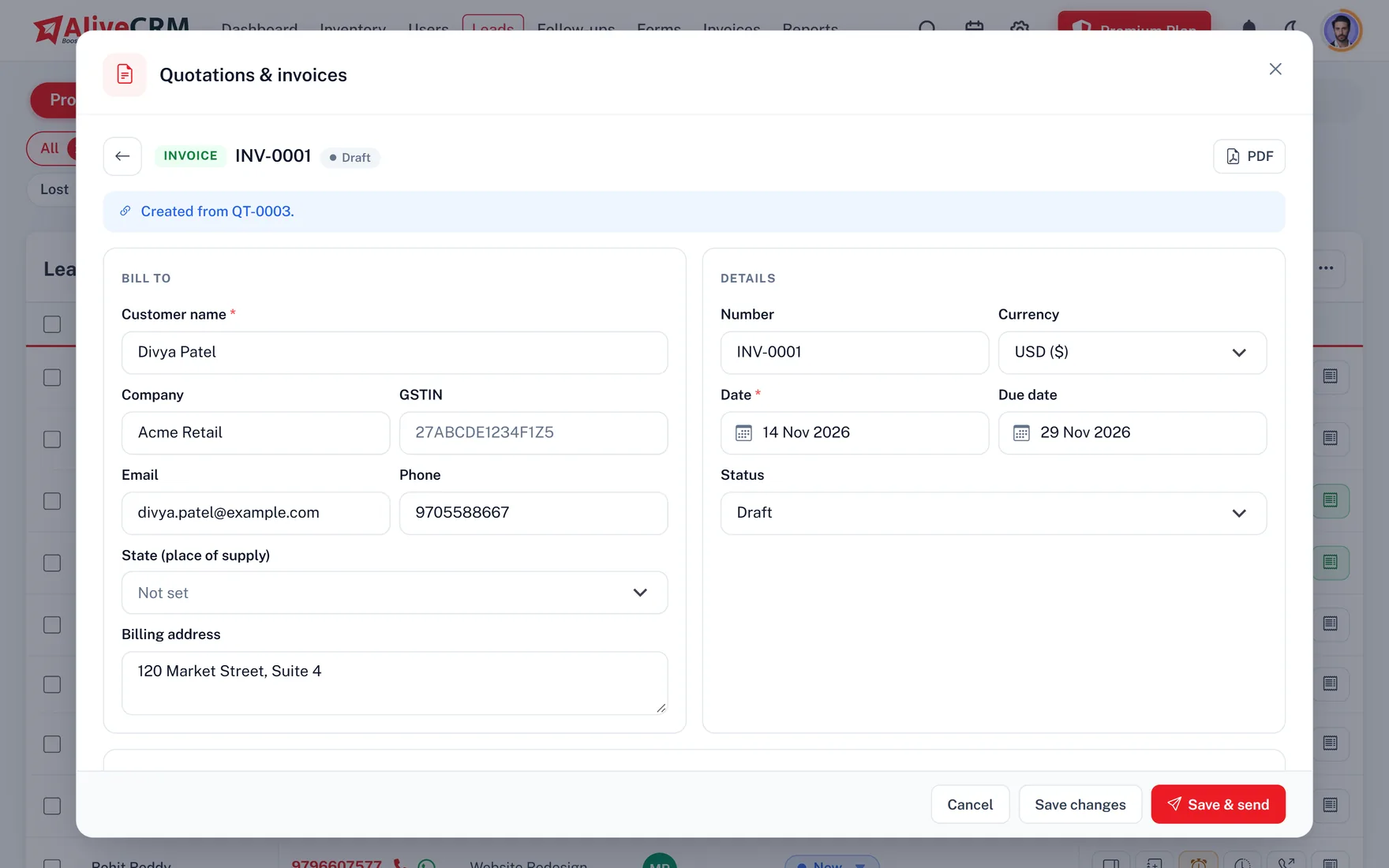
Prepare a quotation from the enquiry with HSN codes, discounts and GST worked out as CGST plus SGST or IGST. Email it as a PDF or send a secure link. Once the customer agrees, convert it to an invoice, show a UPI QR for payment, and record part payments as they come in. A fully paid invoice marks the lead as Won.
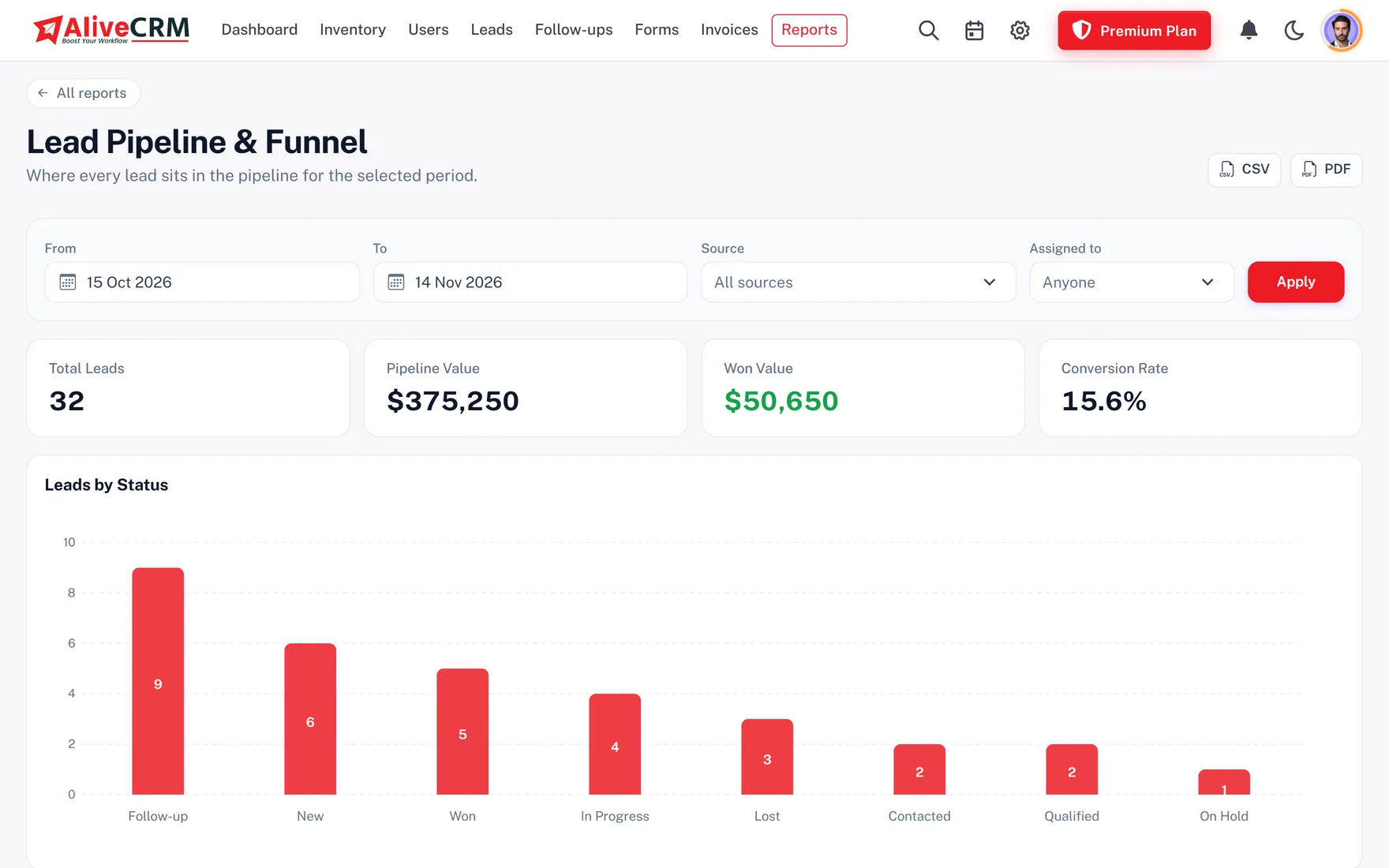
The pipeline report shows how many enquiries sit at each stage. Advanced reports compare sources, forms, projects and executives, and show which follow-ups were missed and why leads were lost. Download them as CSV or PDF before the weekly sales meeting instead of collecting numbers on WhatsApp.
Executives at a site visit or customer meeting can update the lead, add a note and set the next callback from the AliveCRM Android app, which also picks up call details from the phone. The iOS app is in App Store review.
Yes. Most owners finish the setup checklist themselves: company profile, lead sources, the first enquiry form and inviting employees. Our team can help on a call if needed.
Copy the form's script and paste it into a Custom HTML block on the page. No plugin is needed. It also works through Google Tag Manager.
Yes. Save the sheet as CSV using our template columns and import up to 2,000 rows per file. Imported leads are assigned by hand.
No, the browser works on any device. The Android app helps field staff log calls and update leads on the go.
No. GST fields are optional. Add your GSTIN and state only if you want tax split on quotations and invoices.
The account locks until you pick a paid plan in rupees. Your leads stay saved, and billing and data export remain available.
Yes. Statuses, sources, roles and distribution rules can be edited any time without affecting existing leads.
Start the 7-day trial with no card needed, or book a demo and we will set it up with you.