

CRMFeature

A Website Enquiry Form Builder That Feeds Your CRM

Design an enquiry form for your website or landing page, paste one tag, and every submission becomes a lead your team can call the same day.

The short answer

How do I get website enquiries straight into a CRM?

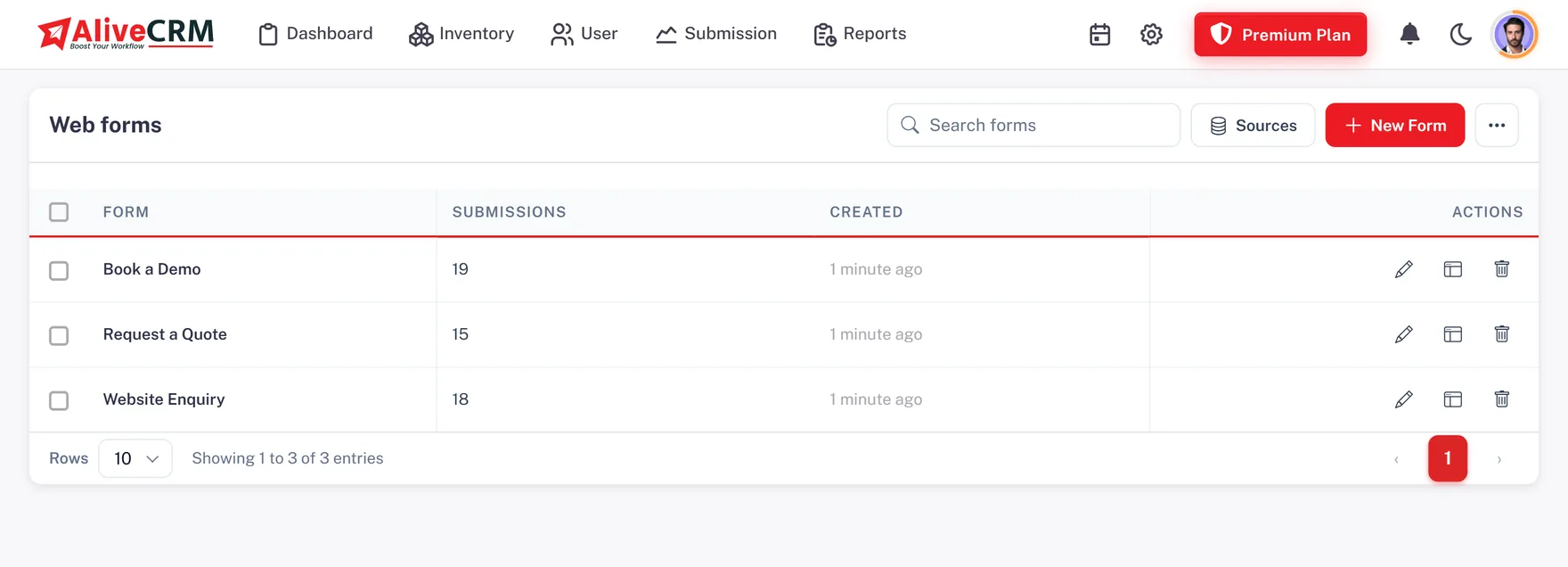
Use a form built inside the CRM instead of a contact form that sends email. With the AliveCRM website enquiry form builder you drag fields onto a form, set which ones are required, choose the button and thank-you message, and link the form to one product, project or service and one lead source. Each submission is saved as a lead, not an email someone has to copy into Excel.

Many Indian businesses run ads to a landing page and then lose track of who filled the form. When the form lives in your lead management software, the enquiry, its source and the page it came from are on the lead from the first second.

What a good enquiry form gets right

  • It asks only for what your executive needs for the first call.
  • It looks like your website, not a third-party widget.
  • It tells the customer what will happen next.
  • It arrives in the CRM tagged with its offer and source.
How It Works

From Blank Form to Live Enquiries

Most teams have their first form on the website within an hour.

  1. 01Add Fields
  2. 02Set Style
  3. 03Link Offer and Source
  4. 04Paste Tag
  5. 05Receive Leads
Fields

Drag the Fields Your Team Needs

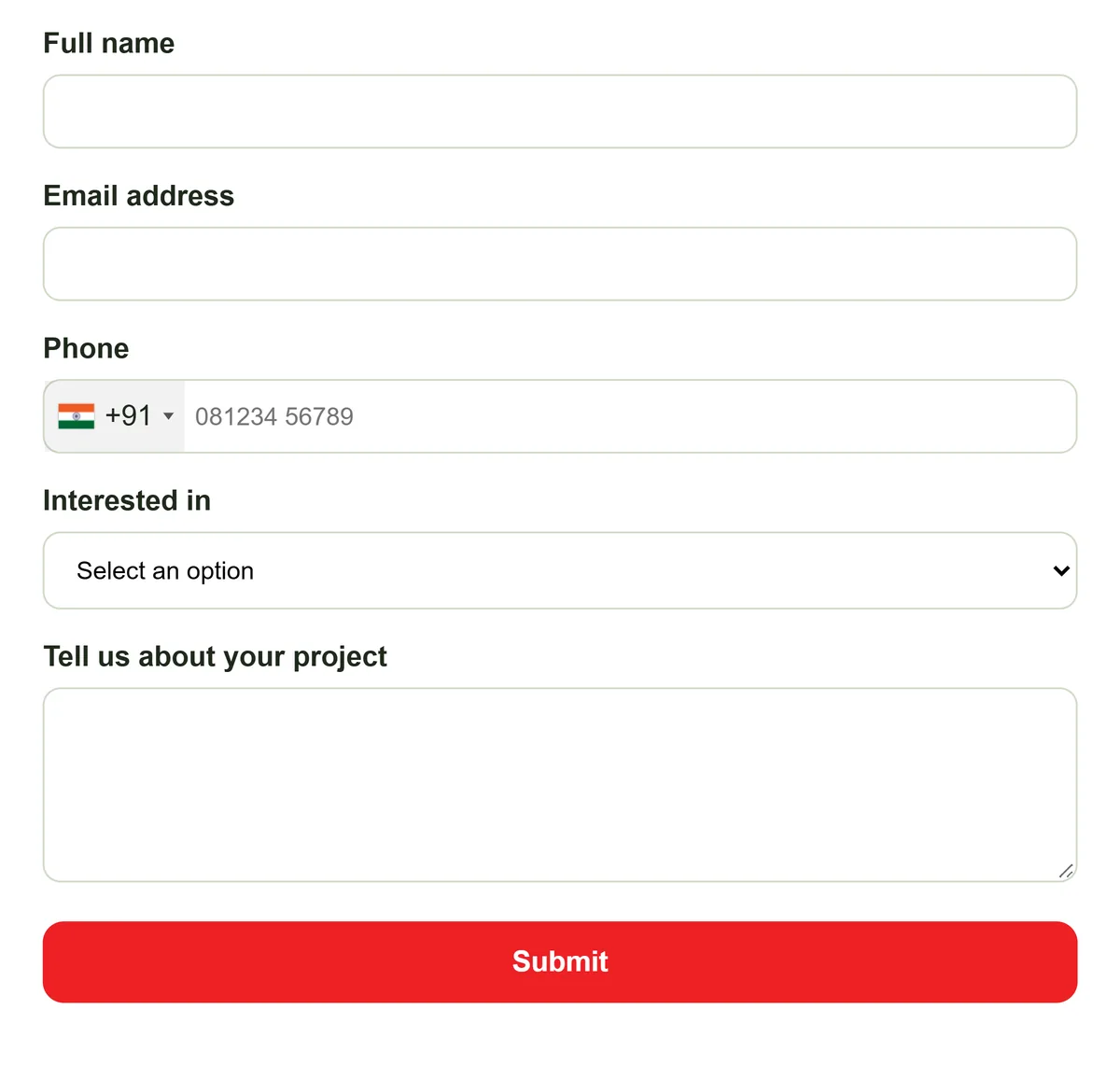
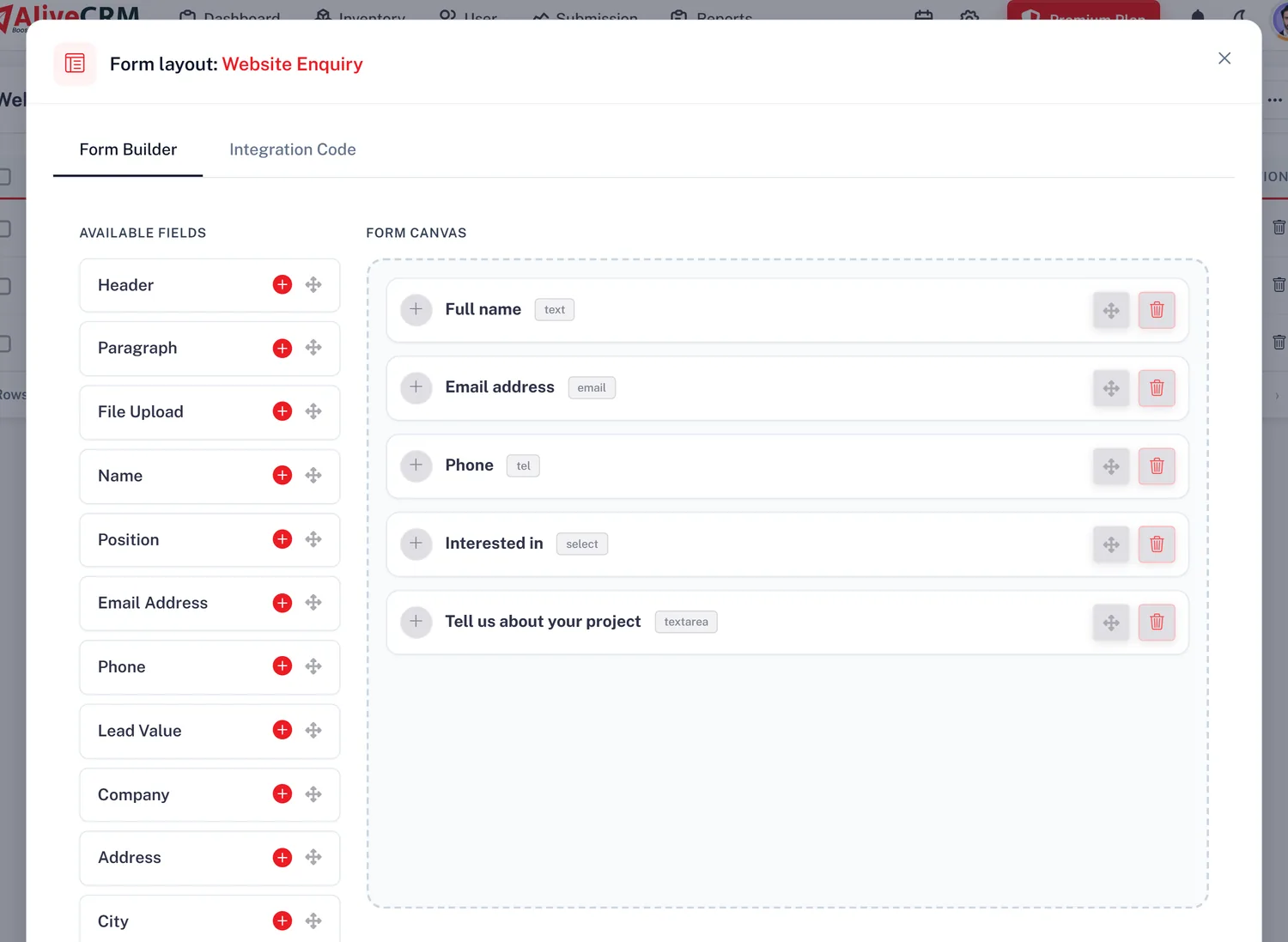
Pick from name, email, phone, company, position, address, city, state, country, zip, lead value, description, date and time, file upload, dropdown, radio buttons and checkboxes. Add headers and paragraphs to explain what you are asking for. A coaching institute might add a course dropdown, while a solar installer adds city and a file upload for an electricity bill. Mark each field required or optional and watch the preview update as you build.

  • Drag-and-drop fields
  • Required or optional per field
  • Live preview while editing
See lead management in India
Drag the Fields Your Team Needs
Look and Tracking

Match Your Brand and Track Your Ads

Set the button text and colours so the form sits naturally on your site. After a customer submits, show a thank-you message you write or send them to a page of your choice. Paste your Google Tag Manager code into the form settings so each submission can be counted as a conversion for your Google or Meta ad campaigns, which matters when every rupee of ad spend needs a lead to show for it.

  • Button text and colours
  • Thank-you message or redirect
  • Google Tag Manager code per form
See CRM reports
Match Your Brand and Track Your Ads
Context

One Form Per Offer, Source Attached

Each form belongs to one product, project or service and one lead source. A builder can run a separate form for each project, and an IT agency can keep one for website development and another for mobile apps. Every lead arrives knowing what the customer asked about and which page they were on, so assignment and reporting work from the start.

See lead assignment
  • One item and one source per form
  • Source page saved on each lead
  • Separate forms per project or service
Edits

Change the Form Without Calling Your Developer

The embed tag loads the form from AliveCRM, so when you add a field, change wording or update colours, the live form on your website changes too. There is no need to ask your web agency to re-upload anything. Check the result in the preview first, then publish it. If your site lets you paste custom code, as WordPress and most site builders do, you can manage forms yourself.

  • Edits go live on their own
  • Preview before you publish
  • One script tag per form
Start a 7-day trial
Change the Form Without Calling Your Developer
Who It Is For

Who Builds Enquiry Forms in AliveCRM

Digital marketing agencies

Build a form per client landing page, add the tag manager code and hand over leads that already show their source.

Interior designers

Ask for flat size, city and budget, and let customers upload a floor plan with their enquiry.

Solar and home services

Collect address, preferred visit date and a photo or bill, linked to the service the customer wants.

Travel agents

Run one enquiry form per package with travel dates and number of travellers on every lead.

Honest limits

What the Form Builder Does Not Do

The form builder is made for enquiry forms. It does not build multi-page surveys, quizzes, payment forms or conditional questions, and one form cannot cover several products at once. Forms do not include a captcha; submissions are rate-limited and checked for duplicates instead. It does not pull leads from Facebook lead ads or listing portals; those are added by hand or by CSV import.

FAQ

Frequently Asked Questions

Do I need a developer to add the form to my website?

Usually not. You build the form in AliveCRM and copy one script tag. If your website builder or WordPress theme lets you add a custom HTML or code block, paste the tag there and the form appears. If your site is managed by an agency, send them the tag once; later edits go live without them.

Can customers fill the form in Hindi or a regional language?

Yes. The fields accept any text, so a customer can describe their requirement in Hindi, Gujarati, Bengali or any other language. It is saved on the lead exactly as typed. You can also write the field labels and thank-you message in the language your customers prefer.

How many forms can I create?

It depends on your plan. The 7-day trial includes one form, and paid plans raise the limit. Leads that arrive beyond your plan's form limit are kept, but locked, until you upgrade, so no enquiry is thrown away. Check the pricing section for the current limits before planning one form per page.

Can I track form leads from Google Ads?

Yes. Add your Google Tag Manager code to the form so each submission can fire a conversion event for your ads and analytics. You can also redirect customers to a thank-you page after submitting. On selected paid plans, the Form Performance report shows submissions per form inside AliveCRM.

Who gets told when a new enquiry comes in?

The lead is assigned to an owner as soon as it arrives, either by your auto-assignment rule where your plan includes it or to the company admin. The owner gets an in-app notification and a push alert on the Android app, so they can call while the customer is still interested.

Can a form accept file uploads?

Yes. Add the file upload field and customers can attach a brief, a drawing, a photo or a document with their details. The file is saved on the lead, so the executive who calls back already has what the customer sent and does not need to ask for it again on WhatsApp.

Put Your First Enquiry Form Live Today

Start a 7-day trial, no card needed, build a form and paste it on your website. Pay in rupees when you choose a plan.

Book a demo

See forms, leads and follow-ups set up for your team on a live call. Leave your details and we will reach out to pick a time.