

CRMFeature

Sales Follow-Up Software That Keeps Every Callback on Time

Put the next call on every lead, let AliveCRM remind the right executive, and see missed follow-ups on the dashboard the same morning.

The short answer

What should follow-up management software do for an Indian sales team?

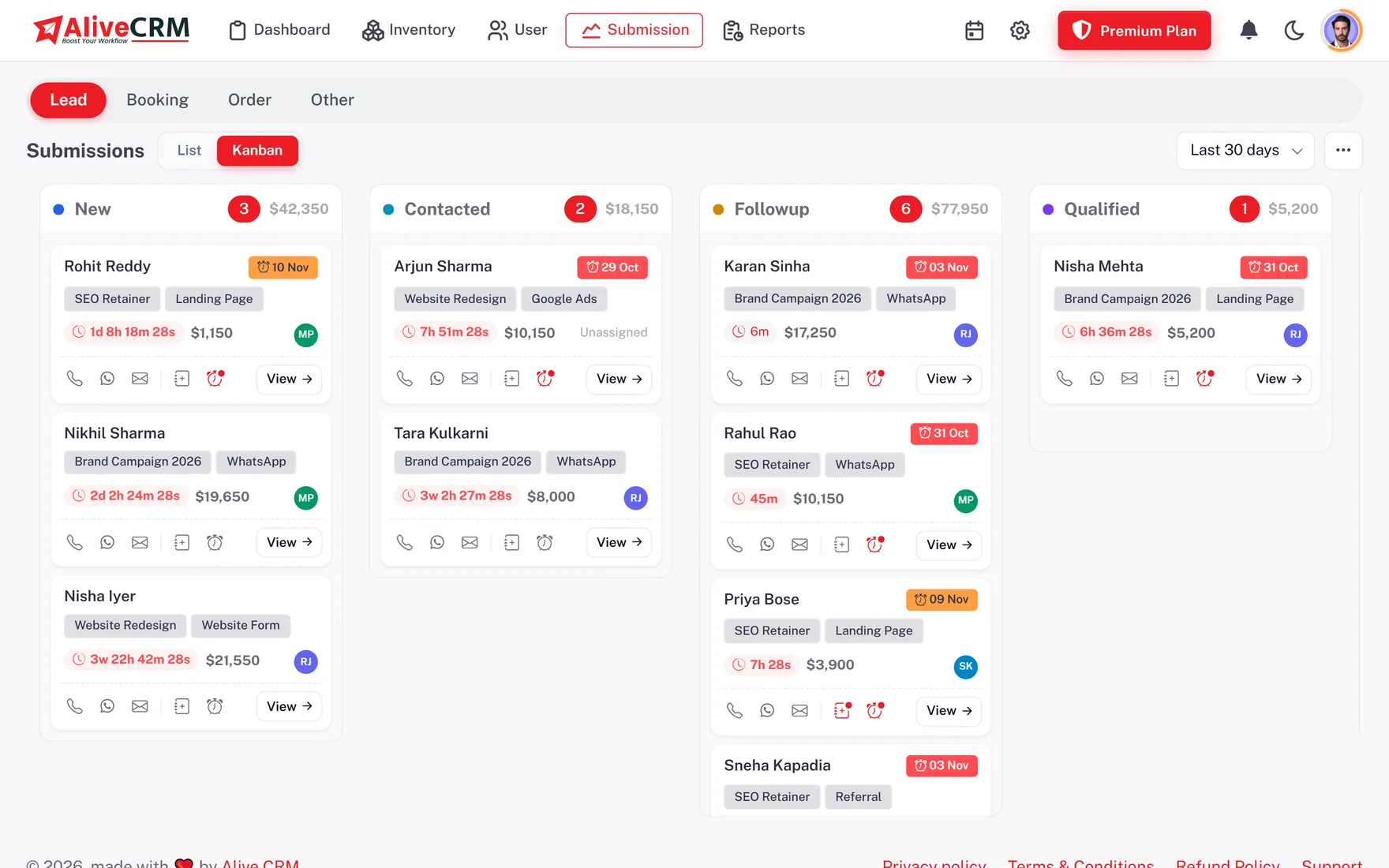
Follow-up management software should make the next step impossible to forget. In AliveCRM each lead holds a reminder with a date, time and note. You choose whether the assigned executive, you or both are told, and the reminder arrives as an in-app alert and a push notification on the Android app, with an SMS to your own team members on plans that include it. Late reminders are counted on the dashboard.

In India most deals are won on the third or fourth call, not the first. "Call me after Diwali" or "send the quotation on Monday" is easy to lose in a diary. Sales follow-up software keeps those promises on the lead where everyone can see them.

What the follow-up tools cover

  • The next step and the time it is due.
  • Which executive is reminded, and how.
  • How quickly the first reply happened.
  • Which follow-ups have already slipped.
How It Works

One Follow-Up Cycle

Repeat on every lead until it is won or lost.

  1. 01Set Reminder
  2. 02Get Alert
  3. 03Call or WhatsApp
  4. 04Add Note
  5. 05Set Next Reminder
Reminders

A Reminder on Every Lead

Set a date, time and note for the next action on any lead and choose who is notified: the assigned executive, yourself or both. Reminders come as in-app and push notifications, and on plans that include SMS alerts, as an SMS to the team member. They are never sent by email. Reminders are included on selected paid plans, so check what yours covers.

  • Date, time and note per lead
  • Notify the owner, you or both
  • In-app, push and optional team SMS
See CRM notifications
A Reminder on Every Lead
Daily List

Overdue, Today and Upcoming in One Place

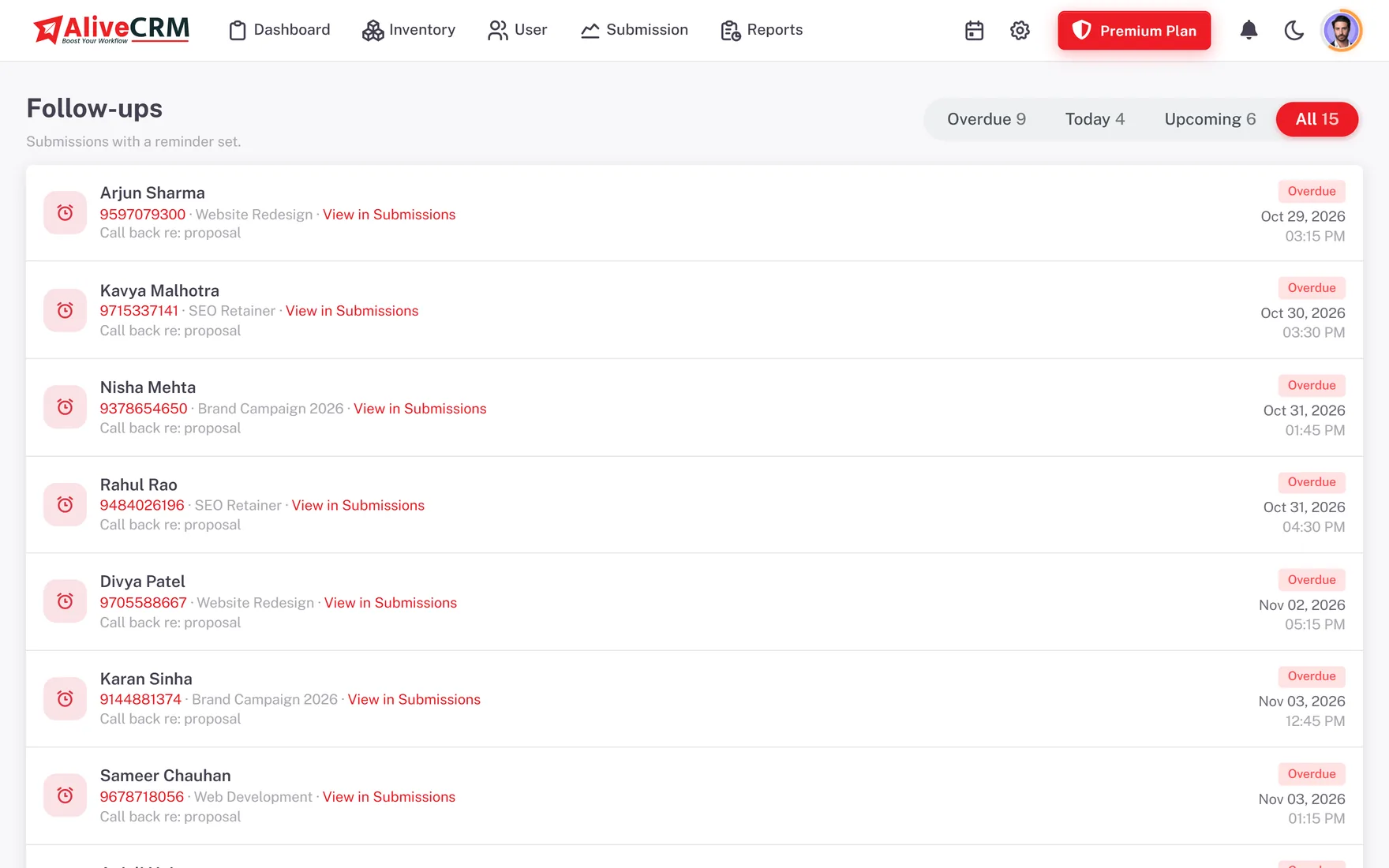
The Follow-Ups page lists every lead with a reminder in four tabs: Overdue, Today, Upcoming and All. An executive opens it at 10 am, works down the Today tab, makes the calls and sets the next reminder from the same row. The same list is on the mobile app, so field staff visiting sites or clients can work it between meetings.

  • Overdue, Today, Upcoming and All tabs
  • Set the next reminder from the row
  • Same list on the mobile app
See the mobile CRM app
Overdue, Today and Upcoming in One Place
First Reply

A Timer on Every New Enquiry

A customer who fills your form has often filled two others. The response timer starts when the lead arrives and shows blue under 15 minutes, orange after 15 and red after 30. It stops at the first status change or the first call or WhatsApp tap. With advanced reports, the Sales Rep Performance report shows each person's average response time.

See CRM reports
  • Blue, orange and red stages
  • Stops at first contact
  • Average response per executive
Contact

Call or WhatsApp Straight From the Lead

Every lead has a call button, and on plans that include WhatsApp chat, a WhatsApp button opens a chat with a ready message filled in from the lead's details. Your executive checks it and sends it themselves; it is a tap-to-chat link, not bulk messaging. Each tap is logged in Contact History, and the last contact time only changes when real contact happens.

See WhatsApp lead follow-up
  • Tap-to-call on every lead
  • WhatsApp with a ready message
  • Contact History log
Oversight

Missed Follow-Ups Visible Every Morning

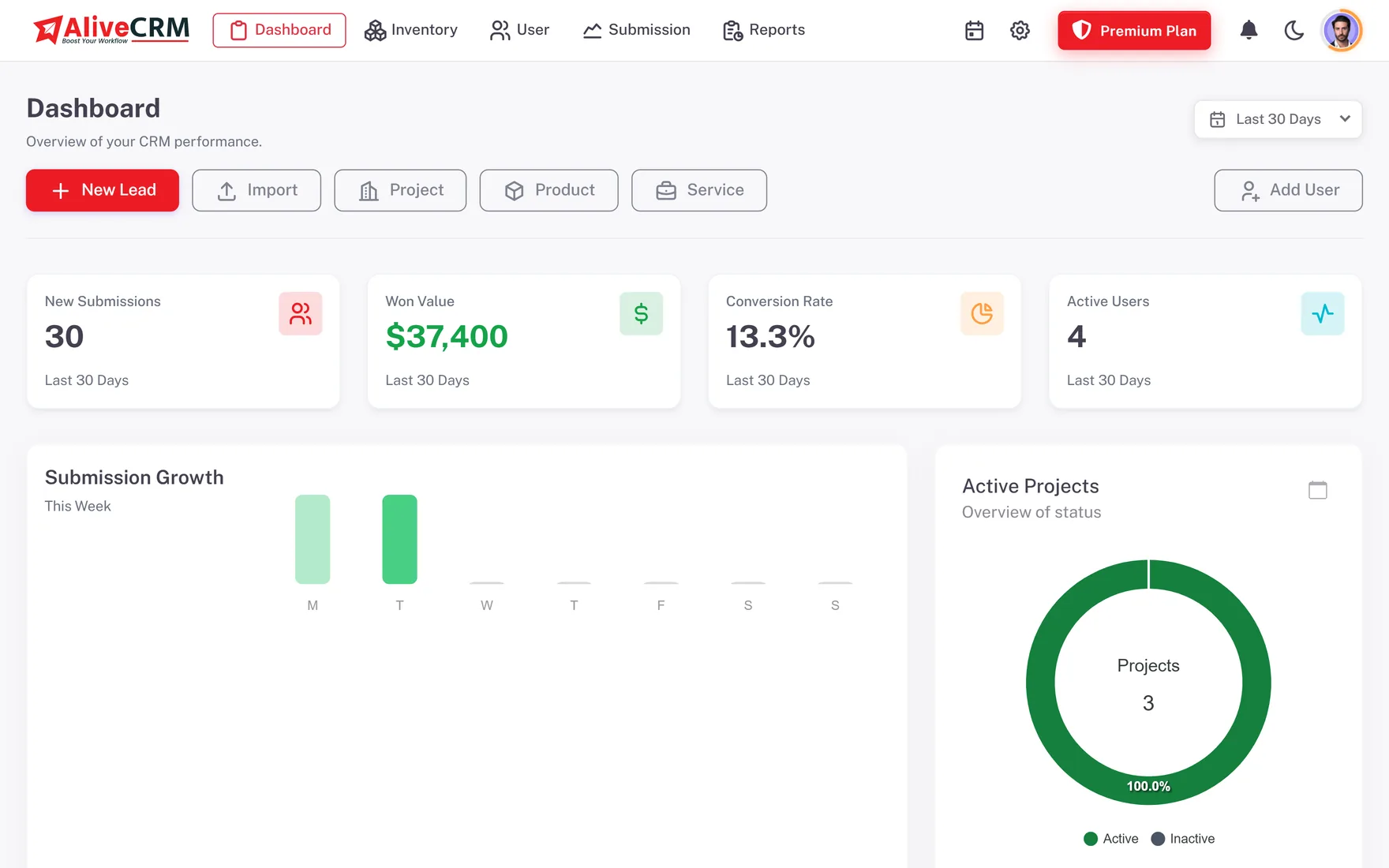
The dashboard shows overdue reminders and unassigned leads before the owner opens a single record. With advanced reports on selected paid plans, the Follow-up Compliance report shows how reliably each executive clears reminders on time, which makes the weekly review about facts rather than memory.

  • Overdue count on the dashboard
  • Unassigned lead alerts
  • Follow-up Compliance report
See lead assignment
Missed Follow-Ups Visible Every Morning
Who It Is For

Who Depends on Follow-Up Reminders

Property brokers

Set a reminder after every site visit so the buyer hears from you before they visit the next project.

Admission counsellors

Call back parents on the promised day, before another institute makes its offer.

Interior design studios

Chase the design approval and quotation on time without relying on a notebook.

Owners and sales managers

See overdue follow-ups across the team every morning and coach with real numbers.

Honest limits

What Follow-Up Reminders Do Not Do

Each lead holds one active reminder at a time, and lead reminders do not appear on the team calendar. Reminders are never sent by email. Reminders never go to your customers; AliveCRM reminds a person on your team to make the contact. Reminders come with selected paid plans and are not part of the 7-day trial.

FAQ

Frequently Asked Questions

How will my executives be reminded?

At the time you set, the reminder appears as an in-app notification and a push notification on the Android app. On plans that include SMS alerts, the team member also gets an SMS. Reminders are never sent by email, and they go only to your own team, not to customers.

Is there an Android app for follow-ups?

Yes. The AliveCRM Android app is on Google Play. Executives can see their Follow-Ups list, get push reminders, call or WhatsApp the lead and set the next reminder from their phone. The iOS app is coming soon and is not in the App Store yet.

Does AliveCRM send WhatsApp messages to leads automatically?

No. On plans that include WhatsApp chat, a button on the lead opens WhatsApp with a ready message built from the lead's details, and your executive sends it. There are no automatic, bulk or broadcast messages and no chatbot. A person on your team always sends the message.

Can I send a GST quotation as part of a follow-up?

Yes, on plans that include quotations. Create a quotation from the lead with items, a discount and one tax line labelled GST by default, with your GSTIN and bank details on the PDF. Set a reminder to chase it. Check invoice particulars under GST Rule 46 with your accountant.

Will I know when my team misses a follow-up?

Yes. The dashboard counts overdue reminders and flags unassigned leads, so missed follow-ups show up the same day. With advanced reports on selected paid plans, the Follow-up Compliance report shows reminders set and met per executive over any date range.

Are reminders included in the trial?

No. The 7-day trial lets you capture leads, keep notes and track statuses, but reminders come with selected paid plans. When you choose a plan, pricing is in INR and you pay in rupees. The pricing section shows which plans include reminders, SMS alerts and WhatsApp chat.

Put a Next Step on Every Lead

Start a 7-day trial with no card needed, then turn on reminders with a paid plan. INR pricing, pay in rupees.

Book a demo

See forms, leads and follow-ups set up for your team on a live call. Leave your details and we will reach out to pick a time.