

CRMFeature

Sales Pipeline CRM That Shows Every Enquiry's Stage

Put every open enquiry on a Kanban board, drag it forward as the deal moves, and let the owner read the count and value of each stage without asking for a Monday report.

The short answer

What does a sales pipeline CRM do for a small Indian business?

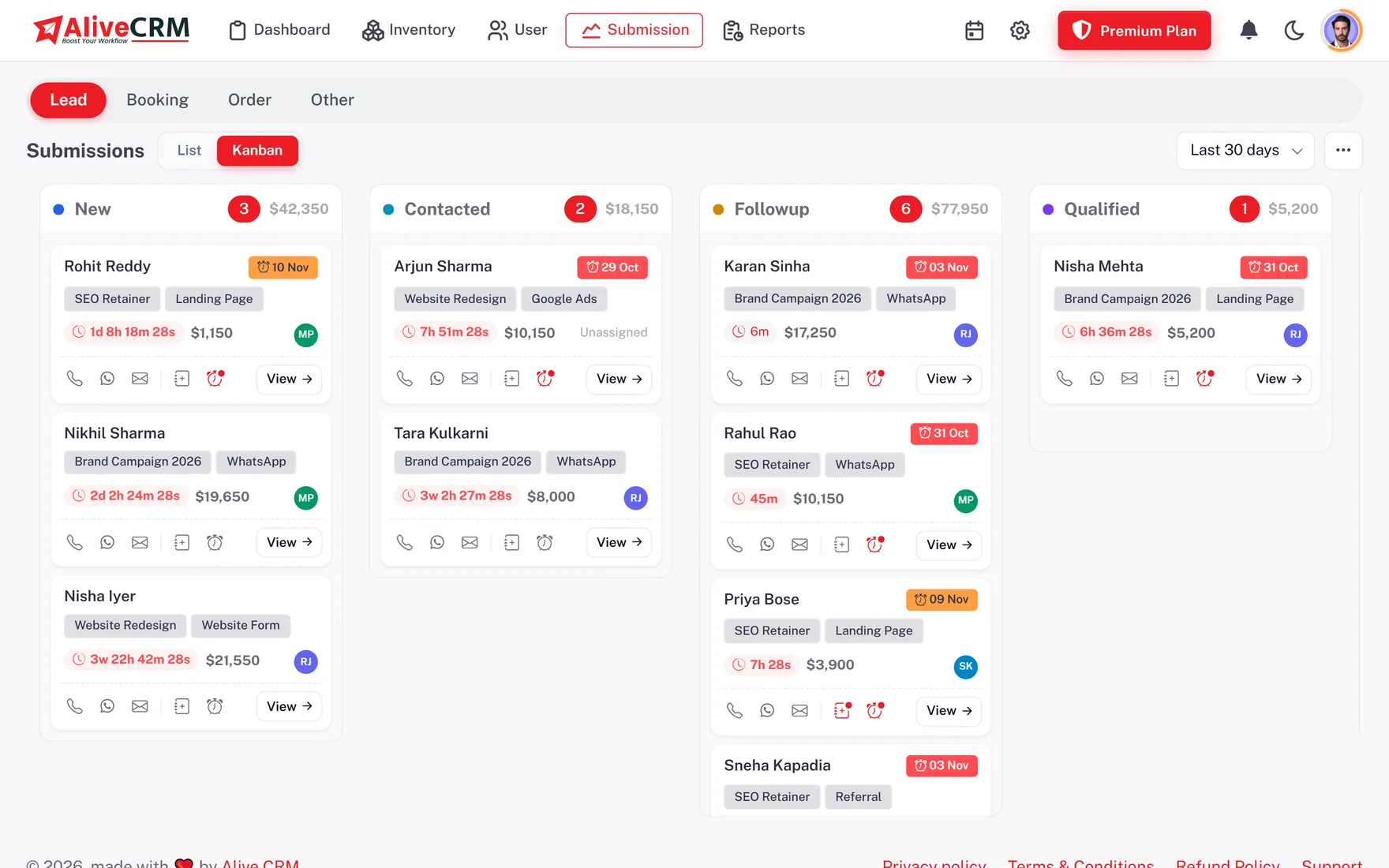
A sales pipeline CRM shows all your open enquiries as cards in columns, one column per stage. In AliveCRM the columns are your own lead statuses, such as New, Called, Quotation Sent and Won. Drag a card to the next column and the status changes and is recorded. Each column shows how many leads it holds and their total value in your company currency.

For a sales team CRM in India, the board replaces the WhatsApp group where executives post "client said will confirm" and the Excel tab with a colour for each stage. The owner sees where deals are stuck in one screen, and every executive sees their own day's work.

Signs your pipeline lives in too many places

  • You cannot say how many enquiries are waiting on a quotation.
  • Stage updates are typed in a chat group, not saved anywhere.
  • Each Monday you call every executive for a status update.
  • Leads that went cold last month are buried in a long sheet.
How It Works

How an Enquiry Moves Across the Board

The board is a view of the same lead records, so a drag updates the lead itself.

  1. 01Enquiry Lands
  2. 02First Stage
  3. 03Drag Forward
  4. 04Status Recorded
  5. 05Won or Lost
Kanban

Drag a Card to Change the Stage

Open the Kanban view and your statuses become columns in the order you set. Move a lead from Called to Site Visit Fixed and AliveCRM saves the new status at once. The move is written to the lead's status history with who did it and when, so if a deal is disputed later, the record shows exactly how it moved. Card quick actions let you call, WhatsApp or open the lead from the board.

  • Columns follow your status order
  • Drag-and-drop status changes
  • Every move saved to history
See lead statuses and sources
Drag a Card to Change the Stage
Per Lead Type

Separate Boards for Enquiries, Bookings and Orders

A flat enquiry, a clinic booking and a dealer order never pass through the same stages. AliveCRM keeps a separate board for each submission type, each using its own status list. An IT agency can run Requirement Received, Proposal Sent, Negotiation, Won, while its service bookings run Requested, Confirmed, Completed, and neither has to fit the other's steps.

See project and property enquiries
  • One board per submission type
  • Each board has its own statuses
  • No forced common pipeline
At a Glance

Lead Count and Value on Every Column

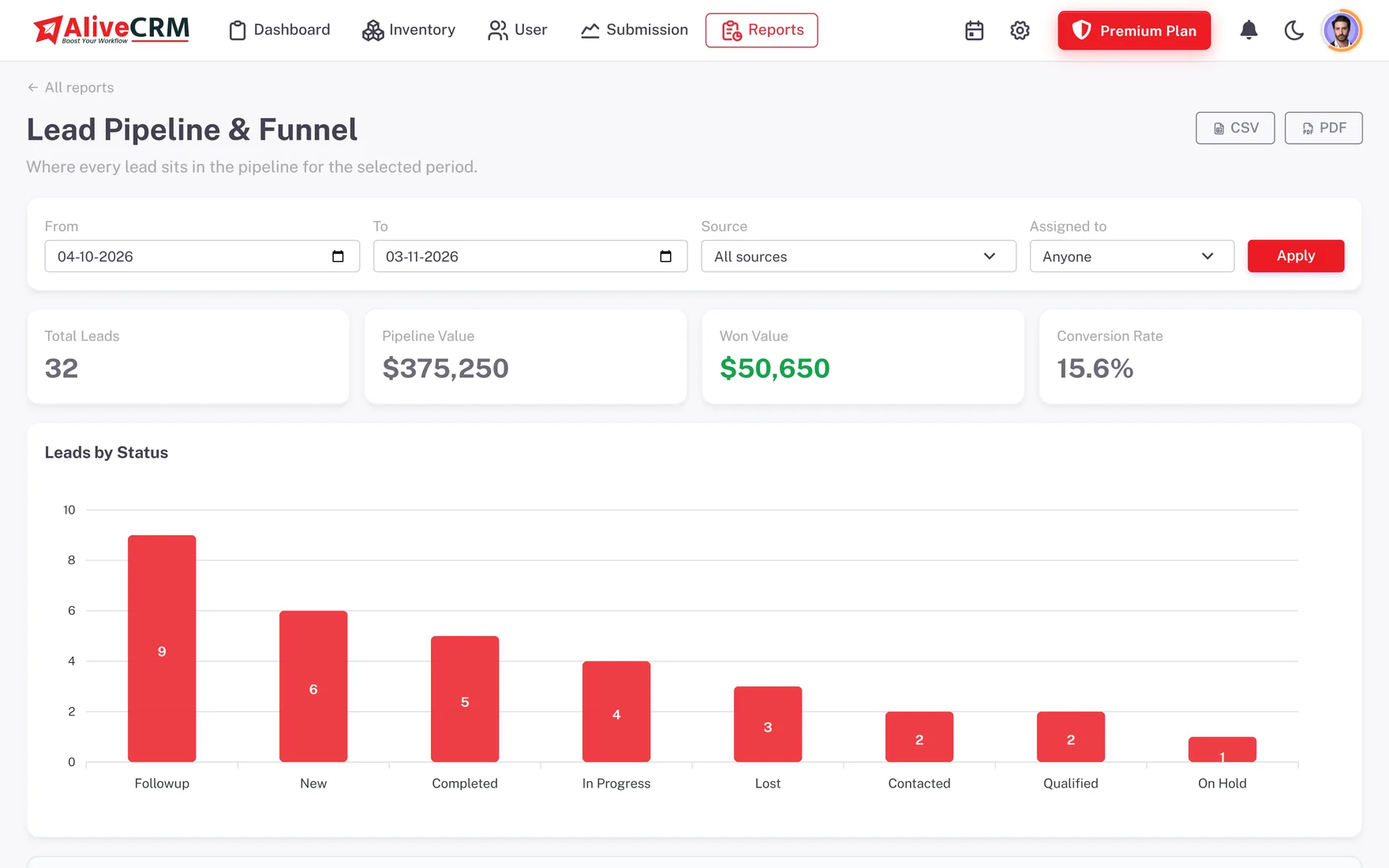
Each column header shows the number of leads in that stage and the total of their lead values, so the owner sees how many lakhs are sitting at Quotation Sent without building a report. Columns load 20 cards at a time with a Show more button, which keeps a busy stage quick to scroll, even during an ad campaign.

  • Lead count per stage
  • Total lead value per stage
  • 20 cards per column, then Show more
See CRM reports
Lead Count and Value on Every Column
Permissions

Each Executive Sees Their Own Board

Narrow the board to a date range such as the last 30 days, or switch to the list for filters by assignee, source or status. Roles decide what each person sees. An executive with self-only access sees a board of their own leads, while the owner or sales manager sees the whole team's pipeline.

See roles and user management
  • Date range kept for the session
  • List view for detailed filters
  • Self-only boards for executives
Who It Is For

Who Uses a Visual Pipeline Every Day

IT and software agencies

Track each requirement from first call to signed proposal, and see which deals stalled at negotiation.

CA and consulting firms

Move enquiries for audits, filings and advisory work through your own stages, with values per stage.

Solar installers

Follow each rooftop enquiry through site survey, quotation and installation booking on one board.

Field sales teams

The Kanban view is in the Android app too, so stages are updated straight after a customer meeting.

Honest limits

What the Pipeline Does Not Do

The board totals lead values as your team enters them. It does not forecast revenue or weight deals by probability, and there is no AI lead scoring. Cards do not move on their own on a timer or when a buyer replies, so a stage changes only when a person moves it. Detailed filters by assignee or source live in the list view rather than on the board itself.

FAQ

Frequently Asked Questions

Can I set my own pipeline stages?

Yes. The columns are your lead statuses, managed per submission type. Add, rename, colour and reorder them, choose the default stage for new leads and mark which ones count as won or lost. A real estate team can use Site Visit Done, while a coaching institute uses Demo Class Attended.

Does dragging a card update the lead?

Yes. Moving a card saves the new status on the lead straight away. The lead's status history records the old stage, the new stage, who moved it and the time, so the board and the lead record always match and the owner can see how each deal progressed.

Can executives see only their own leads?

Yes. Give a role self-only access and those executives see a board, and a list, of the leads assigned to them. Owners and managers with full access see the company's whole pipeline. This keeps one executive's enquiries away from another while still giving the owner full visibility.

Does the pipeline show deal value in rupees?

Yes. Each column shows the lead count and the total of lead values in your company currency, which is INR by default for Indian companies. The figures come from the lead value field, so ask your team to fill it in when they qualify an enquiry.

Is the pipeline on the mobile app?

Yes. The AliveCRM Android app on Google Play includes the Kanban view, so executives can update stages from a site or a client office. The iOS app is coming soon and is not in the App Store yet. On a computer, the board works in any modern browser.

Can I export my pipeline data?

You can export leads from the list view as CSV, Excel (.xls) or PDF, filtered by status, so you can share, for example, every lead at Quotation Sent with a partner. Importing leads works from CSV only, so save an Excel sheet as CSV first.

See Your Whole Pipeline on One Board

Start a 7-day trial, add a few enquiries and drag them through your own stages. Plans are priced in INR.

Book a demo

See forms, leads and follow-ups set up for your team on a live call. Leave your details and we will reach out to pick a time.