Sales Teams

CRM for Indian Sales Teams and Sales Managers

Share enquiries fairly between sales employees, see who called whom, keep every customer when someone resigns and run reviews from numbers instead of excuses.

The short answer

How do you manage a sales team without chasing everyone on WhatsApp?

Give every enquiry to one employee by a fixed rule, make every callback visible, and let the manager see results per person without asking. AliveCRM is a CRM for Indian sales teams that does this for offices of roughly 2 to 50 employees, from a builder's site team to an IT company's inside sales desk.

Without a system, the sales manager's day goes in follow-up of the follow-up. Who took the enquiry from yesterday? Did anyone call the Andheri customer? Why does the same employee always get the walk-ins? When an executive resigns, the customer numbers on their personal phone and the notes in their diary walk out with them.

What sales managers in India tell us

  • Senior employees grab the hot enquiries and juniors sit idle.
  • Callbacks are promised on the phone and never written anywhere.
  • Daily reporting is a WhatsApp message saying "all calls done".
  • A resignation means losing a month of customer conversations.
  • The owner asks for numbers and gets a spreadsheet made that morning.
How It Works

An Enquiry's Journey Through Your Team

At every step the manager can see who has it and what was done.

  1. 01Enquiry
  2. 02Allocated
  3. 03First Call
  4. 04Callbacks
  5. 05Closed
Allocate

Fair Allocation Without Morning Arguments

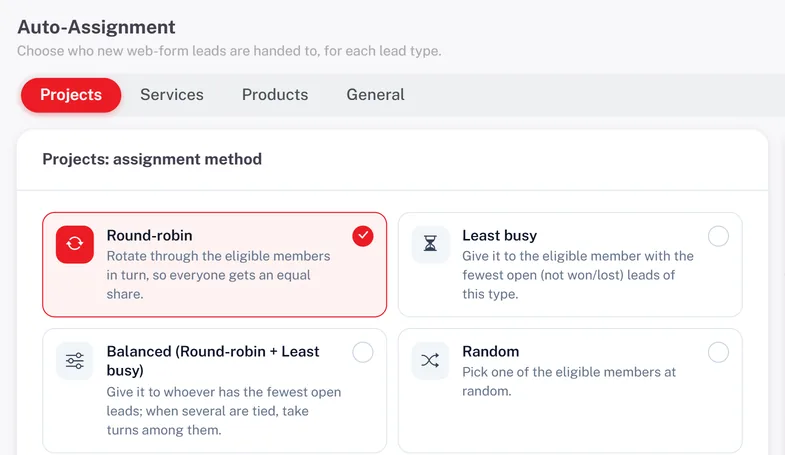
Set an allocation rule per enquiry type, and per project, service or product if needed: round-robin, least busy, balanced, random or a fixed person. The pool for each item is the team that sells it, so a Navi Mumbai project goes only to that site's team. Walk-ins and imported lists are allocated by hand from the same screen.

  • Six allocation methods
  • A separate team per project or service
  • Manual allocation for walk-ins and imports
See Automatic Lead Assignment India
Fair Allocation Without Morning Arguments
Access

Executives See Their Leads, Managers See Everything

Create roles named the way your office talks, such as Sales Executive, Team Leader or Channel Partner. Turn on "self only" for executives so they see only their own enquiries, on the web and in the Android app, while managers and the owner see all. Export and delete rights stay with the people you trust.

See Employee Roles and Permissions
  • Roles named to match your office
  • "Self only" for sales executives
  • Export and delete kept with owners
Track

Sales Employee Tracking You Can Trust

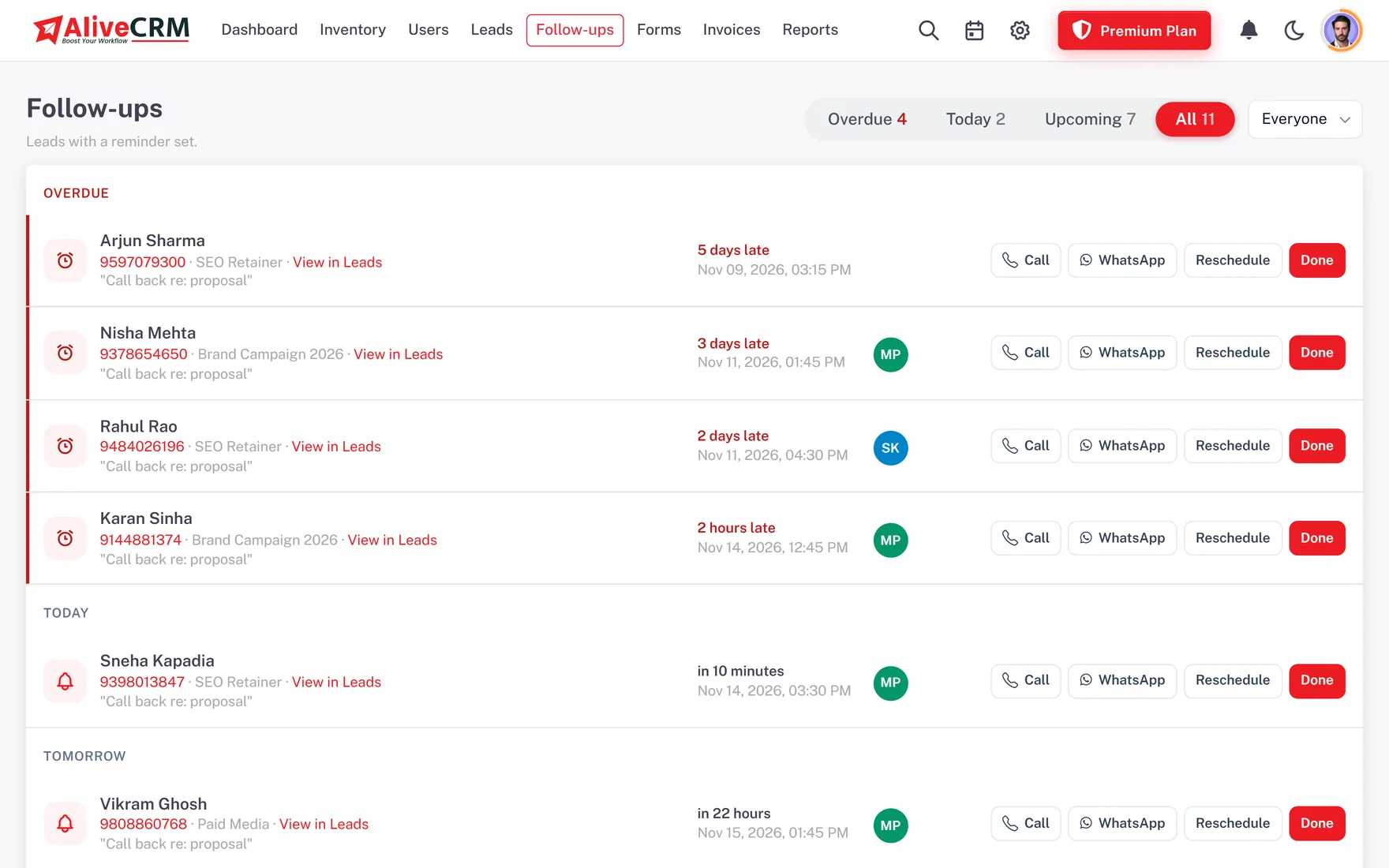
Every callback has a date, a note and an owner, and the Follow-ups page lists them as Overdue, Today and Upcoming. Calls and WhatsApp taps from the lead are logged automatically. If you switch on call tracking for Android, each call's direction, duration and outcome comes from the phone's call log, not from what the employee types.

  • Overdue, Today and Upcoming callbacks
  • Calls and WhatsApp taps logged on the lead
  • Android call duration and outcome
See Call Tracking
Sales Employee Tracking You Can Trust
Review

Weekly Reviews From Real Numbers

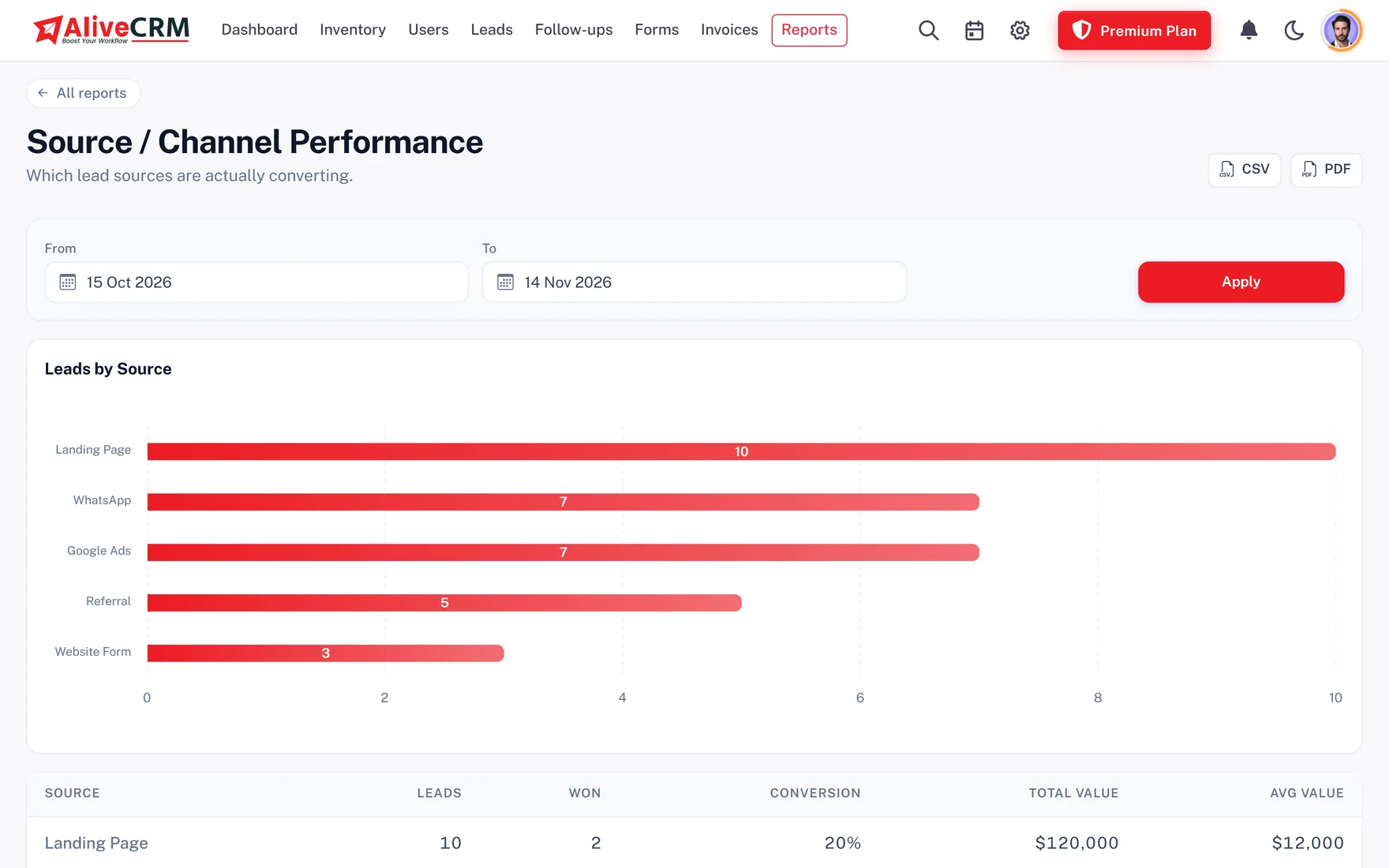
Selected paid plans include reports on each sales employee's leads and wins, follow-up compliance, user activity, lost reasons and the conversion funnel. The pipeline report comes with every plan. Download a report as PDF before the Monday meeting and discuss facts, not stories.

  • Wins and leads per employee
  • Follow-up compliance and user activity
  • Lost reasons and conversion funnel
See Sales Reports India
Weekly Reviews From Real Numbers
A sample week

A Week for the Sales Head of an IT Services Company

This is an example of how a sales head in Bengaluru with seven employees might work in AliveCRM, not a customer story.

  1. Monday. Website enquiries go round-robin, while app development enquiries go to the two employees who quote for apps.
  2. Tuesday. One executive is on leave. The sales head filters his open leads and moves them to two colleagues.
  3. Wednesday. The Overdue list shows twelve missed callbacks for one employee. The call log shows why, and they talk.
  4. Thursday. A quotation with GST is sent from a lead and the customer accepts it the same day.
  5. Friday. The review uses lost reasons to see that most deals are lost on price, and the team changes its pitch.
Who It Is For

Sales Teams Across India Using AliveCRM

Real estate site teams

Executives and channel partners working project enquiries, with site visit callbacks the sales head can check.

IT and software companies

Inside sales employees handling demo and project enquiries, with quotations going out from the same lead.

Education counselling teams

Counsellors sharing admission enquiries fairly, with the centre head watching callbacks during the season.

Teams with frequent turnover

Deactivate a leaver on the last day and pass every customer, note and call log to a colleague.

Honest limits

What AliveCRM Does Not Do for Sales Teams

There is no auto dialer, IVR or call recording, no sales targets or incentive calculation, no GPS tracking of field employees and no branch module or reporting hierarchy. A leaver's leads are reassigned one at a time. AliveCRM suits teams working enquiries and callbacks, not large outbound telecalling centres.

FAQ

Frequently Asked Questions

How many sales employees can I add?

It depends on the plan. Each paid plan sets its own number of users, and the INR pricing page lists the current limits. Every account starts with a 7-day trial, so you can add the team and test allocation before paying.

Can executives see only their own enquiries?

Yes. Turn on "self only" for the executive role and each person sees only the enquiries assigned to them in lists, search and the pipeline board, on the web and on Android. Managers and admins still see the whole company.

How do I know if employees are really calling?

Every call or WhatsApp tap from a lead is logged in its Contact History. With call tracking on Android, the CRM reads the call's direction, duration and outcome from the phone's call log, so you see real calls rather than a typed note.

What happens when a sales employee resigns?

Deactivate their login on the last day. Every enquiry, note, callback and call log stays in AliveCRM, and you reassign the leads to others one at a time. If a rule was sending leads to that person, new leads go to the rest of the pool.

Can I manage teams in different cities?

There is no separate branch module. Many companies set up city teams through allocation pools per project or service and a manager role that sees everyone, then filter reports by owner. Each city team works its own enquiries.

Can channel partners use AliveCRM?

Yes, as users on your account with a limited role. Give them "self only" access so they see just the enquiries assigned to them, and keep export and delete rights with your own staff.

Does it track field employees' location?

No. AliveCRM does not track GPS location or plan visit routes. Field employees use the Android app to see their leads, call customers, add notes and set callbacks while they are out.

What reports can the owner see?

The pipeline report comes with every plan. Selected paid plans add reports on each employee's performance, follow-up compliance, user activity, sources, forms, lost reasons and the conversion funnel, all exportable as CSV or PDF.

Run Your Sales Team Without Chasing Updates

Start a 7-day trial with no card needed, add your sales employees and set your first allocation rule. Paid plans are in INR.

Book a demo

See forms, leads and follow-ups set up for your team on a live call. Leave your details and we will reach out to pick a time.