Website Enquiries

Website Enquiry Management for Indian Businesses

No more enquiries lying in the office inbox. Each form fill becomes a lead with an employee responsible, a call within minutes and a reminder for the next step.

The short answer

How should a business in India handle website enquiries?

A website enquiry should reach one named employee, get a phone call or WhatsApp message quickly, and stay on someone's follow-up list until it ends in a sale or a clear no. AliveCRM is website enquiry management software that does exactly this: every form fill on your site lands as a lead with its page, source and owner already filled in.

In many offices the website form still sends a mail to info@ or to the owner's Gmail. Someone forwards it to the sales group on WhatsApp, someone else copies it into Excel, and by evening nobody is sure who called. The customer, meanwhile, has already spoken to two competitors who rang back within the hour.

Does this sound like your office?

  • Enquiry mails are forwarded around and nobody owns them.
  • The customer calls you to ask why nobody called back.
  • Callbacks are written in a diary that only one person reads.
  • The owner cannot tell which page of the website brings business.
  • Junk enquiries and genuine buyers sit in the same sheet.
How It Works

What Happens After a Visitor Clicks Submit

Five steps, each with an employee's name against it.

  1. 01Form Fill
  2. 02Employee
  3. 03Call or WhatsApp
  4. 04Callback
  5. 05Closed
Capture

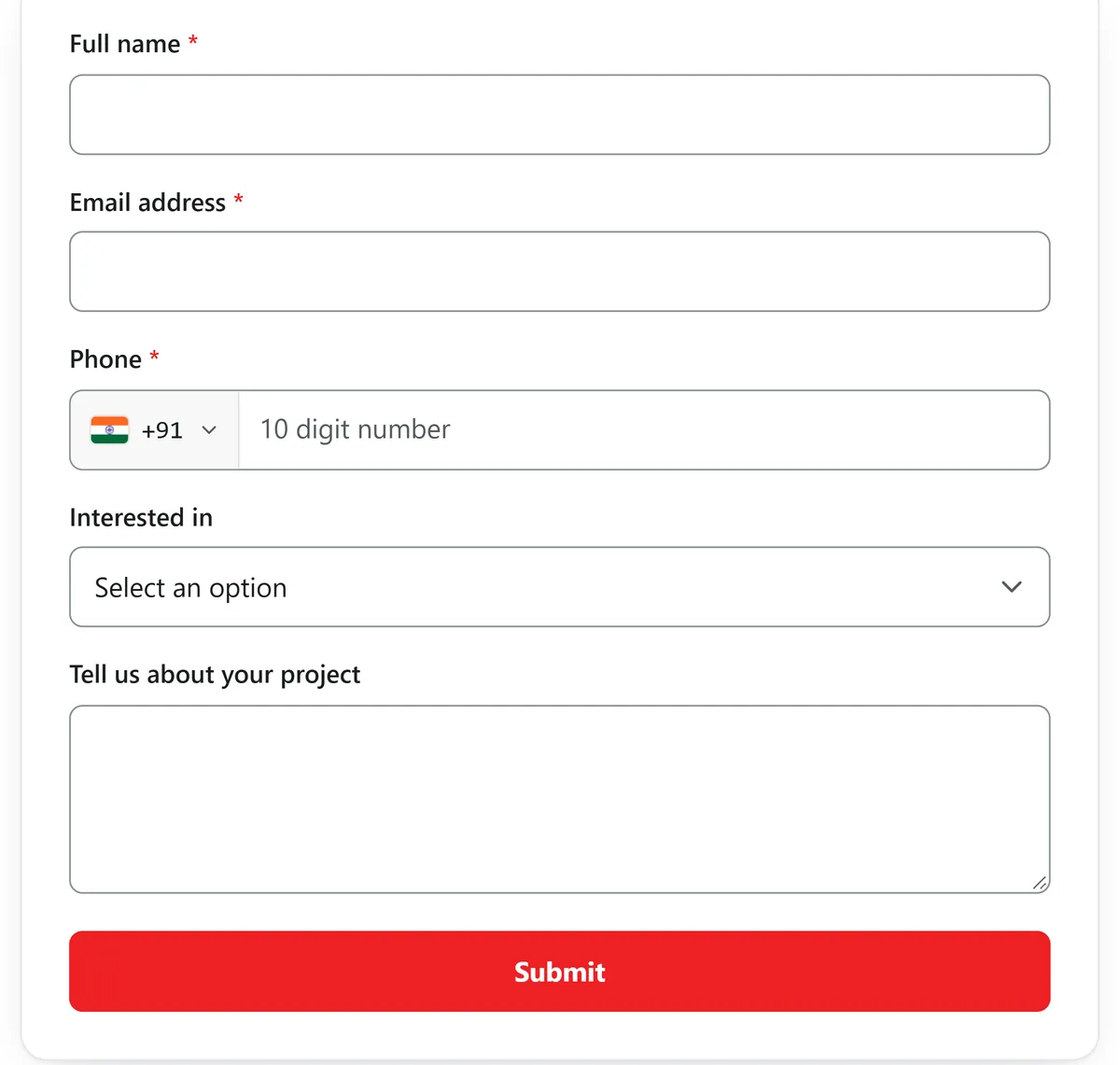
Your Website Form, Now Feeding the CRM

Build the enquiry form in AliveCRM with the fields you ask today, such as name, mobile number, city and requirement, then paste one line of code on the website. It works on WordPress without a plugin, through Google Tag Manager, or on a site your developer built. The website stays exactly as it looks now.

  • Name, mobile, city and requirement fields
  • Works on WordPress with no plugin
  • Shareable form link for WhatsApp too
See the Form Builder India
Your Website Form, Now Feeding the CRM
Allocate

Every Enquiry Gets an Employee Automatically

Stop allocating enquiries by hand every morning. Choose round-robin, least busy, balanced, random or a fixed person, and set it separately for each project, service or product so a Pune project enquiry reaches the Pune team. If rules are off, enquiries go to the admin to allocate.

See Automatic Lead Assignment India
  • Six ways to share enquiries
  • A team for each project or service
  • Admin can reallocate anytime
Call back

A Callback Clock Everyone Can See

Each new enquiry shows a live clock from the moment it arrives. After 15 minutes it turns orange and after 30 it turns red, so a waiting customer is hard to ignore. The employee taps to call or opens a WhatsApp chat with a saved message, and every tap is saved on the lead. On Android, the call's duration and outcome are logged from the phone.

See Call Tracking
  • Live response clock on every enquiry
  • Tap to call or WhatsApp with templates
  • Android call log on the lead
Follow up

Callbacks That Do Not Vanish When Missed

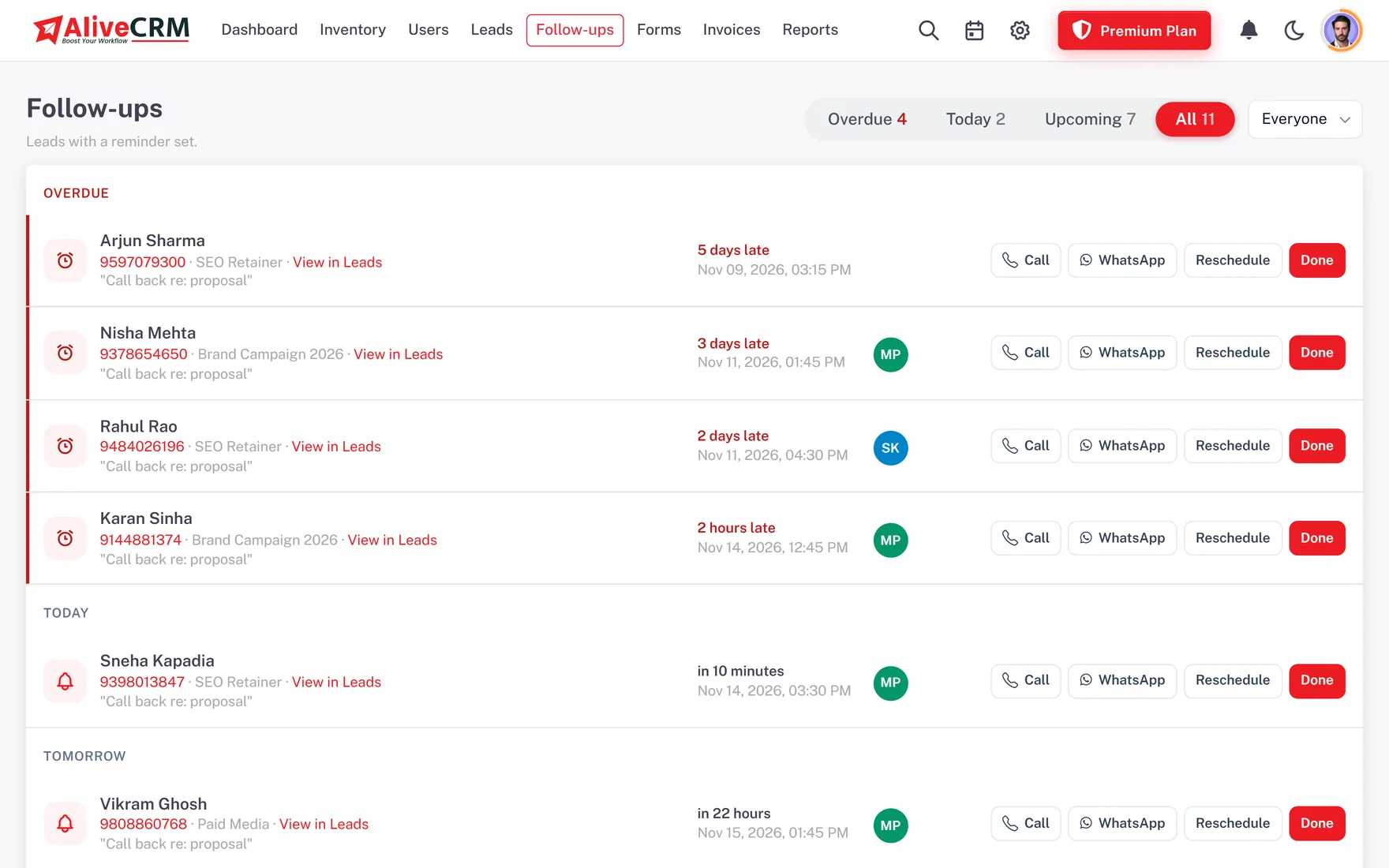
After the first call, the employee sets the next callback with a date and a note. If the day passes, the callback stays under Overdue on the Follow-ups page until someone handles it. Mark it done with what the customer said, move the status forward, and record a lost reason if the customer bought elsewhere.

  • Overdue list that stays until handled
  • Outcome saved with each callback
  • Lost reasons you define
See Sales Follow-Up Software India
Callbacks That Do Not Vanish When Missed
Report

Know Which Pages Bring Paying Customers

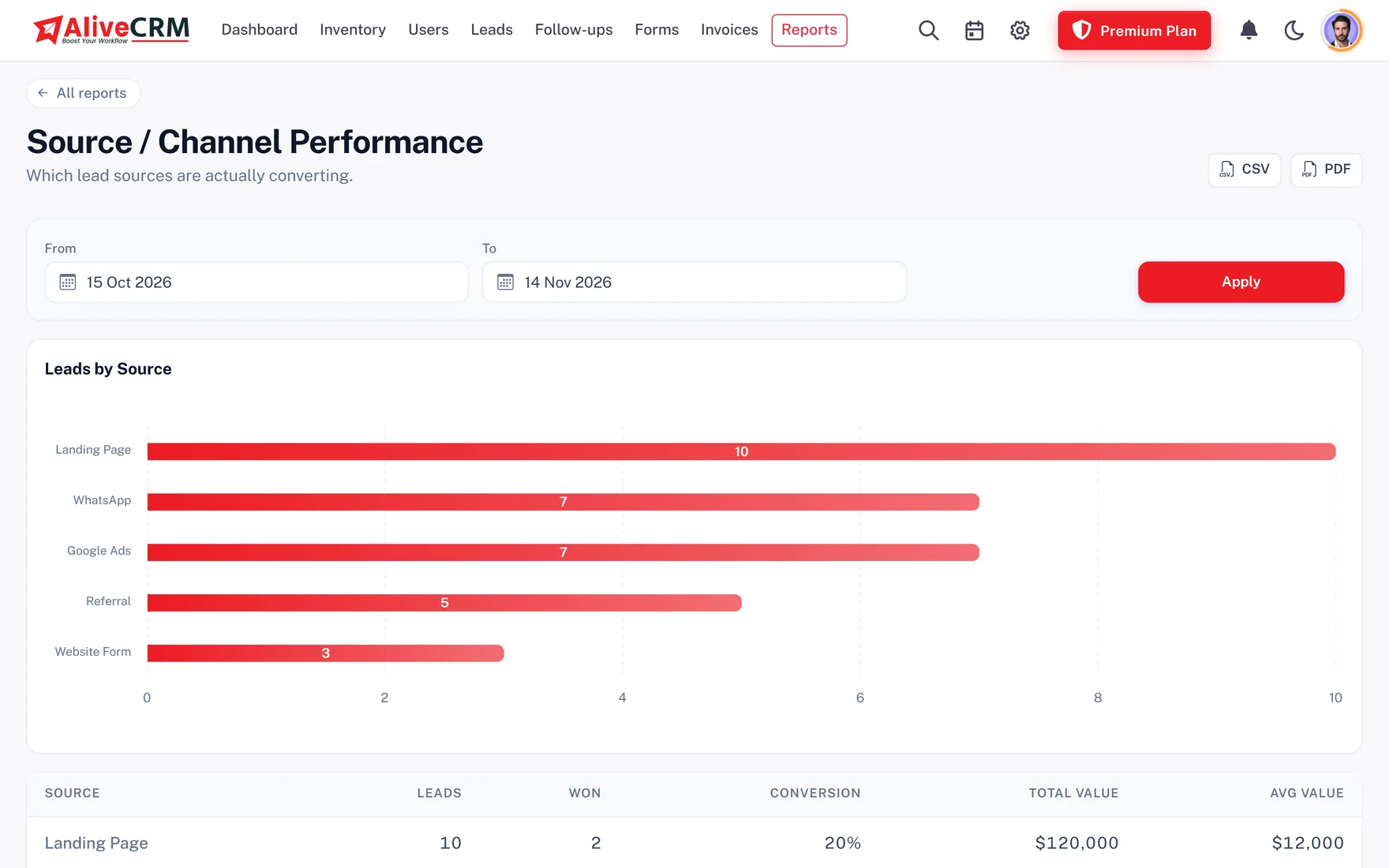
The lead pipeline report comes with every plan. Selected paid plans add source and form reports, so the owner sees which page and which form bring enquiries that actually convert. When the customer is ready, send a GST quotation from the same lead.

  • Pipeline report on every plan
  • Enquiries and wins by page and form
  • GST quotation from the lead
See GST Quotations and Invoices
Know Which Pages Bring Paying Customers
A sample morning

One Enquiry at an Interior Design Studio

This is an example of how a studio in Thane might work an enquiry in AliveCRM, not a customer story.

  1. 10:14 am. A homeowner fills the form on the modular kitchen page. The lead is created and goes to the next designer in rotation.
  2. 10:21 am. The designer gets the alert on the phone, calls, and the call is logged on the lead.
  3. 10:35 am. The designer notes the budget and flat size and sets a callback for Saturday to share a quote.
  4. Saturday. The callback shows under Today. A GST quotation goes out by email from the lead.
  5. Month end. The owner sees that the kitchen page brought more confirmed orders than the wardrobe page.
Who It Is For

Indian Businesses That Live on Website Enquiries

Builders and channel partners

Project page enquiries reach the site team for that project, with the site visit set as the next step.

Coaching and training institutes

Course enquiries go to counsellors in turn, so no parent waits a day for a call about fees and batches.

Service companies

AC repair, pest control and interior enquiries each reach the right team with the service already selected.

IT firms and agencies

Project briefs from the contact page become leads an account manager owns, with a quotation to follow.

Honest limits

Where Website Enquiry Management Stops

AliveCRM does not read your Gmail or Outlook, so old enquiry mails stay where they are. It has no website chatbot and does not send bulk WhatsApp broadcasts. Repeat enquiries from the same number are flagged so you can decide, not merged automatically. Enquiries arrive through AliveCRM forms, a CSV import, a form webhook or manual entry.

FAQ

Frequently Asked Questions

Do I have to change my website to use AliveCRM?

No. Only the enquiry form changes. Build it in AliveCRM and paste one line of code where the old form sat, or add it through Google Tag Manager or a WordPress block. Your design, domain and hosting stay as they are.

Can the form ask for city, budget or course?

Yes. The form builder has fields for name, mobile, email, company, city, state, address, lead value and description, plus dropdowns, radio buttons, checkboxes and date-time fields you label yourself, such as Budget, Preferred Batch or Flat Size.

Who gets alerted when an enquiry arrives?

The employee it is assigned to and the company admins get an in-app alert, and admins get the details by email. On plans with SMS alerts, they can get a text message as well. The customer gets an automatic thank-you email if they gave one.

How fast should we call back a website enquiry?

Within minutes if you can, because Indian buyers often enquire with three or four businesses at once. AliveCRM's clock on each lead turns orange at 15 minutes and red at 30, and you can set your own response window in hours in company settings.

Can I import enquiries I already have in Excel?

Yes, by saving the sheet as a CSV file and importing it, up to 2,000 rows at a time. AliveCRM reads CSV files only, not Excel files directly. Imported leads are assigned by hand, while new form enquiries follow your assignment rules.

What about duplicate or fake enquiries?

Blank form submissions are refused, and repeat enquiries with the same mobile number or email are flagged for you to check. Mark junk with the Invalid status so it leaves the working list but still shows in reports.

Can employees reply on WhatsApp?

Yes. From the lead, an employee opens a WhatsApp chat with the customer, with a saved template if you like, and the tap is logged. This uses normal WhatsApp, not the WhatsApp Business API, so there are no broadcasts or automated replies.

How is this different from the website lead management page?

Same product, different angle. This page is about handling enquiries after they arrive: who owns them, how fast they are called and how follow-up is kept. The website lead management page covers capturing leads across your whole site and reporting on them.

Give Every Website Enquiry a Name and a Callback

Start a 7-day trial with no card needed, swap your contact form in ten minutes, then pick a paid plan with INR pricing.

Book a demo

See forms, leads and follow-ups set up for your team on a live call. Leave your details and we will reach out to pick a time.