Education, India

Admission Enquiry CRM for Coaching Institutes and Schools in India

Record every admission enquiry by course and batch, give it to a counsellor at once, and make sure each parent gets a call back before results season ends.

The short answer

How do Indian institutes manage admission enquiries?

The institutes that fill batches early keep every admission enquiry in one list with the course and batch the student asked about, give it to a counsellor the same hour, and track each call back until the family decides. AliveCRM works that way for coaching institutes, schools, colleges and training centres across India, with plans in rupees.

In most institutes, enquiries are written in a register at the front desk, typed into Excel at night and forwarded on WhatsApp. During board results or entrance exam season the phone rings all day, parents call three institutes, and the one that calls back first with the fee structure and a demo class date gets the admission.

Where admission enquiries come from

  • Course pages and admission forms on your website.
  • Google and Meta ads during results and admission season.
  • Walk-ins and calls at the front desk.
  • Seminars, school talks and education fairs.
How It Works

From Parent's Call to Confirmed Admission

One counsellor owns each enquiry until a decision.

  1. 01Enquiry
  2. 02Counsellor
  3. 03Call
  4. 04Demo Class
  5. 05Fee Discussion
  6. 06Admission
Courses

Course and Batch on Every Enquiry

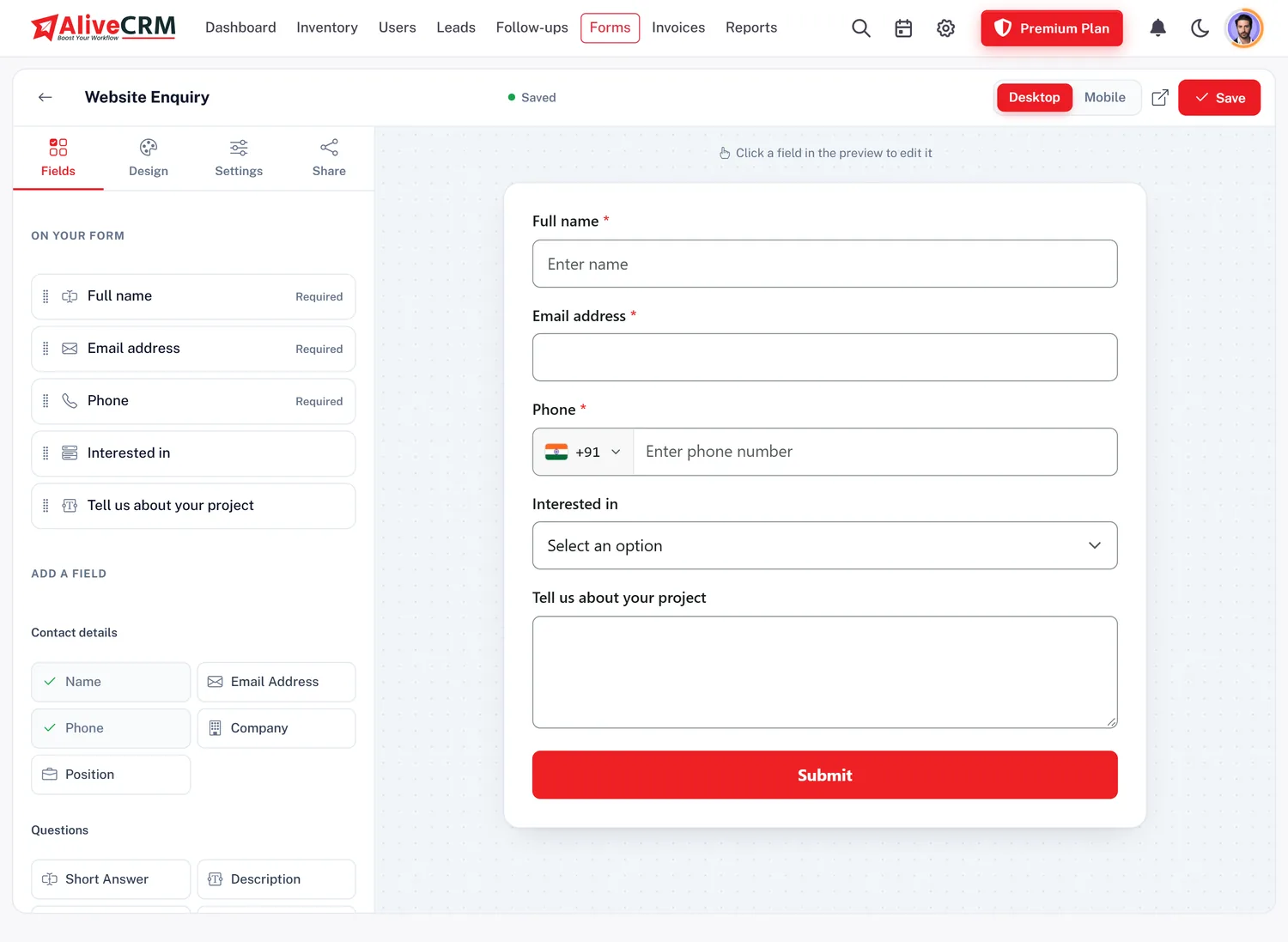
Add each course to your catalogue as a service, such as a two-year entrance programme, a crash course or a foundation batch, and make an enquiry form for each one. Use nested categories for batch timings like Morning, Evening or Weekend, and add fields for the parent's name and the student's class. Front desk staff enter walk-ins in the same list.

  • A form for each course
  • Batches as sub-categories
  • Walk-ins entered at the front desk
See the Form Builder
Course and Batch on Every Enquiry
Counsellors

Counsellor Allocation Without Arguments

Choose the counsellors for each course. On selected paid plans, new web enquiries are shared among them in turn, or to whoever has the fewest open enquiries, so no counsellor is flooded while another waits. With "self only" switched on, a counsellor sees only their own students, and the centre head sees everyone.

See Automatic Lead Allocation
  • Counsellors chosen per course
  • Even sharing during peak weeks
  • Each counsellor sees their own list
Call Backs

Call Backs That Actually Happen

After each call the counsellor sets the next step: send the fee structure, book a demo class, call after the results. The follow-ups page lists what is overdue, due today and coming up, and reminders arrive in the app, as push notifications on the Android app and, on plans with SMS, as a text to the counsellor. Marking a call done keeps its outcome on the enquiry.

Read the Admission Follow-Up Guide
  • Overdue list for the centre head
  • Push and SMS reminders to counsellors
  • Outcome saved with every call
WhatsApp

Fee Structure on WhatsApp in One Tap

Parents ask for the fee structure, batch timings and the address on WhatsApp. Save those replies as templates, and a counsellor opens WhatsApp from the enquiry with the message ready to send. Each tap is logged in the contact history, so the centre head knows which parents have heard from the institute.

See WhatsApp Follow-Up for Leads
  • Saved templates for fees and timings
  • One tap from the enquiry
  • Every contact logged
Reports

Admissions by Course, Batch and Source

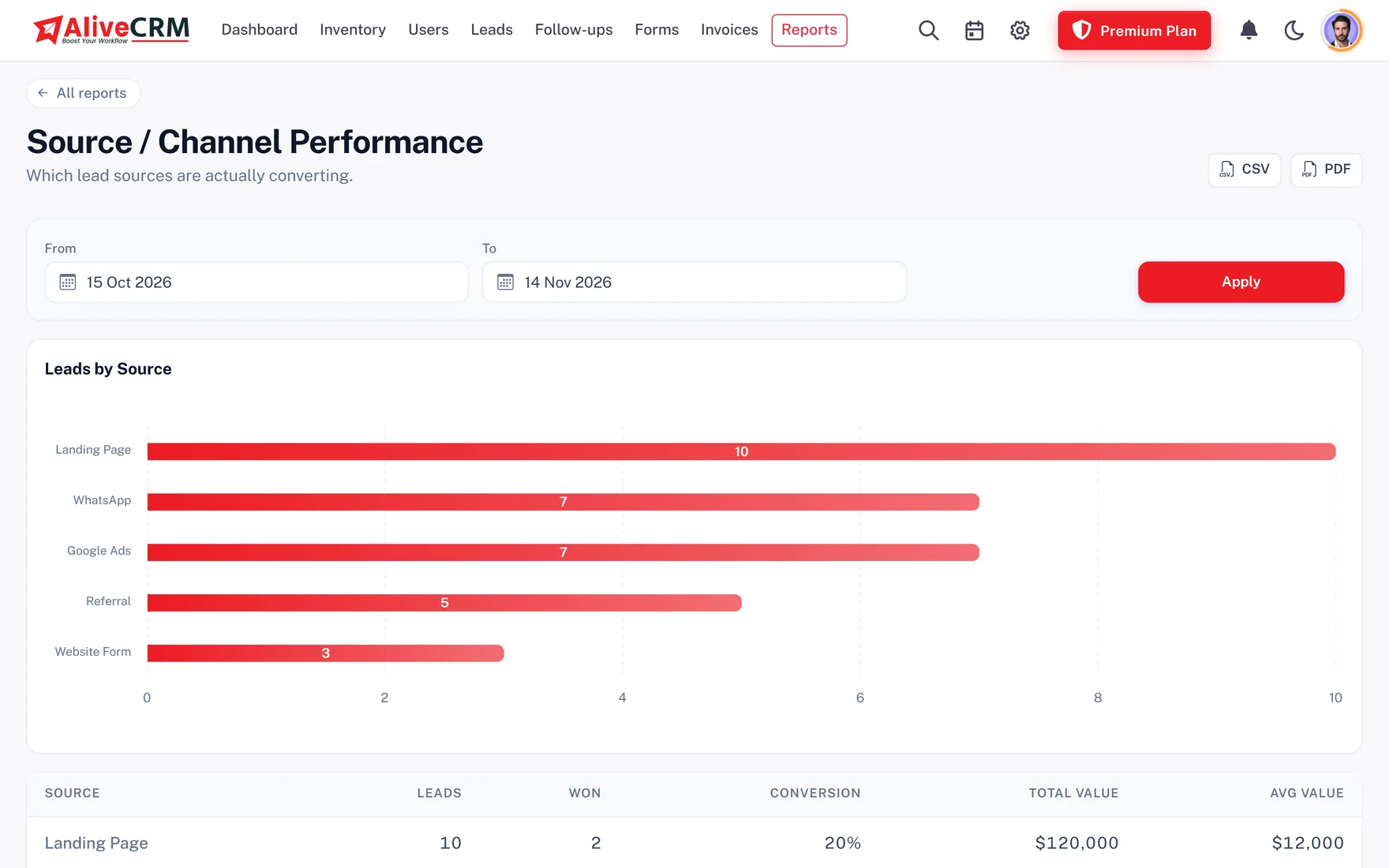
Advanced reports, on selected paid plans, show which ad, seminar or referral brings admissions rather than calls, how many enquiries each course gets, which counsellors keep up with their follow-ups, and why families chose not to join, such as fees, distance or another institute.

  • Admissions by source
  • Enquiries for each course
  • Counsellor follow-up record
See Sales Reports
Admissions by Course, Batch and Source
An example day

Results Day at a Coaching Institute

This is an illustration of how an entrance exam coaching centre might use AliveCRM, not a customer story.

  1. 9:00 am. Board results are out. By noon, 70 enquiries arrive from the website and the ad landing page, shared in turn across four counsellors.
  2. 11:30 am. A father walks in. The front desk enters the enquiry for the two-year programme, Evening batch, and it goes to the next counsellor.
  3. 12:15 pm. The counsellor sends the fee structure on WhatsApp with a template and sets a follow-up to invite the student for Sunday's demo class.
  4. Sunday. The reminder arrives, the family attends, and the counsellor notes that the mother wants to compare fees.
  5. Tuesday. The family confirms, and the status moves to Admission Done. The centre head checks which counsellor has overdue calls.
Who It Is For

Indian Institutes That Use AliveCRM

Entrance exam coaching

Engineering, medical and government exam coaching, with enquiries by course and batch.

Schools and pre-schools

Admission enquiries from parents, school tours and follow-ups class by class.

Skill and computer training

Working professionals and students who need the right batch time and fee answer.

Overseas education consultants

Study abroad enquiries by country and intake, with counsellor notes kept on file.

Honest limits

What AliveCRM Does Not Do for Institutes

AliveCRM ends where the admission begins. It has no fee collection from students, attendance, timetables, test series, results or parent app, so keep your institute ERP for enrolled students. It does not send bulk SMS or WhatsApp to students: SMS reminders go only to your own counsellors, and WhatsApp opens one chat at a time.

FAQ

Frequently Asked Questions

Can I track enquiries by course and batch?

Yes. Each course is a service with its own enquiry form, and batches can be sub-categories under it, such as Morning, Evening or Weekend. You can filter enquiries by course and batch, and see counts for each in the reports.

Can the front desk add walk-in enquiries?

Yes. Give front desk staff a role that can add leads, and they enter walk-ins and phone calls in the same list as website enquiries, with the source set to Walk-in or Phone call.

Will counsellors see each other's students?

Not if you switch on "self only" for the counsellor role. Each counsellor then sees only the enquiries assigned to them, while the centre head and admins see every enquiry.

Can counsellors send the fee structure on WhatsApp?

Yes. Save the fee structure, timings and address as WhatsApp templates. The counsellor opens WhatsApp from the enquiry with the message filled in and sends it from their own WhatsApp. It is one chat at a time, not a broadcast.

Can AliveCRM send bulk SMS to parents?

No. AliveCRM does not send bulk SMS, WhatsApp or email campaigns to students or parents. On plans with SMS, reminders go only to your own counsellors.

Can I upload old enquiries from Excel?

Yes, by saving the sheet as a CSV file and importing it, up to 2,000 rows per file. Name, email and phone are needed for each row, and enquiries already on your list are flagged as possible duplicates.

Does it replace our school or coaching ERP?

No. It covers the admission funnel only. Fees, attendance, timetables and results stay in your ERP or management software.

We run two centres. Can AliveCRM handle that?

There is no separate branch module, but many institutes use a category for each centre and give each centre's counsellors their own pool, so enquiries and reports can be filtered centre by centre.

What does it cost?

Plans are priced per institute in INR, monthly or yearly, with the number of counsellors and forms growing by plan. Every account starts with a 7-day free trial, and the India pricing page lists the current prices.

Fill Your Next Batch From Enquiries You Already Get

Start a 7-day free trial with no card needed, add your first course and see INR prices when you are ready.

Book a demo

See forms, leads and follow-ups set up for your team on a live call. Leave your details and we will reach out to pick a time.