Lead Management CRM India

A Lead Management System for Indian Businesses That Outgrew Excel

One list for every enquiry, one owner for every lead and one reminder for every callback. The simplest way to move your sales team off Excel, notebooks and WhatsApp forwards.

The short answer

Why do Indian teams replace Excel with a lead management CRM?

Excel is free and familiar, so most companies start there. The trouble begins when five employees edit the same sheet, when an enquiry arrives at 9 pm, or when the manager wants to know which executive has not called anyone this week. A sheet cannot assign, remind or report.

The change is mostly about habits. Executives stop sending enquiries to each other on WhatsApp and start updating one shared record. Owners stop asking for daily Excel updates and open the reports instead. After two weeks, most teams cannot imagine going back to the sheet.

AliveCRM is a lead management CRM built in India as an Excel lead management alternative. Your sheet comes in once as a CSV file. After that, new enquiries arrive from your website on their own, each one has an owner, and nothing depends on someone remembering to check a column.

The Excel habits that cost sales

  • Filtering by colour to find today's callbacks.
  • Copying website enquiries from email into the sheet every evening.
  • Forwarding leads to executives on WhatsApp and losing track of them.
  • Different spellings of the same status in every row.
Moving off Excel

Your First Week Without the Sheet

Most teams are fully moved within a few days.

  1. 01Import CSV
  2. 02Set Statuses
  3. 03Add Users
  4. 04Embed Form
  5. 05Work Leads
Import

Bring Your Excel Leads In Once

Download the import template, paste your columns into it and save it as CSV. Up to 2,000 rows go in per file, and possible duplicates are flagged so you can clean them up. From then on, the CRM is the only list, and the old sheet can be archived.

See CSV Lead Import
  • CSV template, 2,000 rows a file
  • Duplicates flagged for review
  • Name, email and phone required
Statuses

One Language for Lead Status

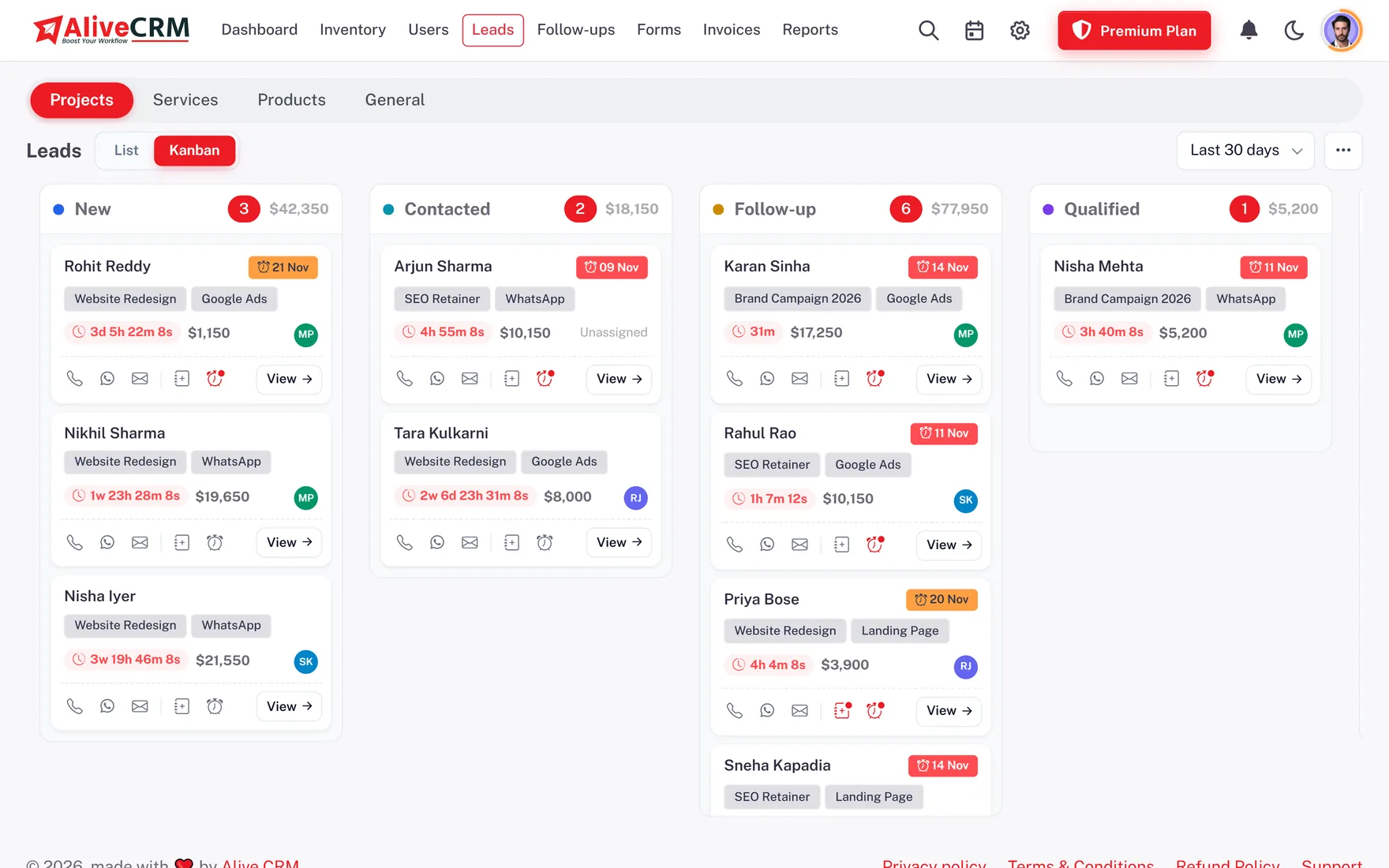
Set the statuses your team uses, such as New, Called, Interested, Site Visit Done, Negotiation, Booked and Not Interested, each with a colour. Enquiries, bookings and orders each get their own list. Every change is saved with the employee's name and time, so there are no arguments about who updated what.

  • Your own statuses and colours
  • Separate lists per enquiry type
  • Status history with names
See Statuses and Sources
One Language for Lead Status
Allotment

Auto Allotment Instead of WhatsApp Forwards

New website enquiries can be allotted in turn, to the least busy executive, evenly over time, at random, or always to one person for a particular product or project. The employee gets an alert on the phone, and the admin gets an email for each new lead. Leads can still be reassigned by hand.

See Lead Assignment
  • Allotted in seconds
  • Alert on the employee's phone
  • Reassign any time
Reports

Know Which Source and Which Employee Delivers

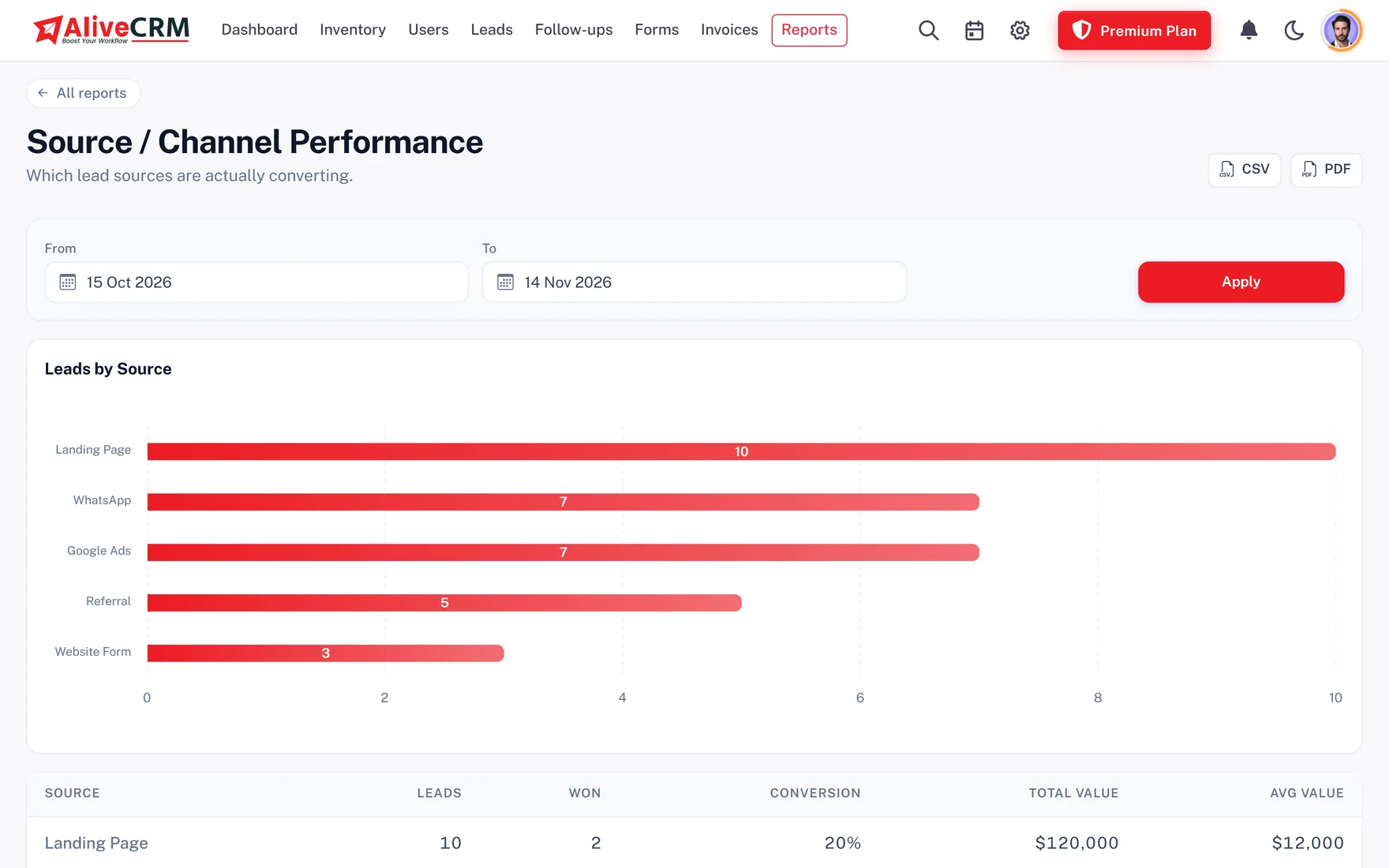
See enquiries by source, by executive and by form, with a conversion funnel and follow-up compliance on paid plans. A builder can see which project page brings the most site visits. An institute can see which course gets enquiries but few admissions. Export any list to Excel, CSV or PDF.

  • Source and executive reports
  • Conversion funnel
  • Export to Excel, CSV or PDF
See Sales Reports
Know Which Source and Which Employee Delivers
Who It Is For

Teams That Have Outgrown Their Sheet

Owners tired of Excel

One trusted list instead of five versions of the same file.

Read: Excel to CRM

Sales teams of 3 to 50

Fair allotment and visible callbacks for every executive.

Sales Team CRM

Companies with a website

Every website enquiry lands as a lead, even on Sundays.

Website Leads
Honest limits

What AliveCRM Does Not Do

Import works with CSV files, not .xlsx directly, so save your sheet as CSV first. AliveCRM does not score leads automatically, does not pull leads from property portals or marketplaces by itself, and has no separate branch module. Callback reminders come in the app, by push and by SMS on plans that include it, not by email.

FAQ

Frequently Asked Questions

What is a lead management system?

It is software that collects enquiries, assigns each one to an employee and tracks it until the customer buys or says no. It replaces the Excel sheet, notebook and WhatsApp forwards with one shared list.

Can I import my Excel sheet directly?

Save it as a CSV file first, using the AliveCRM template, then import it. Each file can hold up to 2,000 rows. Direct .xlsx import is not supported.

Can I export leads back to Excel?

Yes. The lead list exports to Excel (.xls), CSV or PDF, so you can still share data with partners or accountants.

Will my employees find it easy?

Executives mostly use three screens: their lead list, the follow-ups list and the lead details. A product tour guides new users, and the Android app keeps it on their phone.

Can different employees handle different projects or products?

Yes. Link each form to a project, product or service and set who gets those leads, either one fixed person or a group sharing them in turn.

Is customer data safe when an employee leaves?

Deactivate the employee and their leads, notes and call history stay in AliveCRM. Reassign the leads to colleagues so follow-up continues.

Does AliveCRM support Indian phone numbers and WhatsApp?

Yes. Tap to call works from the lead, and on selected paid plans you can open a WhatsApp chat with a saved template. Both are logged in the lead's contact history.

Is pricing in rupees?

Yes. Indian companies see plans in INR, billed monthly or yearly. See the INR pricing page for current plans.

Can I see which source brings the most enquiries?

Yes. Every lead records its source, such as website, walk-in, referral or WhatsApp, and you can add your own. The source report on paid plans compares them over any period.

Is there a mobile app?

Yes. The Android app is on Google Play for leads, callbacks and notes with push reminders. The iOS app is coming.

Move Your Leads Off Excel This Week

Start the 7-day trial with no card, import your sheet and give every enquiry an owner.

Book a demo

See forms, leads and follow-ups set up for your team on a live call. Leave your details and we will reach out to pick a time.