


Lead Tracking India

Lead Tracking Software for Indian Sales Teams and Their Employees

Know what every sales employee did with every lead: who called, what the customer said, when the next callback is and why a deal was lost. On the web and in the Android app.

The short answer

Why do owners in India want lead tracking?

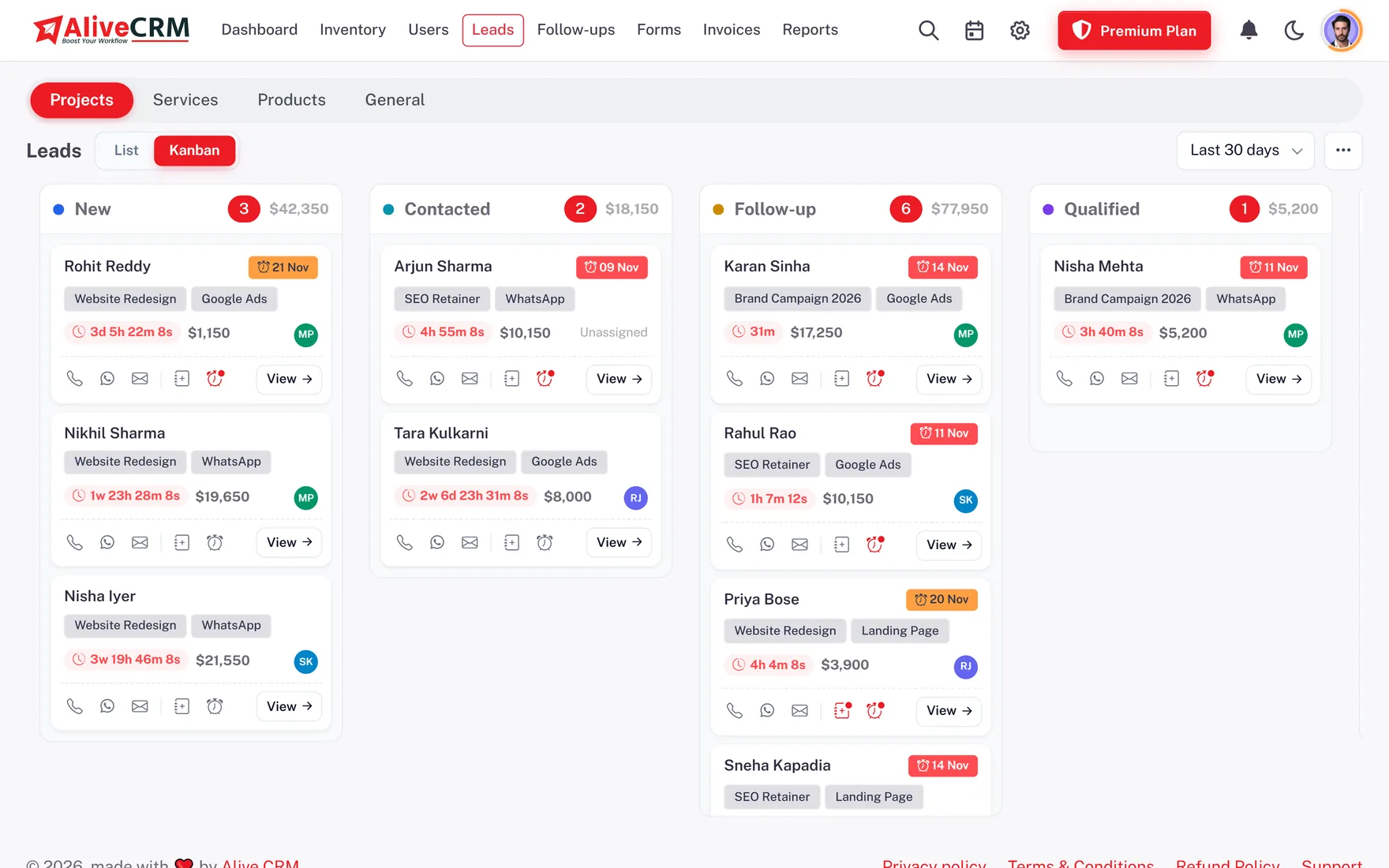
Because "Sir, I called him" is hard to check. In many Indian teams the owner hears one story in the morning meeting and finds another when the customer calls back angry. Employee lead tracking replaces those stories with a record: each lead shows its calls, chats, status changes and callbacks with names and times.

Tracking is not about distrust. Good executives benefit the most, because their work is finally visible. When a top performer's record shows twenty calls and five site visits, the owner sees it without being told, and the rest of the team learns what good looks like.

AliveCRM tracks this without making executives type reports. Tapping call or WhatsApp from a lead logs the contact, the Android app adds call duration from the phone log, and every status change is saved automatically. The sales head reads the record, the executive just does the work.
How It Works

The Trail Every Lead Leaves

Recorded automatically as your team works.

  1. 01Enquiry In
  2. 02Allotted
  3. 03Called
  4. 04WhatsApp Sent
  5. 05Callback Set
  6. 06Status Updated
Calls

Calls Tracked From the Phone Log

On Android, AliveCRM reads the call log for numbers that belong to leads, recording whether the call was incoming or outgoing, how long it lasted and whether it connected. A company setting can require call tracking for employees, so the record is complete. Calls from a desktop are not counted.

See Call Tracking
  • Direction, duration and outcome
  • Option to require call tracking
  • Android only
History

Every Status Change With a Name

When an executive moves a lead from Interested to Not Interested, AliveCRM saves who did it and when, and asks for a lost reason from your list. Nothing is silently overwritten. Deleted leads go to Trash for 30 days, so a lead removed by mistake, or on purpose, can be brought back.

  • Status history per lead
  • Lost reasons required
  • Trash keeps leads 30 days
See Statuses and Sources
Every Status Change With a Name
Callbacks

Track Promised Callbacks

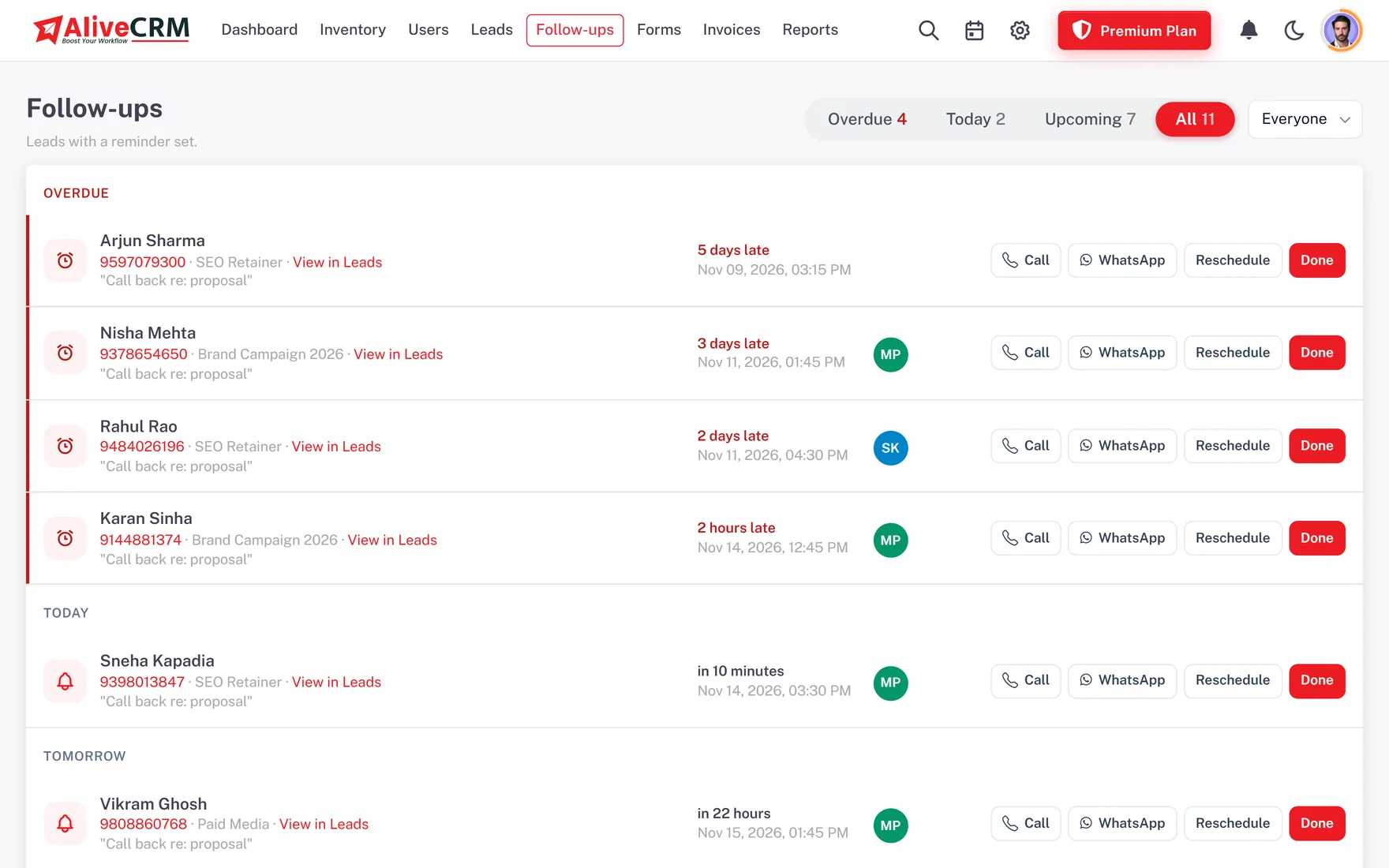
Each callback has a date, time and note. The follow-ups screen shows Overdue, Today and Upcoming for each executive, and the follow-up compliance report shows who completes callbacks on time. When a callback is marked done, the outcome is saved for the next person who opens the lead.

  • Overdue callbacks per executive
  • Compliance report
  • Outcomes saved
See Follow-Up Reminders
Track Promised Callbacks
App

A Sales Lead Tracking App for the Field

Field executives meeting customers at sites, offices or homes use the Android app to see their leads, update status after the meeting and set the next callback. Push reminders arrive on the phone. The iOS app is coming, and the web app works on any phone browser until then.

See Mobile CRM India
  • Android app on Google Play
  • Update leads after each meeting
  • Push reminders
Who It Is For

Teams That Need a Clear Record

Phone sales teams

Calls, chats and callbacks for every executive in one view.

Sales CRM India

Field sales teams

Meeting outcomes and next steps updated from the phone.

Mobile CRM
Honest limits

What AliveCRM Does Not Track

AliveCRM does not track employee location by GPS, record call audio or monitor WhatsApp conversations. It logs that a WhatsApp chat was opened from the lead, not what was said. Call tracking needs the Android app. It also does not track website visitors who leave without filling a form.

FAQ

Frequently Asked Questions

Can I see which employee called which lead?

Yes. Calls started from a lead are logged in its Contact History with the employee's name and time. On Android the call duration and outcome come from the phone log.

Does AliveCRM record calls?

No. It records that a call happened, its direction, duration and whether it connected, but not the audio.

Can I make call tracking compulsory?

Yes. A company setting can require call tracking, so employees using the Android app keep it switched on.

Can I track field employees' locations?

No. AliveCRM does not track GPS location. Field executives update the lead after each meeting, and the record shows what was done and when.

Is there a lead tracker app for iPhone?

The iOS app is coming. Android users can install the app from Google Play now, and iPhone users can use the web app in Safari.

Can I see why leads were lost?

Yes. Executives choose a lost reason when marking a lead Lost, and the lost reasons report groups them by reason and date range.

Can employees delete leads to hide mistakes?

Only roles with delete permission can delete, and deleted leads stay in Trash for 30 days where an admin can restore them.

Can I export lead activity?

The lead list exports to Excel, CSV or PDF, and reports export to CSV or PDF for your weekly review.

Do executives need to type call notes?

Only what the customer said. The call itself, its direction and duration are logged automatically on Android. A short note after each call keeps the record useful.

Can I track leads project wise or product wise?

Yes. Each lead can be linked to a project, product or service, and the projects and catalogue reports show enquiries and bookings for each one.

Start Tracking Every Lead

Try AliveCRM free for 7 days with no card and install the Android app for your team.

Book a demo

See forms, leads and follow-ups set up for your team on a live call. Leave your details and we will reach out to pick a time.