Sales Lead Management India

Sales Lead Management for Indian Sales Teams

A simple process every executive follows and every sales head can check: qualify, allot, call, follow up and review. AliveCRM keeps it running without daily WhatsApp reminders from the boss.

The short answer

How should an Indian sales team manage leads?

With fewer surprises. In many companies the sales head learns about a lost lead only when the target is missed. A clear sales lead management process changes that: every lead has a stage everyone understands, an executive responsible for it, a dated next step, and a place in the weekly review.

The best part is that the process does not depend on the sales head being in the office. When the boss is travelling, executives still see their callbacks, new leads are still allotted and the reports are waiting on the phone whenever there is time to look.

AliveCRM gives that process a home. Stages are your own, allotment is automatic, callbacks show on each executive's phone and reports show the sales head exactly where the team stands. The process works the same for a team of three in Indore or thirty in Bengaluru.

Signs your process needs fixing

  • Executives pick the leads they like and ignore the rest.
  • The morning meeting is the only time callbacks are discussed.
  • Lost leads have no reason recorded.
  • A resignation means rebuilding the pipeline from memory.
The process

Five Steps Your Team Can Follow

Agree the steps once, then let AliveCRM keep them visible.

  1. 01Qualify
  2. 02Allot
  3. 03First Call
  4. 04Callbacks
  5. 05Weekly Review
Allot

Fair Allotment Between Executives

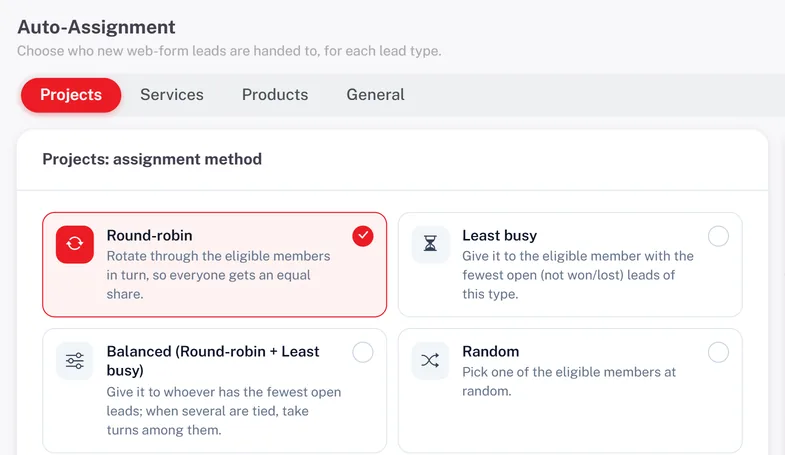
No more cherry picking. New website leads can go round-robin, to the executive with the fewest open leads, evenly over time, at random or to a fixed specialist for a product. Executives with self only access see only their own leads, so they work what they are given.

  • Six allotment methods
  • Specialists for specific products
  • Self only access
See Lead Assignment
Fair Allotment Between Executives
Discipline

Callbacks That Do Not Depend on Memory

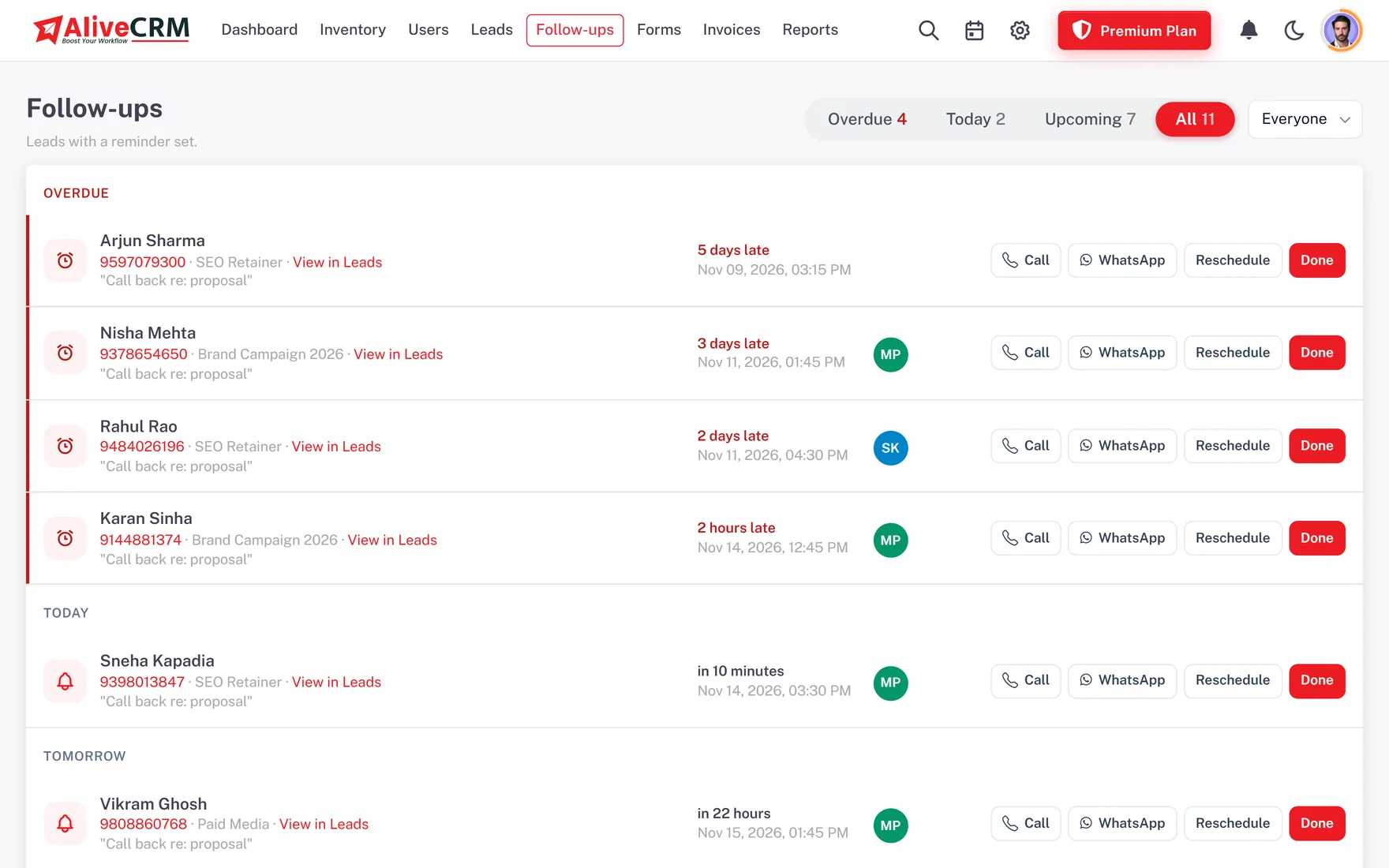
Make one rule: every open lead has a callback date. Executives see their Overdue, Today and Upcoming lists and get reminders on their phones, and on plans with SMS a text reminder as well. Marking a callback done saves the outcome, so the history reads like a diary of the deal.

  • Callback date on every open lead
  • Push and SMS reminders
  • Outcome diary on each lead
See Follow-Up Reminders
Callbacks That Do Not Depend on Memory
Review

A Weekly Review Based on Facts

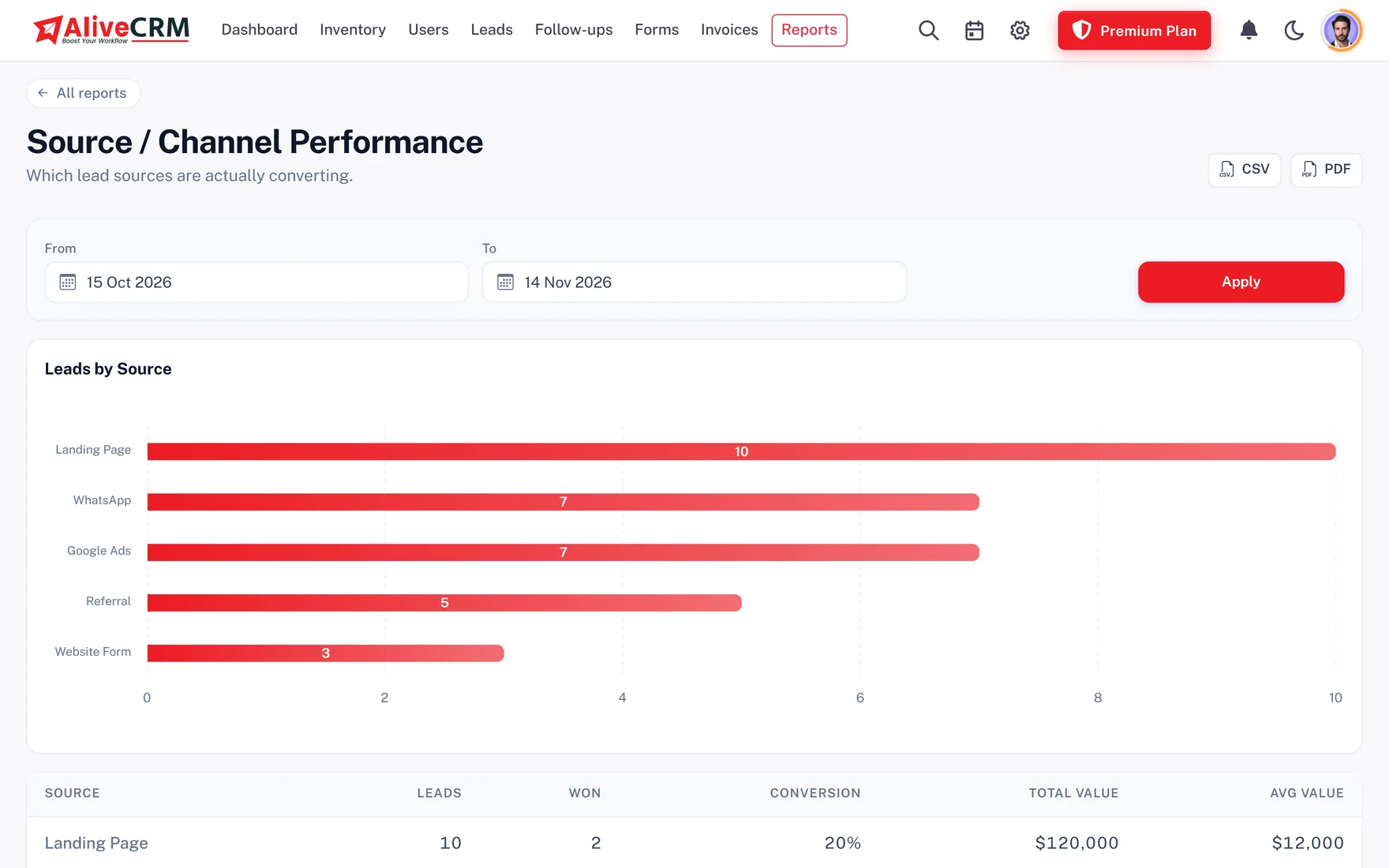
Open the sales rep report to see each executive's leads, wins and losses. Check follow-up compliance to see who keeps callback dates. Read the lost reasons report to understand objections such as price or location. Thirty minutes with these reports replaces an hour of status updates.

  • Executive wise results
  • Follow-up compliance
  • Lost reasons by date range
See Sales Reports
A Weekly Review Based on Facts
Continuity

When an Executive Resigns

Attrition is a fact of Indian sales teams. When someone leaves, deactivate their login on the last day. Their leads, notes, call logs and callbacks stay in AliveCRM, and you reassign them to colleagues who can continue the conversation with full context. The customer never has to repeat themselves.

See Employee Roles
  • Deactivate, do not delete
  • Full history stays
  • Reassign to colleagues
Who It Is For

Indian Teams Running a Shared Process

Property sales teams

Buyer enquiries shared across site executives and channel partners.

Real Estate CRM

IT and SaaS sales

Demo requests and proposals tracked to signed orders.

B2B CRM

Growing sales teams

From one founder selling to a team of executives.

Sales Team CRM
Honest limits

What AliveCRM Does Not Do

AliveCRM does not score leads automatically, set targets or calculate incentives, and it has no branch or reporting hierarchy module. City or branch teams are handled through roles and allotment pools. It makes your process visible and easy to follow, but the process itself is yours to decide.

FAQ

Frequently Asked Questions

What is sales lead management?

It is the process a sales team uses to handle leads: qualifying them, allotting them to executives, calling back until there is a decision and reviewing results. AliveCRM gives each step a screen.

How do I stop executives picking only the easy leads?

Use automatic allotment so leads are handed out by rule, and give executives self only access so they work what they are given.

Can I see each executive's pending callbacks?

Yes. The follow-ups screen shows Overdue, Today and Upcoming callbacks, and managers can see every executive's list.

Can I set sales targets in AliveCRM?

Not today. Use the sales rep report to compare leads and wins per executive against the targets you set outside the CRM.

How do I handle branches in different cities?

There is no branch module. Create allotment pools per city or project, give each executive self only access and filter reports by executive.

What happens to leads when an executive leaves?

Deactivate their account and their leads, notes and call history stay. Reassign the leads to colleagues so follow-up continues.

Can I see why we lose deals?

Yes. Executives choose a lost reason from your list when closing a lead, and the lost reasons report groups them over any date range.

Is training needed for the team?

Most executives learn the three main screens in a morning. A product tour guides them, and a demo with the Alive Inc. team can cover your process.

Can channel partners use AliveCRM?

Yes. Give partners their own logins with a limited role and self only access, so they see and update only the leads allotted to them.

Does it work for teams of only two or three people?

Yes. Small teams use the same process with fewer rules: one shared list, a callback date on every lead and a quick look at the overdue list each morning.

Put Your Sales Process on Rails

Try AliveCRM free for 7 days with no card. Set your stages and allotment rules with your team on day one.

Book a demo

See forms, leads and follow-ups set up for your team on a live call. Leave your details and we will reach out to pick a time.