Automotive

CRM for Car Dealers and Automotive Businesses

Test drive requests, showroom walk-ins and service bookings in one list, each linked to the model or service, owned by a salesperson and followed up until the buyer decides.

The short answer

What does a CRM do for a car dealership?

A CRM for car dealers keeps every prospective buyer in one shared list, with the model they want, where they came from and what was promised. AliveCRM records test drive and service requests under Services, links model enquiries to the vehicles in your catalogue, logs showroom walk-ins as a source and gives each one a salesperson who is reminded to follow up.

Car buyers take weeks to decide. They visit two or three showrooms, book test drives, ask about finance and exchange offers, then go quiet. The dealership that stays in touch at the right moment, without chasing too hard, wins the sale.

Where showroom leads go missing

  • Walk-in visitors are written in a register and never called again.
  • Website test drive requests wait until the sales manager forwards them.
  • Two salespeople call the same buyer about the same model.
  • Service customers are never asked about an upgrade.
How It Works

From First Enquiry to Delivery

The buyer's record carries every step, from the first form to the invoice.

  1. 01Enquiry
  2. 02Salesperson
  3. 03Test Drive
  4. 04Quote
  5. 05Follow Up
  6. 06Sold
Catalogue

Models and Services in One Catalogue

Add each model and variant as a product, with its code and price, and list workshop services such as periodic service, bodywork or accessories fitting as services. Group them in categories like Hatchbacks, SUVs or Service Packages. Every enquiry is linked to the model or service it is about, so you can see which models draw the most interest this month.

See Product Enquiry Management
  • Models and variants as products
  • Workshop work as services
  • Enquiries linked to the model
Capture

Test Drive Forms, Walk-ins and Service Bookings

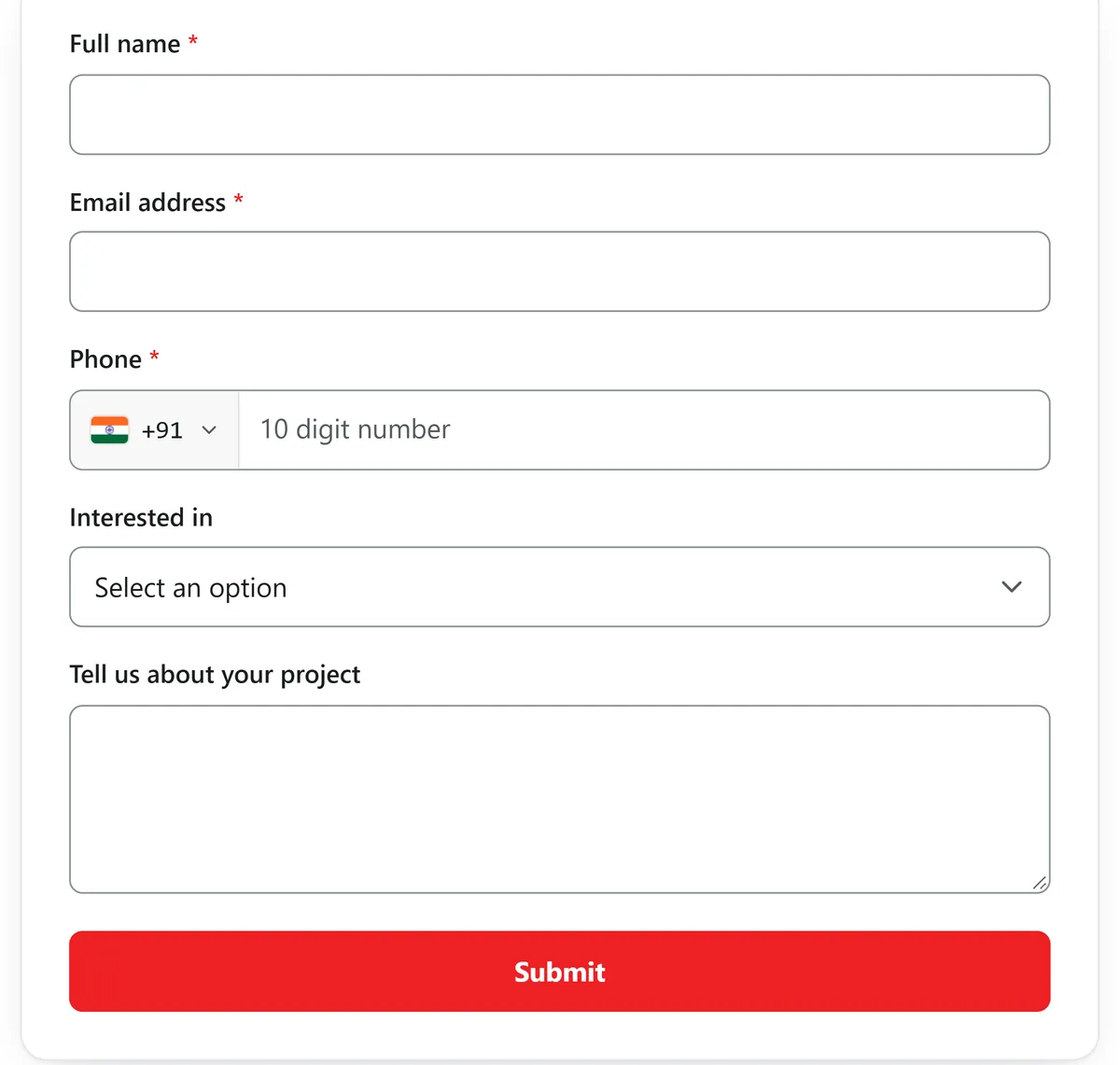
Put a test drive form on each model page with a preferred date and time, and a service booking form with the registration number and service needed. Each submission arrives as a Booking with its source. Showroom walk-ins and phone calls are added by hand with Walk-in or Phone call as the source, so the reception register and the website feed one list.

  • Test drive and service booking forms
  • Walk-in and phone call sources
  • Duplicate buyers flagged
See Lead Statuses and Sources
Test Drive Forms, Walk-ins and Service Bookings
Assign

One Salesperson per Buyer

On selected paid plans, set an assignment method for each model: round-robin across the floor team, least busy for whoever has the fewest open buyers, or a fixed owner for fleet and corporate sales. A "self only" role keeps each salesperson to their own buyers, and the sales manager sees the whole showroom.

See Automatic Lead Assignment
  • Assignment per model
  • Fixed owner for fleet sales
  • Self-only access for the floor team
Quote

On-Road Quotes From the Lead

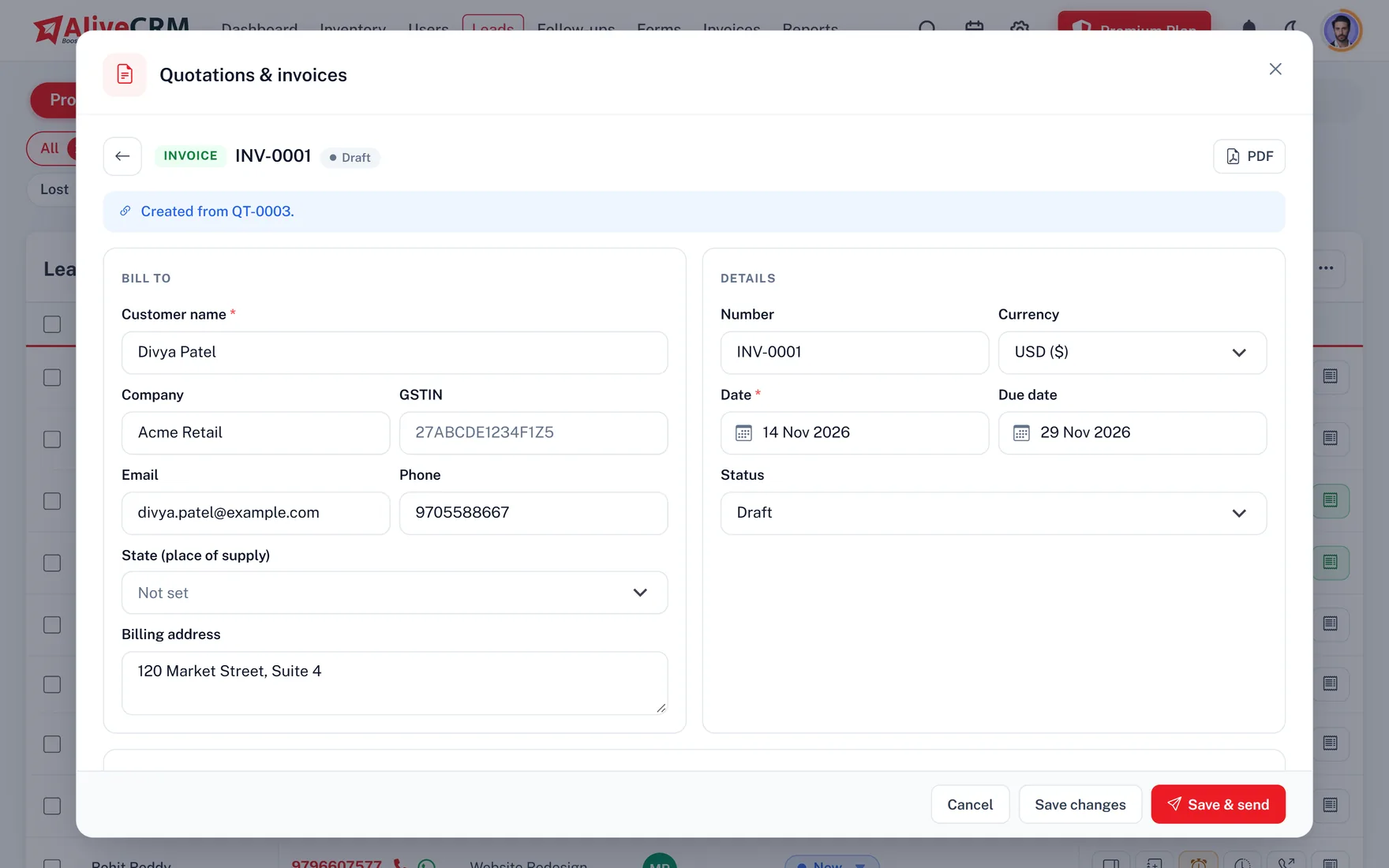
Build a quotation from the buyer's record with a line for the vehicle, accessories, insurance and registration charges, and a discount line for any offer. Send it as a PDF or by email. When the buyer books, convert it into an invoice and record the booking amount as a part payment.

  • Vehicle, accessories and charges as lines
  • Discount lines for offers
  • Booking amount as a part payment
See Quotations and Invoices
On-Road Quotes From the Lead
Follow Up

Follow Up Through a Long Decision

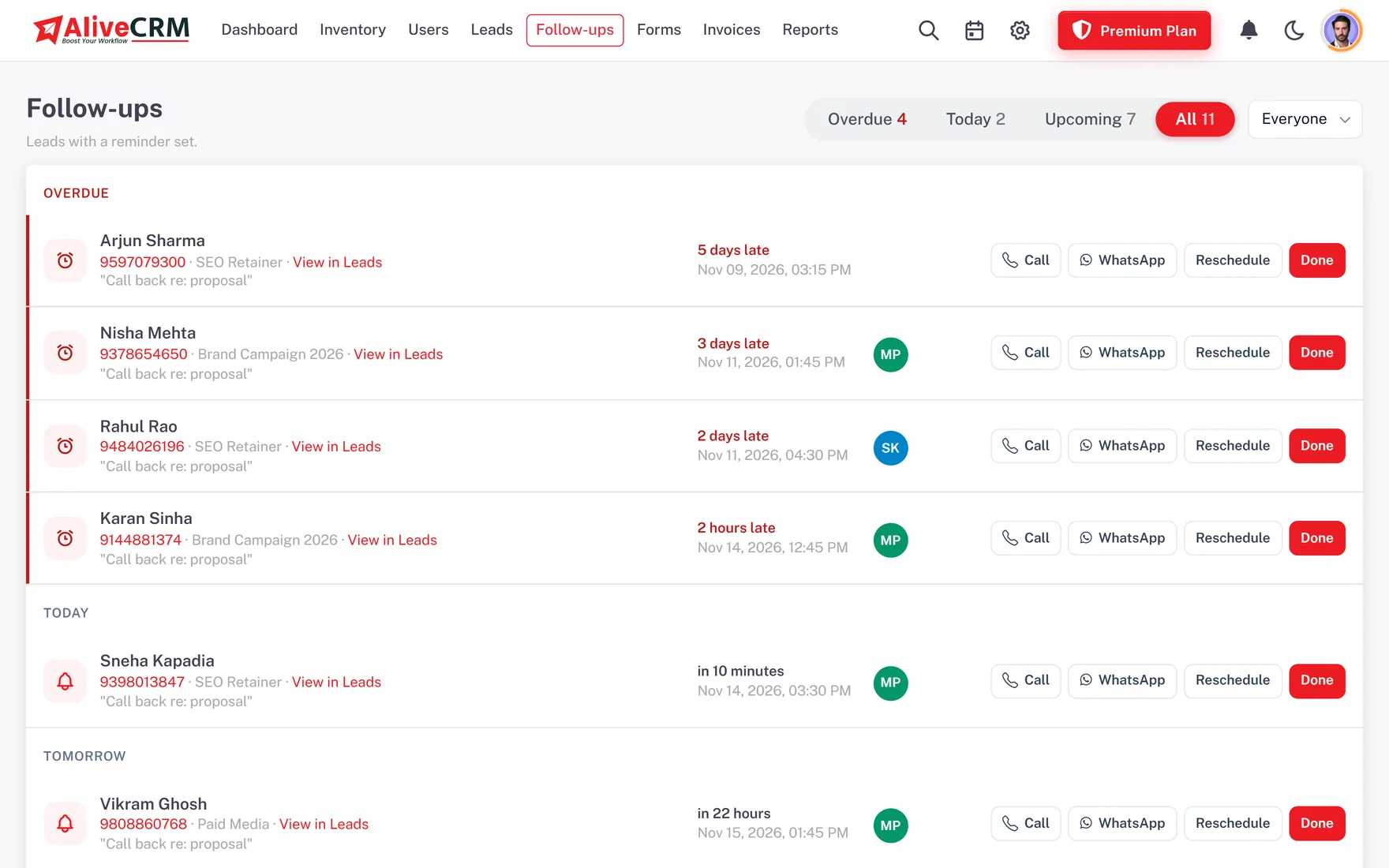
Set a reminder after each test drive and quote. The Follow-ups page shows each salesperson what is Overdue and due Today, with push alerts on the Android app. Tap to call from the lead and, on Android, the call's direction and duration are logged in Contact History. Mark each follow-up done with an outcome, such as Call back or Not interested, and note what the buyer is waiting on.

  • Reminders after test drives and quotes
  • Android call tracking
  • Outcomes kept on the lead
See Call Tracking
Follow Up Through a Long Decision
Report

See Which Models and Salespeople Convert

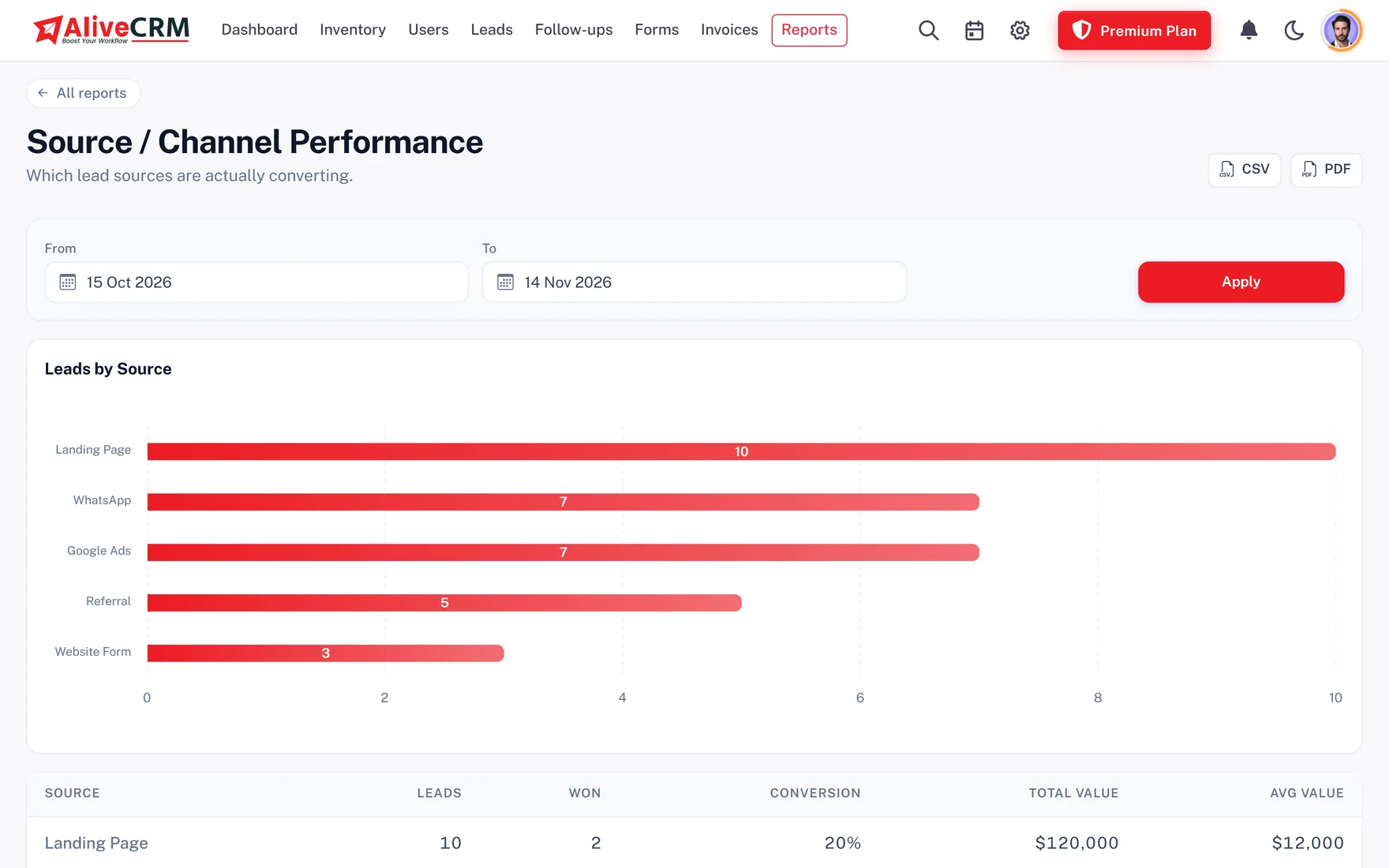
The lead pipeline report shows how many buyers sit at each stage. Advanced reports, on selected paid plans, compare enquiries per model, salesperson performance, follow-up compliance and lost reasons, so the sales manager can see whether buyers are lost to price, finance or a rival brand.

  • Enquiries per model
  • Salesperson and follow-up reports
  • Lost reasons you define
See CRM Reports
See Which Models and Salespeople Convert
Who It Is For

Automotive Businesses That Fit AliveCRM

Car and two-wheeler dealers

Test drives, walk-ins and model enquiries owned by one salesperson each and followed up to a booking.

Workshops and service centres

Service and repair bookings with the registration number, quoted from the lead and chased.

Used car businesses

Each vehicle in stock listed as a product, with buyer enquiries linked to the exact car.

Commercial vehicle and fleet sales

Fleet and corporate enquiries with a fixed owner and multi-line quotations.

Honest limits

What AliveCRM Does Not Do for Dealers

AliveCRM is a sales and follow-up CRM, not a dealer management system. It does not receive leads from manufacturer portals, manage vehicle stock or job cards, calculate finance or connect to insurance providers. Test drive slots are not shown live; your team confirms the time on the call. Calendar events are separate from leads.

FAQ

Frequently Asked Questions

Is AliveCRM a dealer management system?

No. AliveCRM handles the sales side: enquiries, test drive and service bookings, quotations and follow-ups. It does not manage vehicle stock, job cards, finance or insurance. Many dealers keep their DMS for operations and use AliveCRM so no buyer is forgotten.

Can AliveCRM receive leads from the manufacturer's portal?

There is no direct connection to manufacturer or OEM lead portals. A developer can post leads from another system to a per-form webhook, you can import a CSV file of up to 2,000 rows, or your team can add leads by hand.

How do I record showroom walk-ins?

Add the visitor as a lead with Walk-in as the source and the model they looked at. They join the same list as website enquiries, with an owner, a status and a reminder to follow up, so the visitor register no longer sits in a drawer.

Can customers book a test drive slot online?

They can request a preferred date and time on the form, and it arrives as a new lead. AliveCRM does not show live slots or confirm automatically; the salesperson confirms the time on the call.

Does AliveCRM track calls from salespeople's phones?

On Android, yes. When a salesperson taps to call from the app, the call's direction, duration and outcome are read from the phone's call log and saved in Contact History. There is no dialer or call recording.

Can I manage both sales and the workshop?

Yes, as two kinds of enquiry. Model enquiries link to products and test drive or service requests come in under Services, each type with its own statuses. AliveCRM does not replace your workshop job card system.

Can managers see every salesperson's buyers?

Yes. Managers and admins see the whole list, while a "self only" role keeps each salesperson to the buyers assigned to them. Reports compare enquiries, follow-ups and wins per salesperson.

Give Every Showroom Visitor a Follow-Up

Start a 7-day free trial with no card needed, add your models and put a test drive form on your website.

Book a demo

See forms, leads and follow-ups set up for your team on a live call. Leave your details and we will reach out to pick a time.