Travel and Hospitality

CRM for Travel and Hospitality Teams Turning Enquiries Into Bookings

Package, group and event enquiries arrive as bookings linked to the trip or room type, reach the right agent and get a quote and a follow-up before the traveller books elsewhere.

The short answer

What should a travel CRM do?

A CRM for travel and hospitality keeps every trip, stay and event enquiry in one shared list, with the dates, party size and package the traveller asked about. AliveCRM saves each request under Services, linked to a service in your catalogue, such as a seven-night Bali package, a wedding block of rooms or a city walking tour. It assigns the enquiry to an agent, reminds them to follow up and lets them send a quotation from the same record.

Travellers compare options and change their minds. A quote sent on Monday can be forgotten by Friday unless someone calls back. Most lost bookings are not lost on price; they are lost because nobody followed up at the right moment.

Where travel enquiries slip through

  • Package requests from the website wait in an inbox overnight.
  • Group and corporate enquiries get handled by whoever answered the phone.
  • Quotes go out but nobody knows which travellers replied.
  • Seasonal agents leave, and their enquiries leave with them.
How It Works

From First Enquiry to Confirmed Booking

One record holds the traveller, the trip and every follow-up.

  1. 01Enquiry
  2. 02Agent
  3. 03Itinerary Call
  4. 04Quote
  5. 05Follow Up
  6. 06Booked
Catalogue

Packages, Rooms and Tours as Services

List what you sell as services in the catalogue: holiday packages, room types, day tours, transfers or event venues, grouped in categories such as Honeymoon, Group Tours or Corporate. Each enquiry is linked to the service it came from, so you can see which packages draw interest this season and send a Maldives enquiry to the agent who knows the Maldives.

See Service Enquiry Management
  • Packages and rooms as catalogue services
  • Categories for trip types
  • Enquiries linked to the package
Capture

Booking Enquiry Forms That Ask the Right Questions

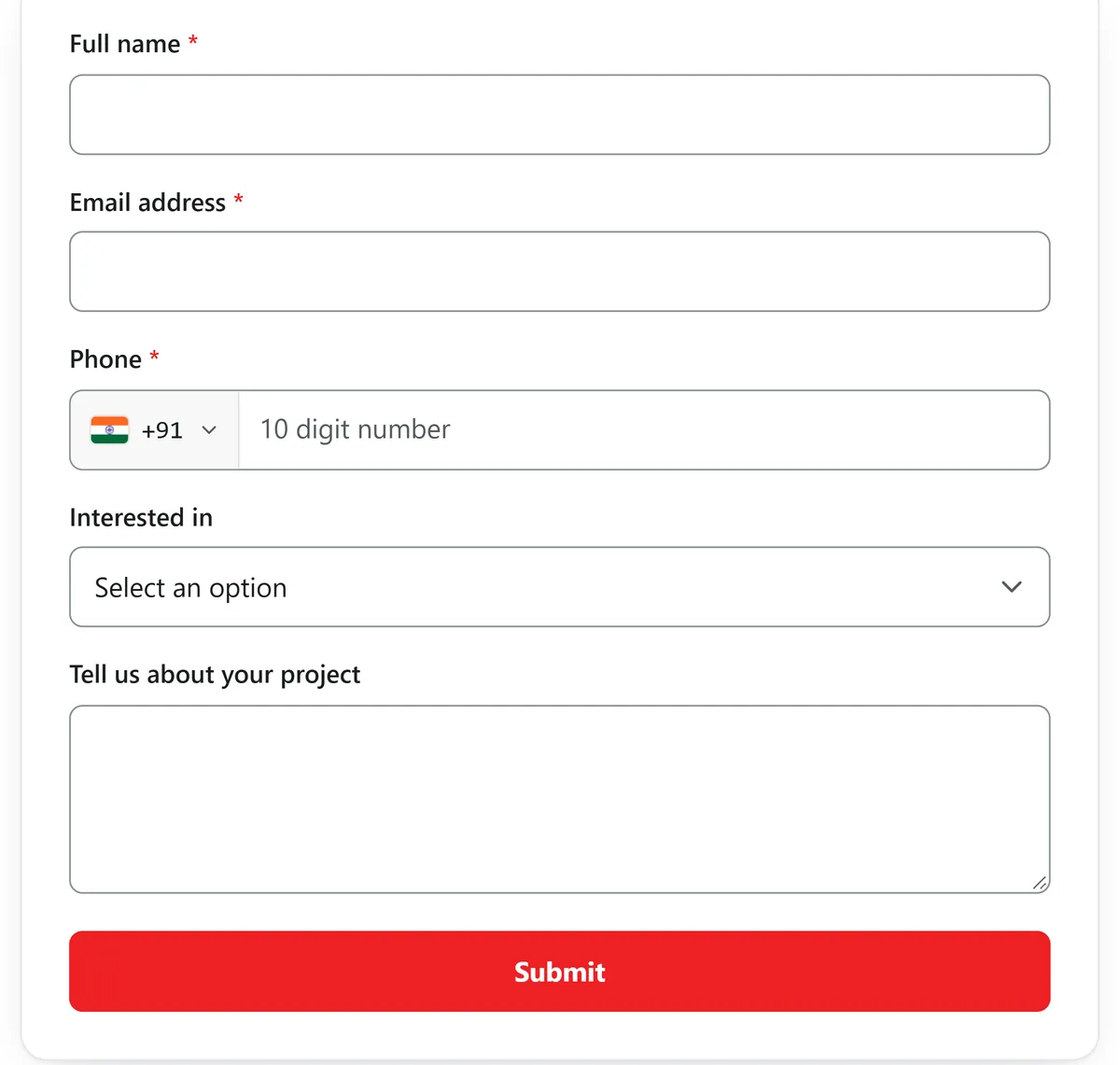
Build an enquiry form for each package page with travel dates, number of travellers, budget and a notes field for special requests. Embed it on your website with one script tag or share the link on social media. Each submission arrives under Services with its source recorded. Calls and walk-in enquiries are added by hand so they sit beside web leads.

  • Date, party size and budget fields
  • A form for each package page
  • Source recorded on every booking
See the Form Builder
Booking Enquiry Forms That Ask the Right Questions
Assign

The Right Agent for Each Destination

Auto-assignment, on selected paid plans, can be set for each package. Give your Europe specialist every Europe enquiry as a fixed owner, and share domestic weekend trips across the desk by round-robin or least busy. When an agent is on leave, reassign their open enquiries with the full history kept.

See Automatic Lead Assignment
  • Assignment per package
  • Fixed specialists or shared desks
  • Reassign with history intact
Quote

Quotes in the Traveller's Currency

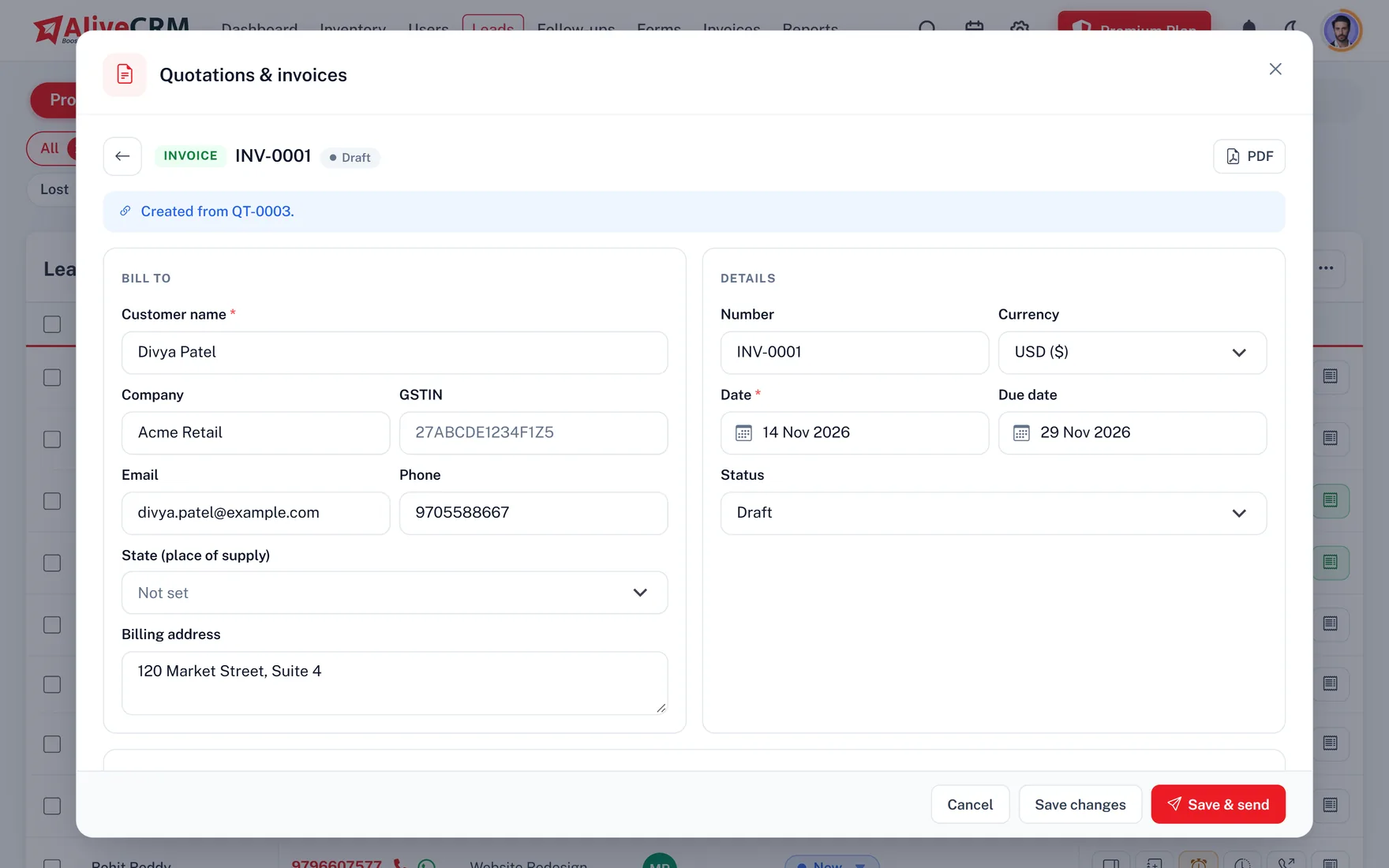
Build a quotation from the booking with a line for each part of the trip: flights, hotel nights, transfers and activities, with discounts and tax per line. Issue it in INR, USD, AED, EUR or GBP, email it or share it as a PDF. When the traveller confirms, convert it into an invoice, record the deposit as a part payment and the balance before departure.

  • A line for each part of the trip
  • INR, USD, AED, EUR or GBP
  • Deposits recorded as part payments
See Quotations and Invoices
Quotes in the Traveller's Currency
Follow Up

Call Back Before They Book With Someone Else

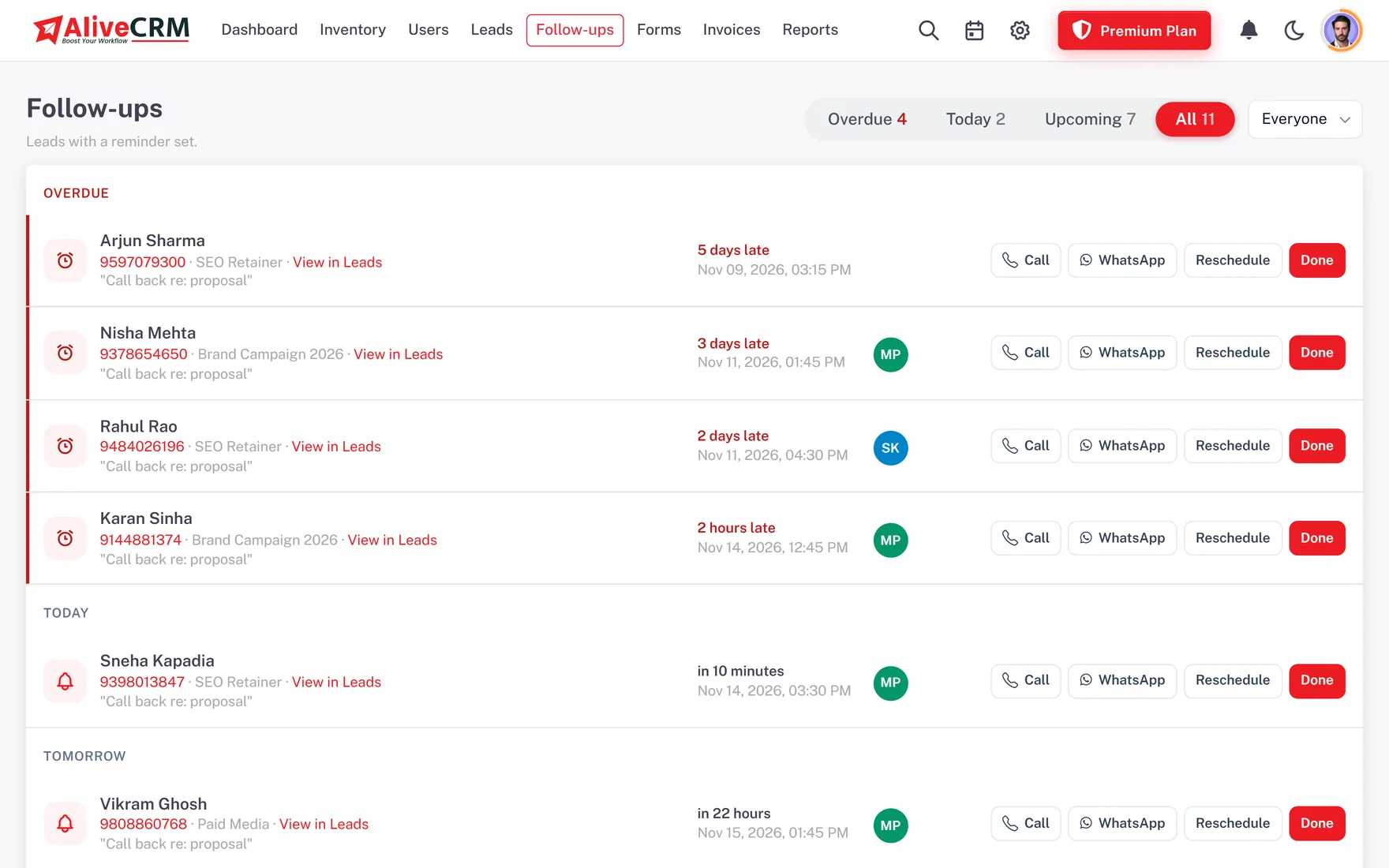
Set a reminder on the booking for the day after the quote goes out. The Follow-ups page shows what is Overdue and due Today, and push alerts reach agents on the Android app. Tap to call or open a WhatsApp chat with a saved template from the lead, and mark each follow-up done with an outcome such as Call back or Not interested, plus a note on what was said.

  • Follow-ups by Overdue, Today and Upcoming
  • WhatsApp templates for quote reminders
  • Outcomes kept on the lead
See Lead Follow-Up Software
Call Back Before They Book With Someone Else
Report

See Which Trips and Agents Convert

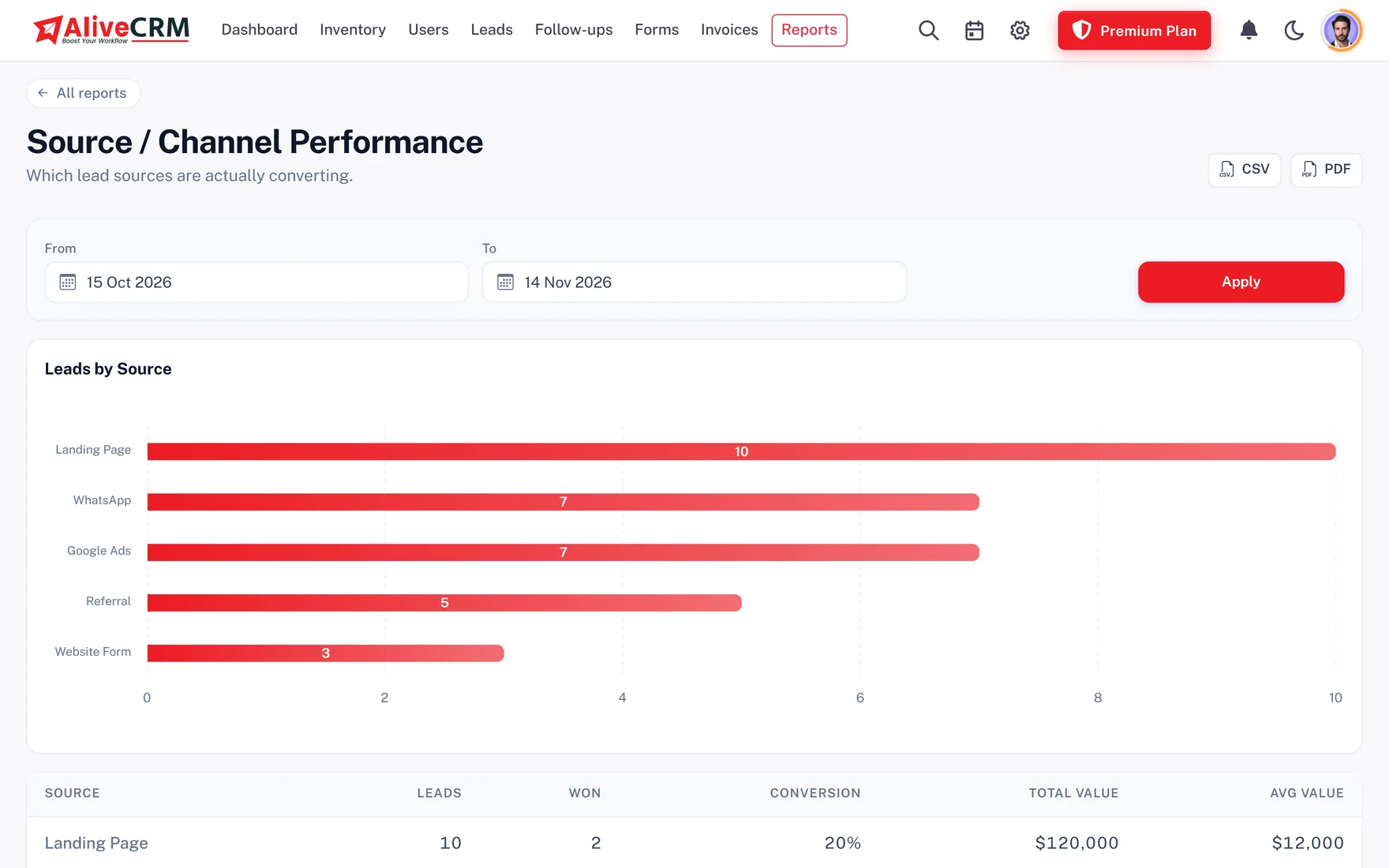
The lead pipeline report shows how many bookings sit at each stage. Advanced reports, on selected paid plans, compare enquiries per package, agent performance, sources and lost reasons, so you know whether you lose travellers on price, dates or slow replies.

  • Enquiries per package
  • Agent performance
  • Lost reasons such as price or dates
See CRM Reports
See Which Trips and Agents Convert
Who It Is For

Travel and Hospitality Teams That Fit

Travel agencies and tour operators

Holiday, honeymoon and group tour enquiries assigned by destination and chased after every quote.

Hotels and resorts

Group stays, wedding blocks and corporate rates captured as bookings, separate from your direct room reservations.

Event and venue businesses

Venue, banquet and conference enquiries with dates and guest numbers, quoted line by line.

Activity and experience providers

Tour, trek and experience requests linked to each activity, with a follow-up on every quote.

Honest limits

What AliveCRM Does Not Do for Travel

AliveCRM handles enquiries, quotes and follow-ups. It is not a booking engine, property management system or channel manager. It has no live availability or room inventory, no connection to online travel agencies or GDS systems, and it does not take payments from travellers online. Calendar events are separate from leads.

FAQ

Frequently Asked Questions

Is AliveCRM a booking engine?

No. AliveCRM does not show live availability, hold rooms or take payment from travellers. It records booking enquiries, assigns them to agents, sends quotations and reminds the team to follow up. Your booking engine or property system still handles confirmed reservations.

Can AliveCRM connect to online travel agencies or a channel manager?

No. There is no OTA, GDS or channel manager connection. Enquiries arrive through AliveCRM forms on your website, a shared form link, a per-form webhook your developer can post to, CSV import, or entries your team adds by hand.

Can I quote international travellers in their own currency?

Yes. Quotations and invoices can be issued in INR, USD, AED, EUR or GBP, with line items, discounts and tax. Convert an accepted quote into an invoice and record the deposit and balance as part payments.

How do I route enquiries to destination specialists?

List each package or destination as a service, then set an assignment method for it on selected paid plans. A fixed owner sends every enquiry for that package to one specialist; round-robin or least busy shares general enquiries across the desk.

Can agents follow up from their phones?

Yes. The Android app shows leads, follow-ups and push reminders, and agents can tap to call or open WhatsApp from the lead. The iOS app is coming soon.

Does AliveCRM send trip reminders to travellers?

No. Reminders go to your team, through in-app and push alerts, and SMS on plans that include it. AliveCRM does not message travellers automatically; your agent decides when to call or send a WhatsApp template.

Can I see why we lose bookings?

Yes. Mark a lead Lost with a reason you define, such as price, dates or booked elsewhere. The lost reasons report, an advanced report on selected paid plans, shows which reasons come up most.

Turn More Travel Enquiries Into Bookings

Start a 7-day free trial with no card needed and put an enquiry form on your most popular package.

Book a demo

See forms, leads and follow-ups set up for your team on a live call. Leave your details and we will reach out to pick a time.